


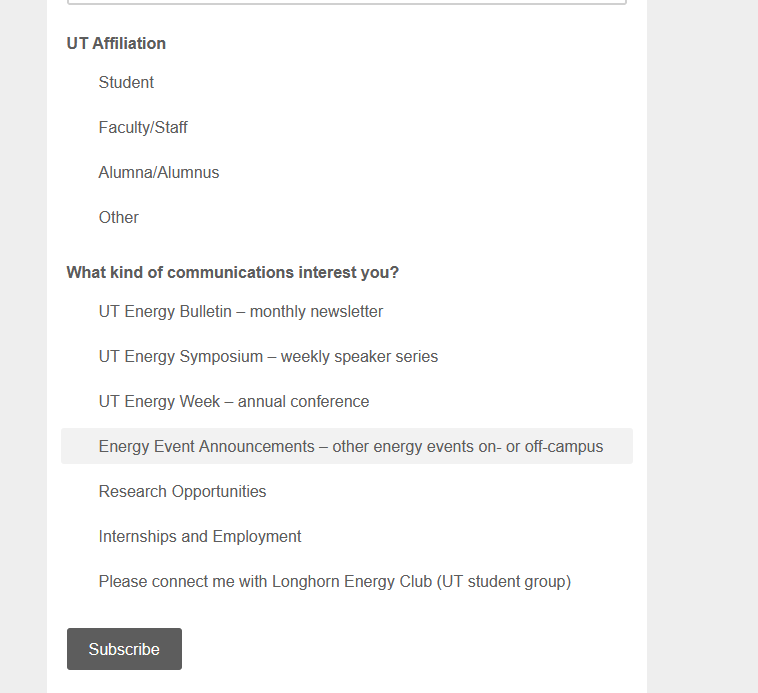
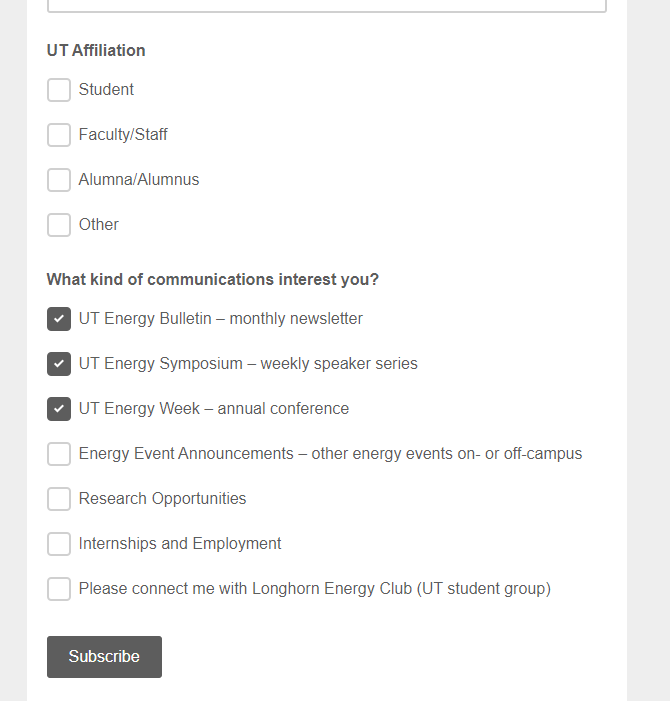
checkboxes missing from webform

Hello! I have a Mailchimp signup form here: https://utexas.us4.list-manage.com/subscribe?u=91ef16fd009c97ce473909aa7&id=1d94de45cb
The form should display with checkboxes that allow multi-select. It used to work that way in Firefox, but currently it only highlights the selection and doesn't allow more than one option to be selected. It works correctly in Chrome and Edge, however. Is there a way to get this working again? Thanks in advance for any advice!
所有回覆 (2)
選擇的解決方法
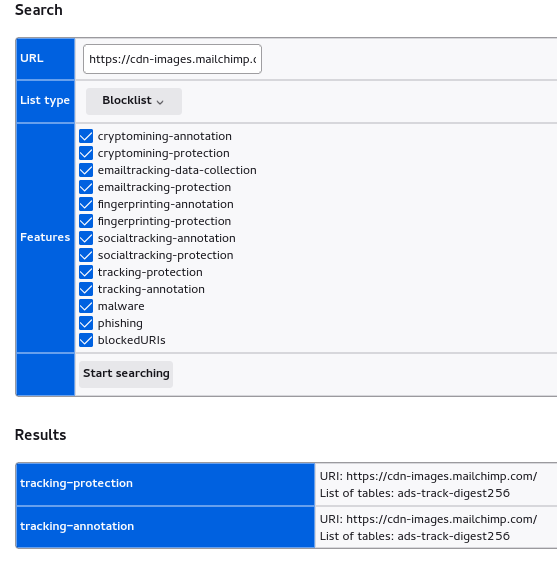
I need to disable Enhanced Tracking Protection to make the check boxes appear. It appears that this sprite is blocked:

Added screenshot of the about:url-classifier page
You can check for issues with Enhanced Tracking Protection. Firefox shows a purple shield instead of a gray shield at the left end of the location/address bar in case Enhanced Tracking Protection is blocking content.
- click the shield icon for more detail and possibly disable the protection
You can check the Web Console for relevant-looking messages like blocked content.
Super helpful! Many thanks.