


How can I see HTML DOM structure via console in Firefox?

How can I see HTML DOM structure via console in Firefox?
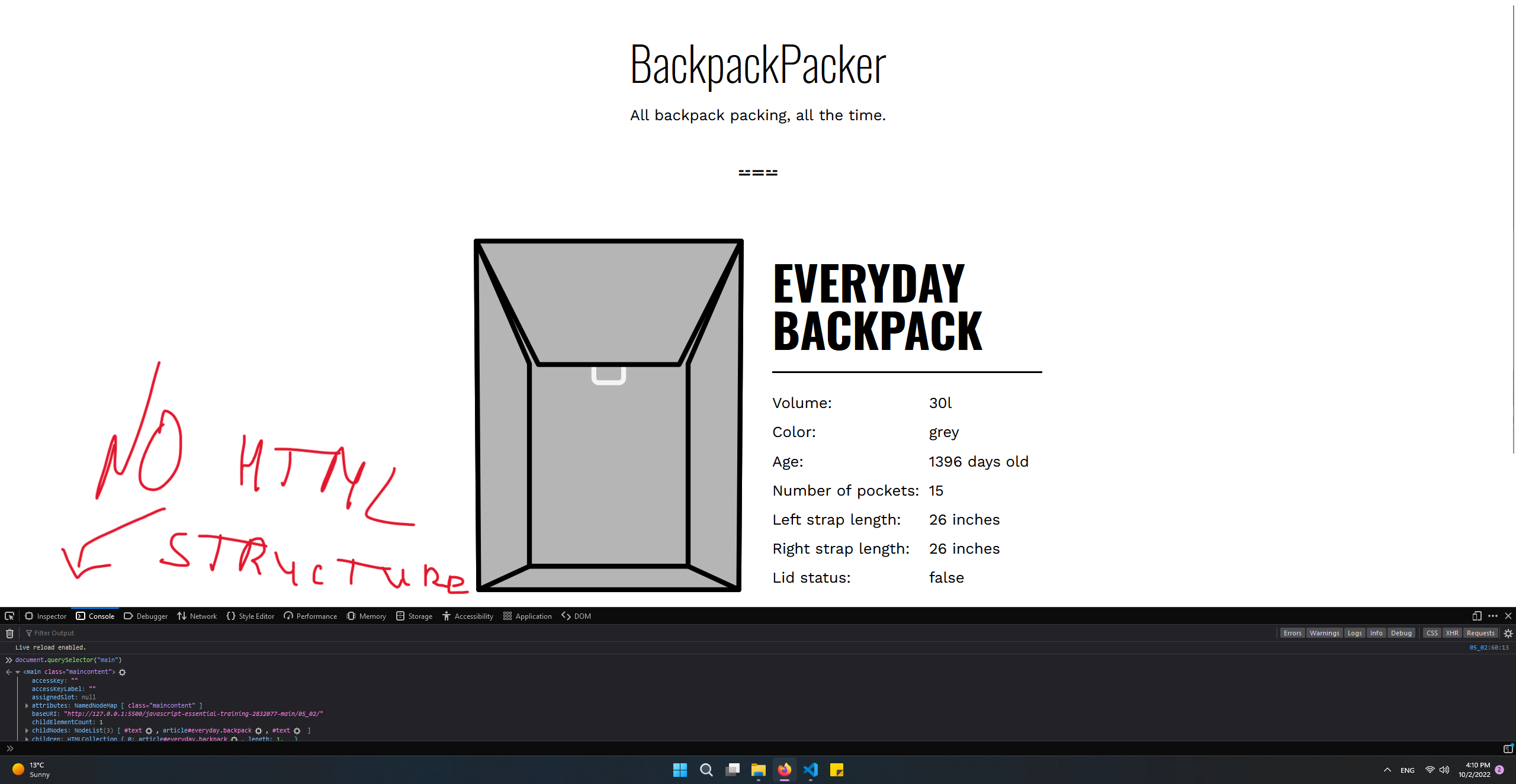
In Chrome when I type "document" in the console, I see clearly the HTML DOM structure. When I do this in FireFox I get a bunch of extra info and it's even hard to figure out the the HTML DOM structure. My question is: Where to find or how to display the HTML DOM in FireFox the way it's displayed in Chrome? DOM tool is enabled but shows completely different information (I tried DOM tab in tools it is not the same). Didn't find any solutions for this.
所有回覆 (5)
Firefox links you over to the Inspector (similar to Chrome's Elements panel) for that. See attached screenshot.
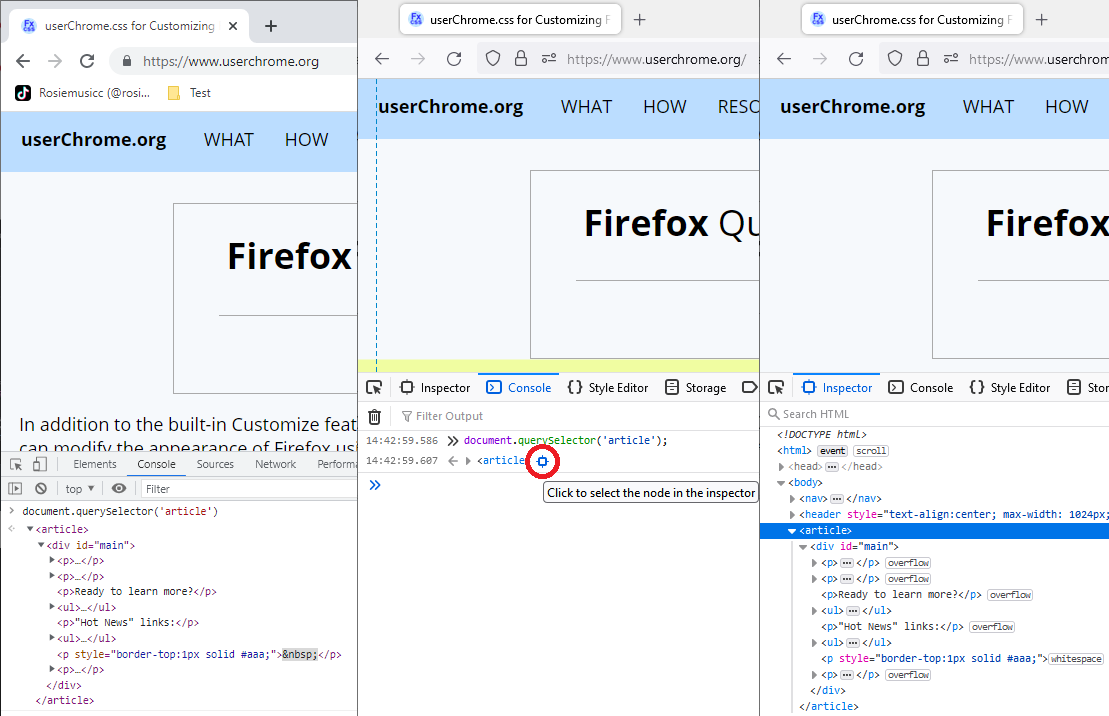
But this is not the same, inspector is fine but console doesn't show clear structure of HTML element, however Chrome has clear HTML structure straight away. Is it any way to set it up as on Chrome?
I am not aware of a setting for that. You could ask on the Dev Tools forum:
https://discourse.mozilla.org/c/devtools/213
By the way, what is the benefit of displaying an HTML tree in the Console vs. the Inspector?
This way it is showing HTML tree straight away without going to inspector, like Chrome does
But on the other hand, you need to run a script in the console when instead you could use the filter bar on the Inspector. But I understand it's hard to change a workflow that has become efficient for us.