


Chromebook still can't load firefox after flatpack installation, Chromebook, Linux.
Been desperately trying to get Firefox to run on my Acer Chromebook 315 through Linux. The app store version just isn't cutting it. I followed these instructions below as best as I could installing linux and flatpack. I even ran a power wash and tried again.
https://support.mozilla.org/en-US/kb/run-firefox-chromeos
The icon comes up in my dash, but is gray and endlessly loading. Not sure what else I can do. I'm pretty my system is compatible. Is there another way? Am I missing something?
Thank you,
A

所有回覆 (6)
Can you download it to a folder and just run Firefox?
https://www.mozilla.org/en-US/firefox/all/#product-desktop-release
由 James 於 修改
Worth a try, how do I do it?
Download the file Ex. firefox-97.0b6.tar.bz2 Then run bunzip2 firefox-97.0b6.tar.bz2 then tar -xf firefox-97.0b6.tar You should then see a firefox folder. Go in there and run what's in the screenshot.
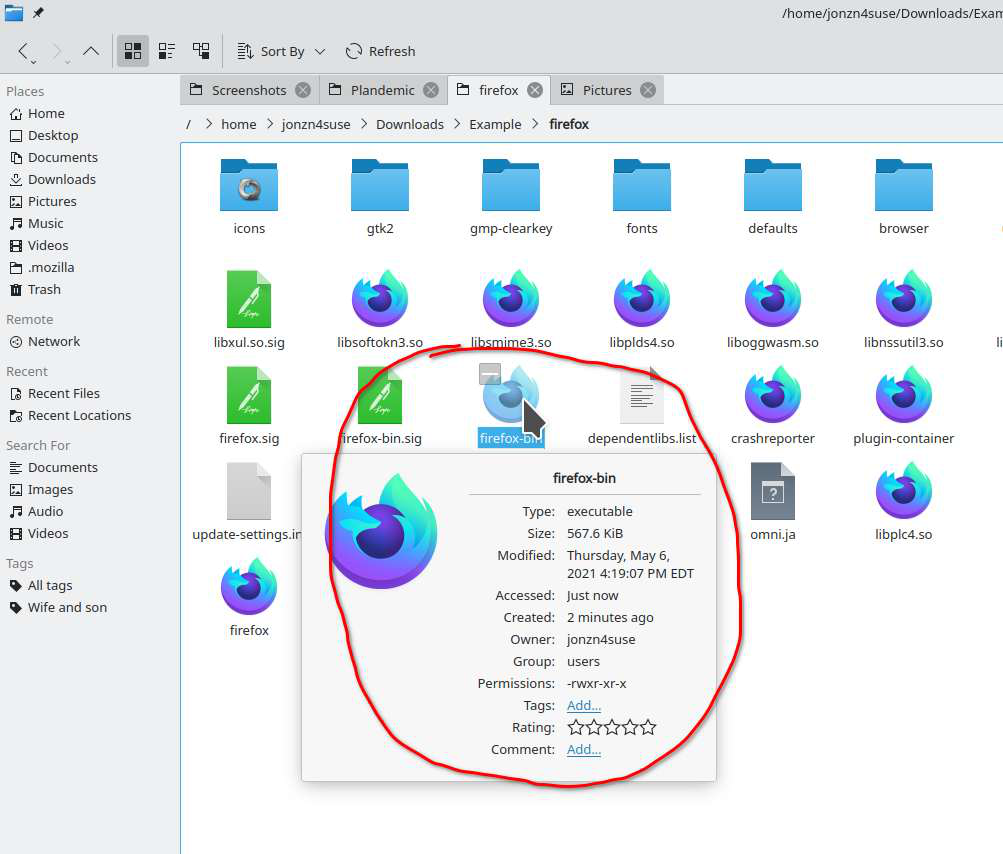
ok, in linux, I'm getting a no file or directory error. can't unpack the `...tar.bz2` file. I must be rusty on my linux language. Can you break down the steps a little more for my smooth brain?
For example. Where am I running bunzip2? Linux? Do I have to type out the whole file location into the command? `My files/downloads/firefox.96.0.2.tar.bz2` doesn't translate. Thinks `My` is a command.
Thanks.
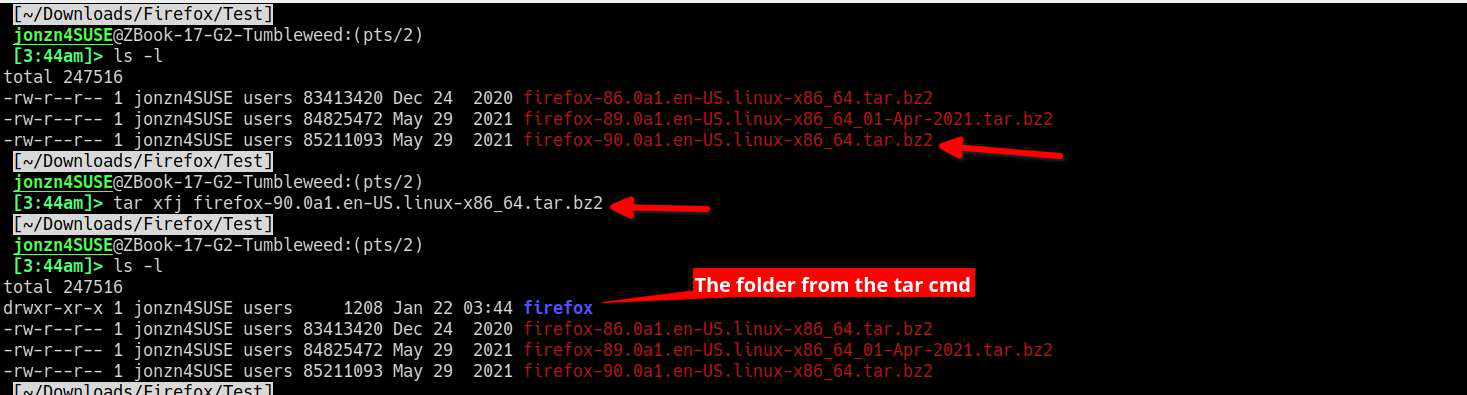
Open a cmd prompt and the current directory should be your home directory which is usually shown as ~. Then you should be able to just type cd downloads. Then you should be in the download folder. You can check your current location by typing pwd(print working directory) to see where you are. Then run ls(list) to verify that the file is there. You can now just run this tar xfj to unzip the file and extract the tar in one step. tar xfj firefox.96.0.2.tar.bz2
由 jonzn4SUSE 於 修改