


I have 3 PCs, all running Firefox, all signed in to the same account. All say they are syncing. But one is not in fact syncing bookmarks, and reports it was last connected 2 years ago.
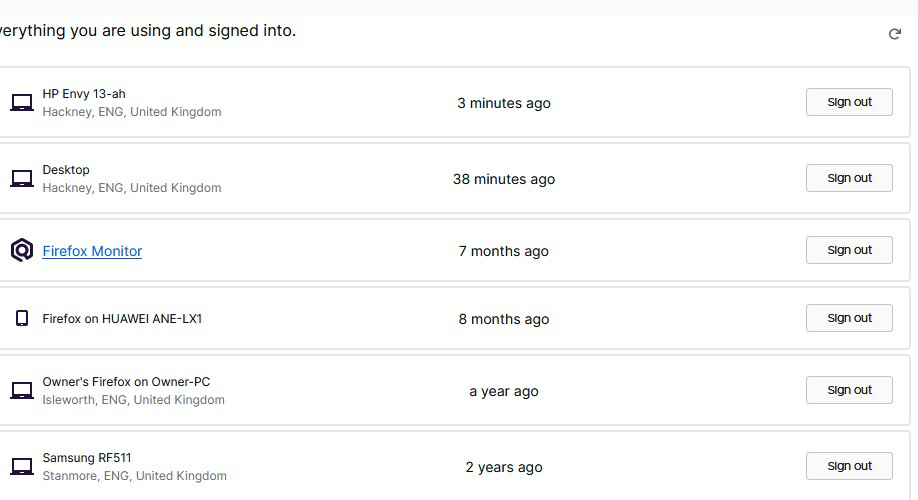
Clearly my 3 PCs are somehow connected, since they all show up in "connected services". But though the one I am now typing on routinely reports that it has successfully synced, it hasn't in fact connected to the 2 other PC's Firefoxes for the past 2 years (according to the image uploaded below). I somewhat doubt that actually, but the fact is that the 2 other PCs have identical bookmarks sets and are clearly syncing, but this one has a different bookmark set.
How to force it to connect? Disconnect it and reconnect it? Delete Firefox and reinstall?
被選擇的解決方法
Hi
As a first step, I would not go that far.
I recommend disconnecting the one that will not connect in the screen that you included an image of, and then reattach that device to your Firefox Account.
從原來的回覆中察看解決方案 👍 1所有回覆 (3)
Another thread poster has this solution, is this the generally approved solution? https://support.mozilla.org/en-US/questions/1293031
"I wanted to report that my solution to the problem was to delete my Firefox account entirely and create a new one. It was fairly easy to do, and I was even able to use the same email address for my new account immediately after deleting the old. And both devices synced immediately without issue."
選擇的解決方法
Hi
As a first step, I would not go that far.
I recommend disconnecting the one that will not connect in the screen that you included an image of, and then reattach that device to your Firefox Account.
Yep, this worked. Magic!