


How do I disable the pin tabs reminder?

I saw no option to permanently disable this question from firefox, I visited one of my frequent sites and got a pop-up asking me if I wanted to make the page a pinned page. The only options was "Sure", and "Not now".
There was no "Never show me this again" option.
所有回覆 (3)
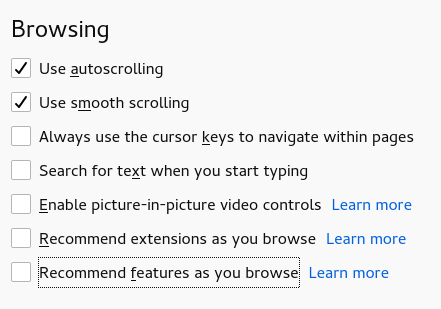
I may be wrong, but I believe that's caused by the Recommend features as you browse option in the Firefox settings. For more information, see Recommendations from Firefox.
Hope this helps.
Note that current Firefox releases come with a "Pin Tab" feature as part of the Page Actions container (three-dot icon on location bar).
You can right-click an item in the "Page actions" drop-down list to add its button to the location/address bar for easy access.
See also the Browsing settings:
- Options/Preferences -> General -> Browsing
由 cor-el 於 修改
Yeah, well, you know what the developers need to do is when they install new bells and whistles, they need to include how to disable the unwanted bell and whistle.
I swear, Mozilla is becoming as bad as Apple and Microsoft.
I take that back, they are not quite as bad as Apple.
由 cDreamDancer 於 修改