


All firefox shortcuts open 2nd blank white screen?

All Firefox shortcuts open 2nd blank white screen. The screen is being run by Firefox, because when everything else, but white screen, is closed, task mgr shows that Firefox is still running. It happens regardless of how I paste/copy shortcut to desktop.
所有回覆 (15)

Type about:config<enter> in the address bar. If a warning screen comes up, press the I Accept the Risk button. At the top of the screen is a search bar. Type browser.startup.homepage
What is the value? Right-click and select Reset to restore its default value; about:home
That worked!!. Thanks much, I've been chasing this for quite a while.
Hello,
I am glad to hear that your problem has been resolved. If you haven't already, please select the answer that solves the problem. This will help other users with similar problems find the solution more easily.
Thank you for contacting Mozilla Support.
Hi, Problem is back. Default value=about:home. I tried reset a few times, but can't get it to work again?
I also noted that it only happens when no other web sessions are open. If I am on mozilla site and open shortcut from desktop, then everything works. If nothing else is open and i start with a shortcut, it opens 2nd blank screen. It looks like it opens the blank screen first and then goes to the intended site, leaving the blank screen open.
Okay. It sounds like a problem with the shortcut you are using.
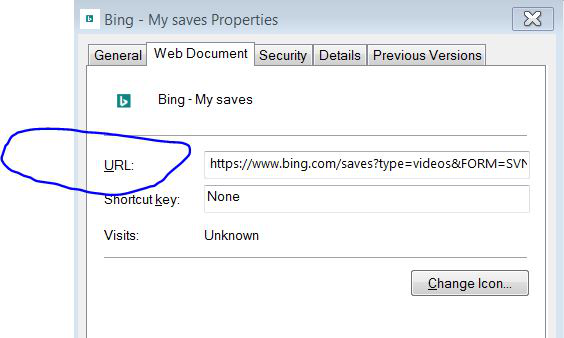
Right-click the shortcut and check its properties.
It happens with all shortcuts.
It happens with all shortcuts. I've tried many variations and many shortcuts. I've tried creating the shortcut differently (eg; cut paste, drag url to desktop, etc). They all do it.
I'm checking properties, what am I looking for?
Under Web Document, what is the URL?
Maybe check the value of this pref on the about:config page.
- browser.link.open_newwindow.override.external
The default (-1) means to use: browser.link.open_newwindow
See also:
- http://kb.mozillazine.org/browser.link.open_newwindow
- 1: current tab; 2:new window; 3:new tab;
For links opened via JavaScript you can look at this pref:
Hi, One of the URLs:
Also, I tried changing some of the browser.link integers (they are all at the default), and nothing helped.
Thanks/Tom
Change it to this; https://www.morningstar.com/members/login.html
Is the problem still there?
Problem is still there.