


Library in History

I got a notification from Firefox to update the browser. Which is fine. But, when I tried to go to History to delete the downloads and previous months history. It will not allow me to delete the months history. It does nothing.
I hope you have a resolution for this issue. Thanks.
Shannon
Ti ṣàtúnṣe nípa 4animallover
All Replies (8)
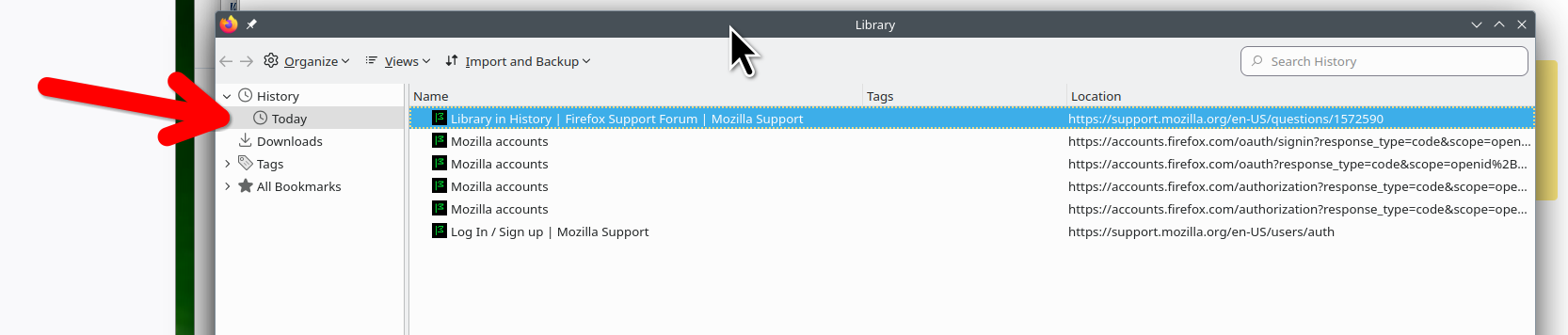
Any messages when you try to delete? To my surprise, I had history from last year October, but was able to erase it. see screenshot
Ti ṣàtúnṣe nípa jonzn4SUSE
I can click on delete, but it doesn't do anything. I even did each one separately in the larger box. Each link separately. But again nothing.
You can check for problems with the places.sqlite and favicons.sqlite files in the Firefox profile folder.
- use the "Places Database" -> "Verify Integrity" button in "Help -> More Troubleshooting Information" (about:support)
If errors are reported with "Verify Integrity", close and restart Firefox or reboot the computer and retry.
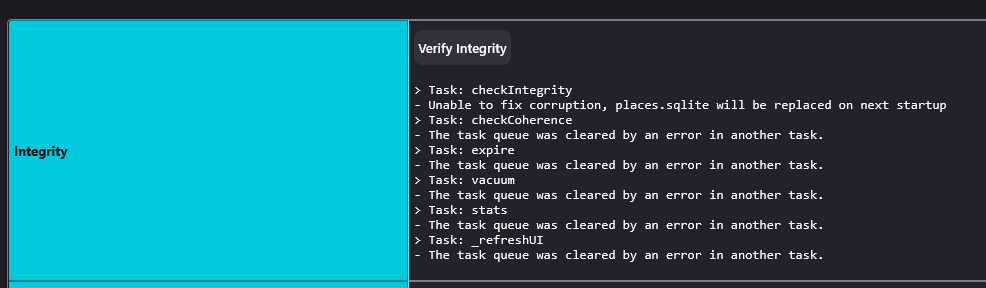
Yes, the screenshot confirms that there is a problem with the database. Did you follow the advice and close and restart Firefox to see if that has effect?
If "Verify Integrity" cannot repair places.sqlite, rename/remove all places.sqlite and favicons.sqlite files in the Firefox profile folder with Firefox closed. Firefox will rebuild places.sqlite and restore the bookmarks from the most recent JSON backup in the bookmarkbackups folder.
- keep a backup copy of places.sqlite in case a new places.sqlite database has to be created
- you lose the history when a new places.sqlite is created
You may have to restore an older backup in the bookmarkbackups folder via the Bookmarks Manager (Library).
- Bookmarks -> Manage Bookmarks -> Import & Backup -> Restore
- https://support.mozilla.org/en-US/kb/restore-bookmarks-from-backup-or-move-them
See also:
- https://support.mozilla.org/en-US/kb/fix-bookmarks-and-history-will-not-be-functional
- https://support.mozilla.org/en-US/kb/cant-add-change-or-save-bookmarks
You can use the button in "Help -> More Troubleshooting Information" (about:support) to go to the current Firefox profile folder or use the about:profiles page (Root directory).
- Help -> More Troubleshooting Information -> Profile Folder/Directory:
Windows: Open Folder; Linux: Open Directory; Mac: Show in Finder - https://support.mozilla.org/en-US/kb/profiles-where-firefox-stores-user-data
@Cor-el
I removed these 2 places.sqlite and favicons.sqlite....
And uninstalled Firefox, and reinstalled Firefox. But now I have the issue with the Adguard Blocker not being accepted by Firefox. Is there another ad guard blocker that I can use for Facebook, to stop all of the unwanted sponsored posts or unwanted groups that I don't want to see.
And thank you for your help.