


Join us to show up for other Firefox users 🦊. Earn fun badges and Mozilla swag vouchers! Find out more: https://mzl.la/askafox150

Windows 10 reached EOS (end of support) on October 14, 2025. If you are on Windows 10, see this article.

Search Support

Avoid support scams. We will never ask you to call or text a phone number or share personal information. Please report suspicious activity using the “Report Abuse” option.

Learn More

Èròjà atẹ̀lélànà yii ni a ti fi pamọ́ fọ́jọ́ pípẹ́. Jọ̀wọ́ béèrè ìbéèrè titun bí o bá nílò ìrànwọ́.

share screen in a google meeting

  • 3 àwọn èsì
  • 0 ní àwọn ìṣòro yìí
  • 270 views
  • Èsì tí ó kẹ́hìn lọ́wọ́ cor-el
  • A ti fi pamọ́ fọ́jọ́ pípẹ́

I was in a meeting and needed to show my screen. Clicked the button at bottom to share and schecked entire screen then allow....it said firefox wouldn't allow me to share because of firefox. I also tried to just share Acrobat and had same result. What setting or plugin do I need to set to allow screen sharing in Google meet, microsoft team and zoom meetings?

I was in a meeting and needed to show my screen. Clicked the button at bottom to share and schecked entire screen then allow....it said firefox wouldn't allow me to share because of firefox. I also tried to just share Acrobat and had same result. What setting or plugin do I need to set to allow screen sharing in Google meet, microsoft team and zoom meetings?

All Replies (3)

It works for me. see screenshots I was able to share my laptop and external monitor screen.
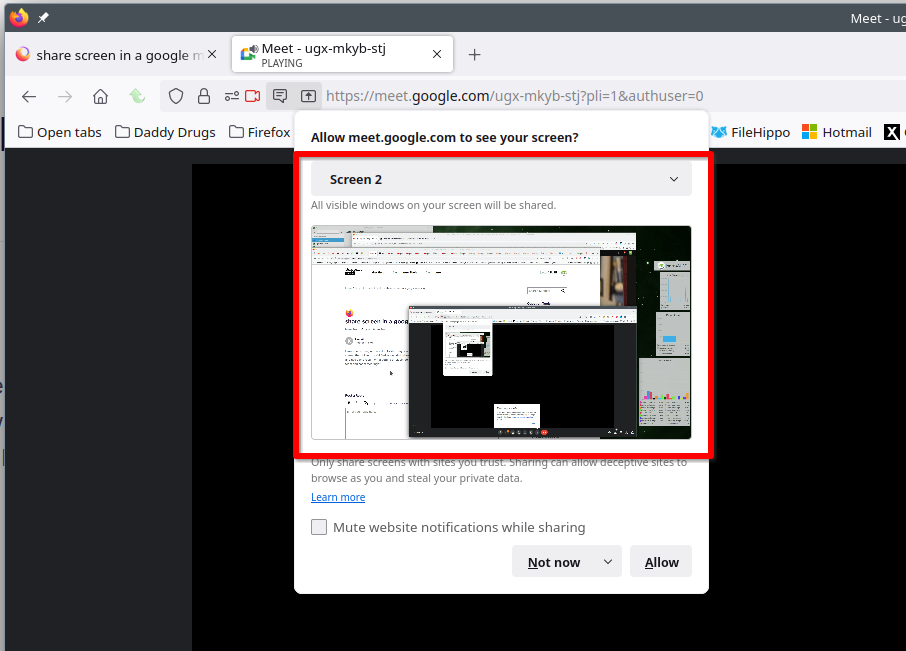
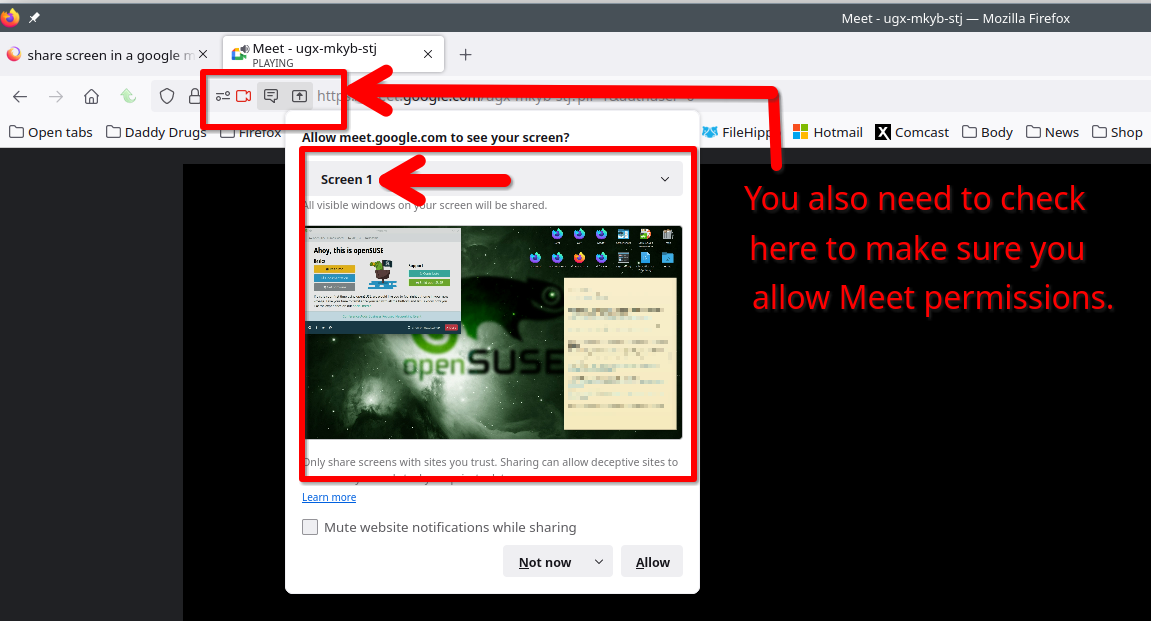
I did that -- it did not work! That is why I posted the question. A screen came up that said Fiorefox wouldn't allow screen sharing. I am on a mac and solutions are never the same as a PC. ''''''But you only pointed to buttons within meetings. Where can I change permissions in firefox?''''''

Ti ṣàtúnṣe nípa kkerski