Windows 10 reached EOS (end of support) on October 14, 2025. If you are on Windows 10, see this article.

Search Support

Avoid support scams. We will never ask you to call or text a phone number or share personal information. Please report suspicious activity using the “Report Abuse” option.

Learn More
Èròjà atẹ̀lélànà yii ni a ti fi pamọ́ fọ́jọ́ pípẹ́. Jọ̀wọ́ béèrè ìbéèrè titun bí o bá nílò ìrànwọ́.
A ti fi pamọ́ fọ́jọ́ pípẹ́

Why still black background? I picked light for layout.css.prefers-color-scheme.content-override + ui.systemUsesDarkTheme

zeroknight replied
StackExchange

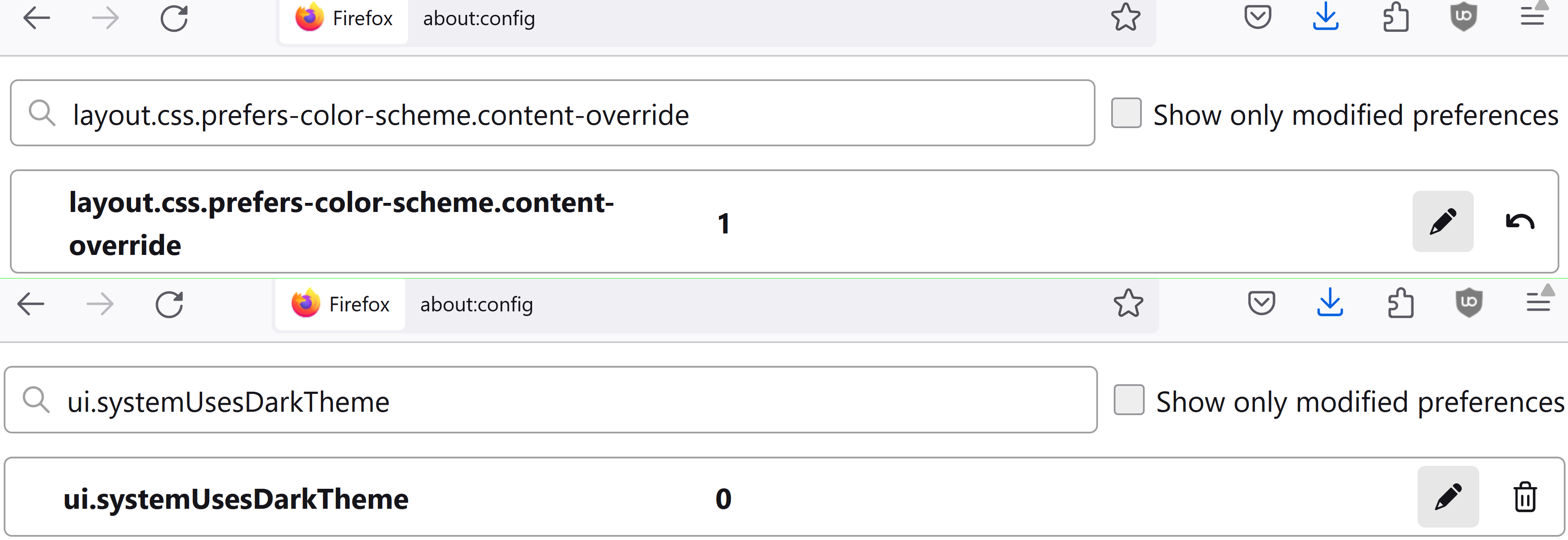
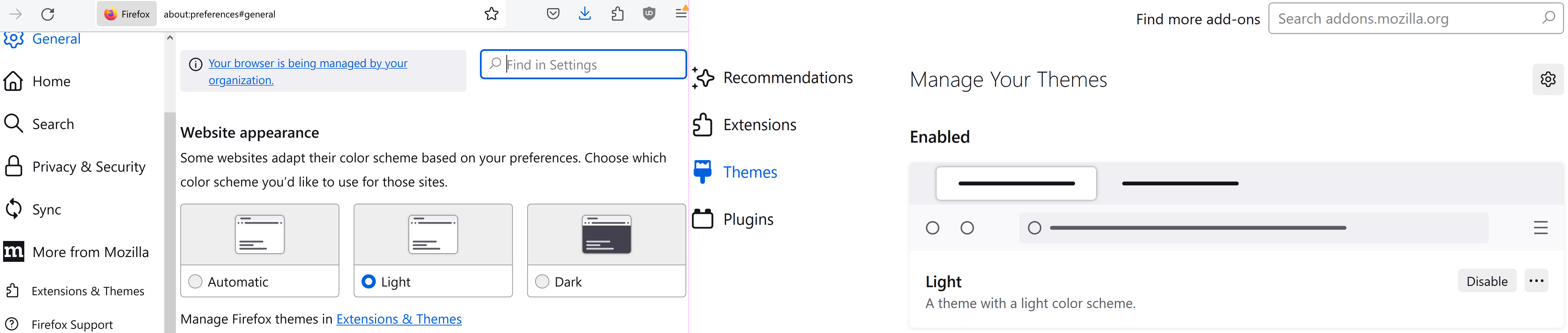
You can see below my choices for - `1` for light, in `layout.css.prefers-color-scheme.content-override` - `0` for light, in `ui.systemUsesDarkTheme`. - "Light" website appearance AND theme().

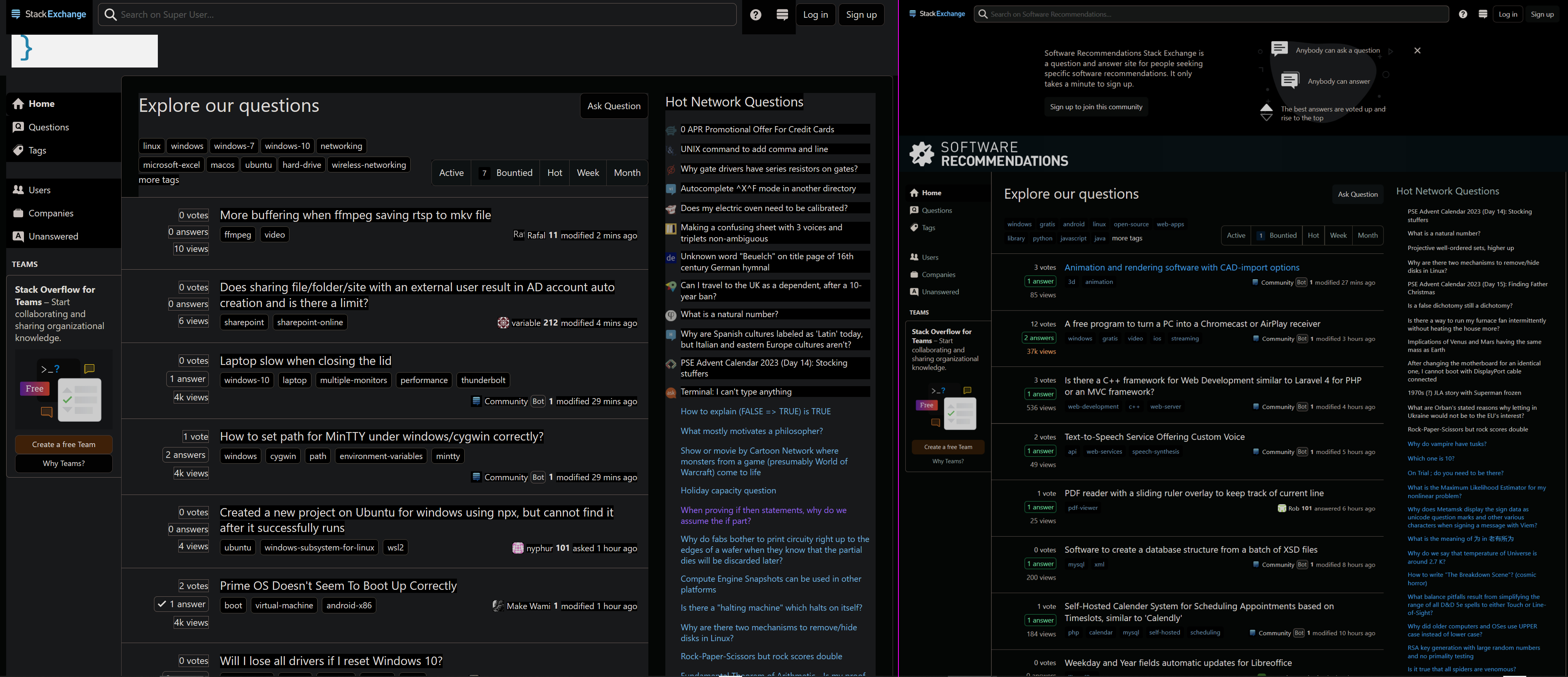
But why some websites still darken and blacken background ? Examples are https://superuser.com, https://softwarerecs.stackexchange.com.

This mishap DOESN'T happen in Troubleshoot Mode. But I don't have the Dark Reader extension.
Cross-site Backup

[https://imgur.com/a/QQRu6K7 You can see below] my choices for - [https://support.mozilla.org/en-US/questions/1360536#answer-1465159 `1` for light, in `layout.css.prefers-color-scheme.content-override` ] - [https://support.mozilla.org/en-US/questions/1359881#answer-1465837 `0` for light, in `ui.systemUsesDarkTheme`]. - [https://support.mozilla.org/bm/questions/1366505#answer-1479986 "Light" website appearance AND theme](). '''But why some websites still darken and blacken background ? Examples are https://superuser.com, https://softwarerecs.stackexchange.com.''' This mishap DOESN'T happen in Troubleshoot Mode. But I don't have the [https://addons.mozilla.org/en-US/firefox/addon/darkreader/ Dark Reader extension]. [https://superuser.com/q/1821906 ''Cross-site Backup'']
Ìsopọ̀ yíyà aṣàfihàn

Ti ṣàtúnṣe nípa StackExchange

All Replies (3)

This could be caused by an extension like Dark Reader or userContent.css. Does it still happen in Troubleshoot Mode?

No, this mishap DOESN'T happen in Troubleshoot Mode. But I don't have Dark Reader, or any similar extension.

Why would my userContent.css cause this mishap? Since installing Firefox, I've never opened — let alone edited — userContent.css. How do I redress this mishap?

Ti ṣàtúnṣe nípa StackExchange

Disable all your extensions and make sure toolkit.legacyUserProfileCustomizations.stylesheets is default false in about:config then restart the browser.