


Changing color of some elements

Hi,
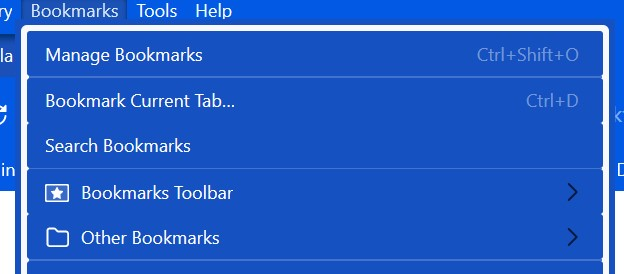
How do I change the color of the white border and the color of the arrows?
I have menupopup > menu, menupopup > menuitem { -moz-appearance:none!important; color: white !important; background-color: #1551C0!important; } menupopup { -moz-appearance:none!important; background-color: #1551C0!important; border:none !important; padding:5px 0px 5px 5px!important; }
I have .menu-right { filter: invert(100%) !important; but it only turns the arrows white in some locations but not in the bookmarks menu and not in the right-click menu.
Hi,
How do I change the color of the white border and the color of the arrows?
I have
menupopup > menu,
menupopup > menuitem {
-moz-appearance:none!important;
color: white !important;
background-color: #1551C0!important;
}
menupopup {
-moz-appearance:none!important;
background-color: #1551C0!important;
border:none !important;
padding:5px 0px 5px 5px!important;
}
I have
.menu-right
{ filter: invert(100%) !important;
but it only turns the arrows white in some locations but not in the bookmarks menu and not in the right-click menu.
Giải pháp được chọn
Those arrows are SVG images, so you can use fill.
.menu-right {fill: red !important;}
Đọc câu trả lời này trong ngữ cảnh
👍 0
Tất cả các câu trả lời (2)
Giải pháp được chọn
Those arrows are SVG images, so you can use fill.
.menu-right {fill: red !important;}