


logging out

it keeps logging me out of the account every time i open the browser. i have done the steps listed and nothing works. "Your ‘logged-in’ status is stored in special cookies. If the cookie is removed, you are logged out. You may be in Private Browsing mode or told Firefox not to remember. Type about:preferences#privacy<enter> in the address bar. The button next to History, select Use Custom Settings. Turn off Always Use Private Browsing Mode. Turn on Remember My Browsing And Download History At the bottom of the page, turn on Clear History When Firefox Closes. At the far right, press the Settings button. Turn on ONLY Cache and Form And Search History leaving the others off."
it doesn't work
also i press to make it my default browser and it says "it is control by my organization". whatever that means.
Tất cả các câu trả lời (4)
When the browser says that it's "controlled by your organization" is when a company, organization or school is controlling the device due to the settings and/or the user logged in.
Check that "Delete cookies and site data when Firefox is closed" is disabled. (Settings > Privacy & Security > Cookies and Site Data)
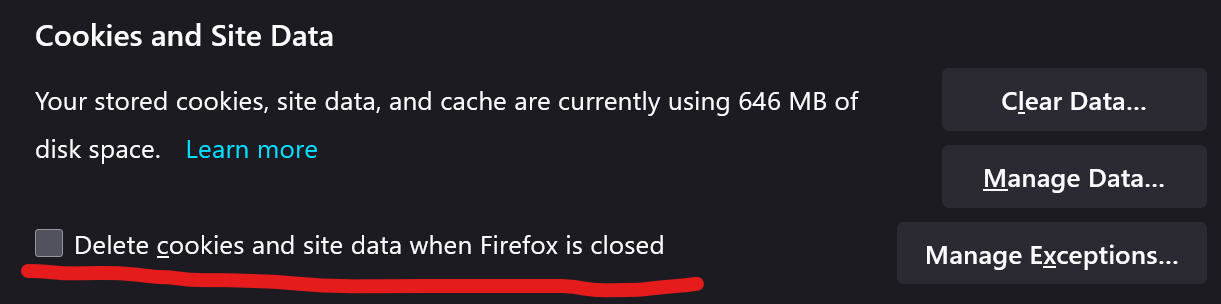
is blank the "delete cookies and site data when firefox is closed"
i'm the organization, is my personal computer, i don't use it for work or anything like it. how can i reclaim my laptop?
I would need your operating system for that. (i.e Linux, Windows 10/11 or MacOS)