


Want my old FIREFOX page back from earlier today
Best Buy Tech support took control of my computer today to get my printer to scan to the computer. After that was done, I went to my FIREFOX hompage only to see it completely changed from the way it was and I am now trying to get it back.
تمام جوابات (13)
Hi Dar, I am not able to know what your previous homepage was, but you can see how to set up your homepage here: https://support.mozilla.org/en-US/kb/how-to-set-the-home-page
Hi Konstantina....and thanks for the advice. I tried that playing around with those options most of the afternoon to no avail. Then I decided to "Restore My Computer to an earlier time" in the day before the Best Buy Technician worked on it. Low and behold that did the trick.....for about an hour and then it reverted back to the new updated page. At this point, I guess I will just have to live with it but I wish Yahoo, Firefox or Microsoft or whomever would quit changing things like this. My motto is, "IF IT'S NOT BROKEN.....DON'T TRY TO FIX IT"! Thanks again for your help in trying to resolve this issue!
Dar Schiller
Hey Dar, this is rather weird. Just to make sure I understand, your Firefox homepage was restored but then it turned back to what the technician added for you? That sounds like a bug, Firefox should be respecting your latest choice.
Before the Best Buy Technicians worked on my computer the page had a news picture in the center and that would automatically move to the next news picture about every 5 seconds. There would be a rotation of 15 news stories from around the world that would constantly be rotating and if you saw a story you were interested in, you could click on it and it would open up that particular story so you could read it. All my bookmarks were across the top of the page and an envelope below that to click on to read my mail. Now the new page is just plastered with a whole bunch of basically worthless stories like how to make a tuna sandwich taste better and it's like a wallpaper of 30 or 50 different things like that. I pasted a link as to what it looks like now but don't know if you will be able to open or see it,,,,,but that's what is what happened!
moz-newtab-wallpaper://9eae4b5a-b71c-47c9-931f-51a32151a2a3/
Can you post a screenshot of what you see? to do so click on the camera icon next to your url bar.
Apologies, check this page on how to take screenshots: https://support.mozilla.org/en-US/kb/take-screenshots-firefox#firefox:win11:fx149
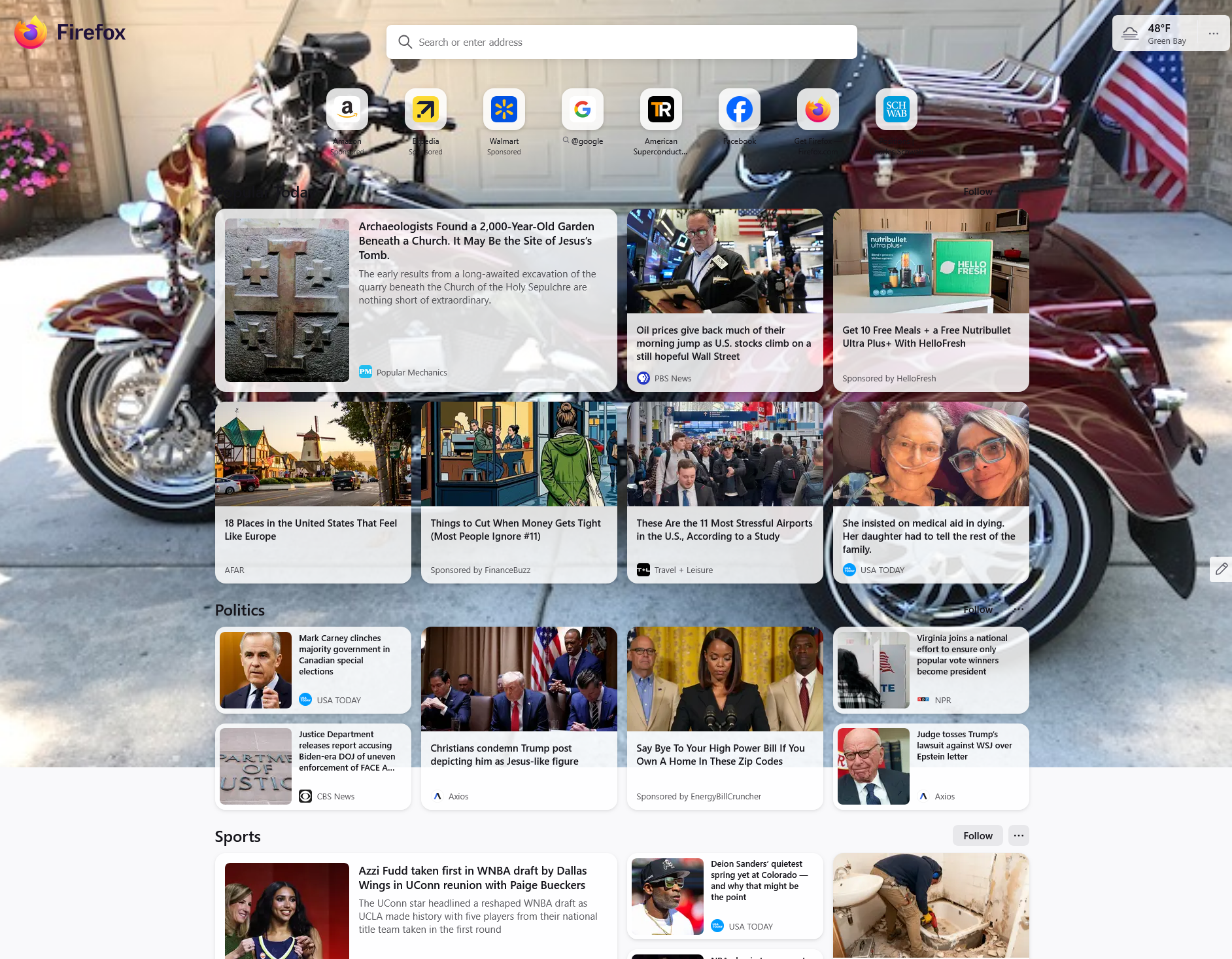
Got it, so what you're sharing is the default home page. I can't know what the technician did, but sounds like you had your homepage customized to your needs so let's try to get it back. On adding again things like bookmarks on your homepage check here: https://support.mozilla.org/en-US/kb/customize-firefox-home-screen You can also create shortcuts to have your email there for example. Now the carousel like experience you are describing - that would be hard to replicate. What you're talking about it's not a usual case, so it might have been an extension to your browser doing that. Do you remember if you had anything installed? Also do you have an extensions now?
Sorry....this is all Greek to me now....I will just learn to live with what I have.....but thanks for trying! I feel like I have spent enough hours playing around trying to get it back the way it once was!
You're welcome :) And if you have any other questions, feel free to ask :)
Note that the above linked "customize-firefox-home-screen" article is for Firefox on Android.
The built-in Firefox Home page has a Customize (gear) icon in the bottom right corner to set what items you see and has a link to "Settings -> Home" at the bottom to manage more settings.