


Get messages results are very slow to arrive - a few minutes (Comcast)

When I send photos from my phone to my imac inbox, same email address, or when a third party sends me a verification code, "get messages" is very slow showing results. Sometimes minutes, so I have to go through several verification attempts. The primary email account is gmail. My ISP is comcast.net. I don't know if this matters, because slow Get Messages is recent. It used to work very well
Modified by Wayne Mery
All Replies (6)

What is your operating system?
Is this an IMAP or POP3 account?
Please quote any error messages you see, in full, verbatim.
Do you notice that other Internet operations such as web browsing are slow? It might help to reboot your Comcast gateway/router/
The first thing to do would be to watch your Gmail web mail page to see if the message arrives in a timely manner and Thunderbird is slow to detect and download, or if they really do take a long time to get there.
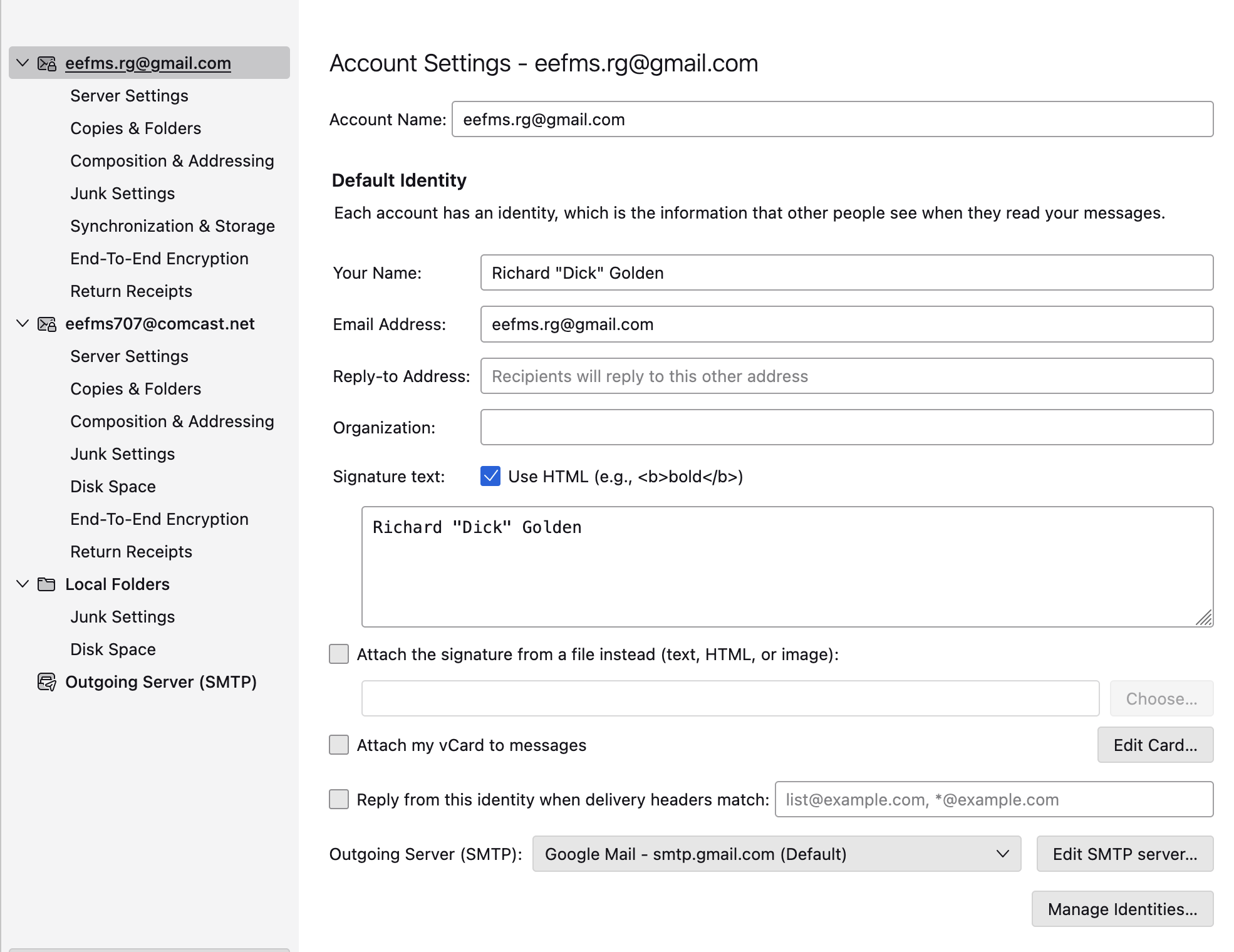
The OS on my imac is Ventura 13.7.8 IMAP acct No error msgs involved Browser seems a little slow. Have not rebooted Comcast gateway yet, because many things are connected to it, but I will. I think I mentioned this in my initial email, so I may be repeating some info. My original email account on this computer was with Comcast. (I've attached a shot of my account settings.) Became very unhappy with it, so I opened a gmail acct with the help of tutorials, online instructions, etc. I also have the gmail acct on my android phone. On my phone, I routinely email docs & pics to my gmail so I can receive them on the imac and work on them. In the past, until a few weeks ago, I'd receive them on my phone in seconds and on my imac not much later. Now the phone still receives them quickly, but it can take minutes before they appear on the mac. This is particularly problematic when someone sends me a verification code and I don't see it for awhile, or ever. Pressing "Get Messages" does not speed things up. I think that since my phone receives the email so quickly, the Gmail system is working OK. Assuming that the gateway might be the problem, until I reboot it I can't say that Thunderbird is at fault. Hopefully I've given you enough info to maybe zero in on what exactly may be the problem. Because of my limited tech skills, I can't tell you how/if my Comcast ISP and the gmail acct are linked, if at all. I can send shots of all my acct settings if you want. Thanks for your time.
I'm at a disadvantage because I know next to nothing about Apple devices and OSs, although I suspect that's not a factor here.
If I understand the situation correctly, Comcast is simply your Internet service provider. You're not using their email service at all, at least in this case. You're sending and receiving directly through Gmail.
The fact that you receive the messages quickly on the phone seems to absolve Gmail itself from being the source of the delay. You can confirm that by the test I suggested above - send a message from your phone while watching the Gmail web page. See if it shows up quickly. That would narrow the bottleneck to either your Comcast internet connection or Thunderbird.
Things to try:
- Reboot the gateway device as I suggested.
- Restart Thunderbird in Troubleshooting Mode (found in the Help menu.) Among other things, this will temporarily disable all add-ons in case one is misbehaving.
- Temporarily disable your Anti-Virus, if any.
- Disable Thunderbird's Hardware Acceleration feature. That setting is found at <Settings | General> scroll down to the bottom. That setting will usually affect general performance rather than connection issues, but it's easy enough to try.
- It's rare, but I've seen Thunderbird's Global Search database ("global-messages-db.sqlite") become corrupt and slow things down. If that file is deleted (while Thunderbird is shut down,) it will be regenerated next time Thunderbird is run. This can take up to a few hours, so it might not be the first troubleshooting measure. You can still use Thunderbird while that's going on, but Global Search won't find everything until it's complete. The file is found in your Thunderbird Profile. To find it, click on <Help | Troubleshooting Information>, scroll down to "Profile Folder", then "Open Folder". Close Thunderbird, then delete "global-messages-db.sqlite".
It's about here that my ideas start to run out. I'll give it some more thought.

'Get Messages' has become problematic......particularly (for me in TB 150.0esr) ((99.9% of the time it is not functioning.....zero sign of life....no acknowlodgement there are no messages on the server or there are messages and produces them. (Gmail....busy address)
What the hell is happening?
No reaction from anyone to my question posted a few days ago.
TB150.0esr is flaky, it does not have that reliable, working 'feel' of other versions. Linux Mint 22.3 Cinnamon

I am running Mint Cinnamon 22.3 as well, and I'm having the same issue. Using Tbird 153.2.0esr (Tbird for Linux Mint, mint-001 - 1.0). Using IMAP Mail Server. (mobile.charter.net)
Thunderbird seems able to log into my mail server, does the security handshake successfully. It is slow to show subject line info but it eventually will. But when I click on an individual email, it attempts to download and it just runs forever, and eventually it gives me a 'timed out' message.
I restarted and ran Tbird in 'Troubleshooting Mode,' but there was no difference.
This behavior can be intermittent. Last night I ran it and everything was good. Very fast and responsive. But, I would agree with what was said above, this bad behavior is present almost all the time with this version of Tbird. Before the updated version, I had no problems. Is Tbird being directed to my mail server through a proxy of some kind??
Further to this, I have verified that my mail server behaves very quickly when I log into it via Firefox. I can see and load each individual email almost instantly. So I don't think it's my provider. This all began about 2 or 3 weeks ago with the update that came through the Mint repositories. I also have a Gmail account and, curiously, it does not (yet) show this behavior. But I have verified my mail Server Settings within Tbird for the troubled email account, and everything appears as it was when running properly. I verified the SSL/TLS connection and the security handshake tests out good. Somehow it is just slow to download once logged onto the mail server.
Looking forward to an answer to this one. At this point, I am considering 'whitelisting' Thunderbird from receiving updates once I am on a working version.
Modified by Linuxbird
Linuxbird, Please post your own question using https://support.mozilla.org/en-US/questions/new/thunderbird