


Open
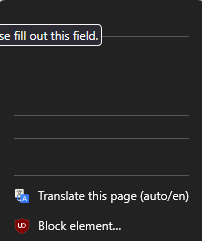
blacked contacts menu and lettering

I tried changing the theme of my browser and I tried disabling all the extensions that I have on my browser but the problem still persists
I tried changing the theme of my browser and I tried disabling all the extensions that I have on my browser but the problem still persists
All Replies (1)

Hi there!
Changing the theme and disabling extensions is exactly where I would have started, too.
Since those didn't work, it's usually one of two hidden culprits. Try these quick steps:
- Turn off Hardware Acceleration: Click the Firefox menu button (three lines) -> Settings. In the General panel, scroll down to Performance. Uncheck Use recommended performance settings, and then uncheck Use hardware acceleration when available. Restart Firefox and see if the text clears up. (This fixes a lot of weird visual glitches with graphics cards!)
- Check Website Dark Mode: If this is happening on a specific site (like Google Contacts), look for a gear icon or settings menu directly on that webpage. The site might have its own built-in dark mode setting that is overriding your browser and messing up the contrast.