


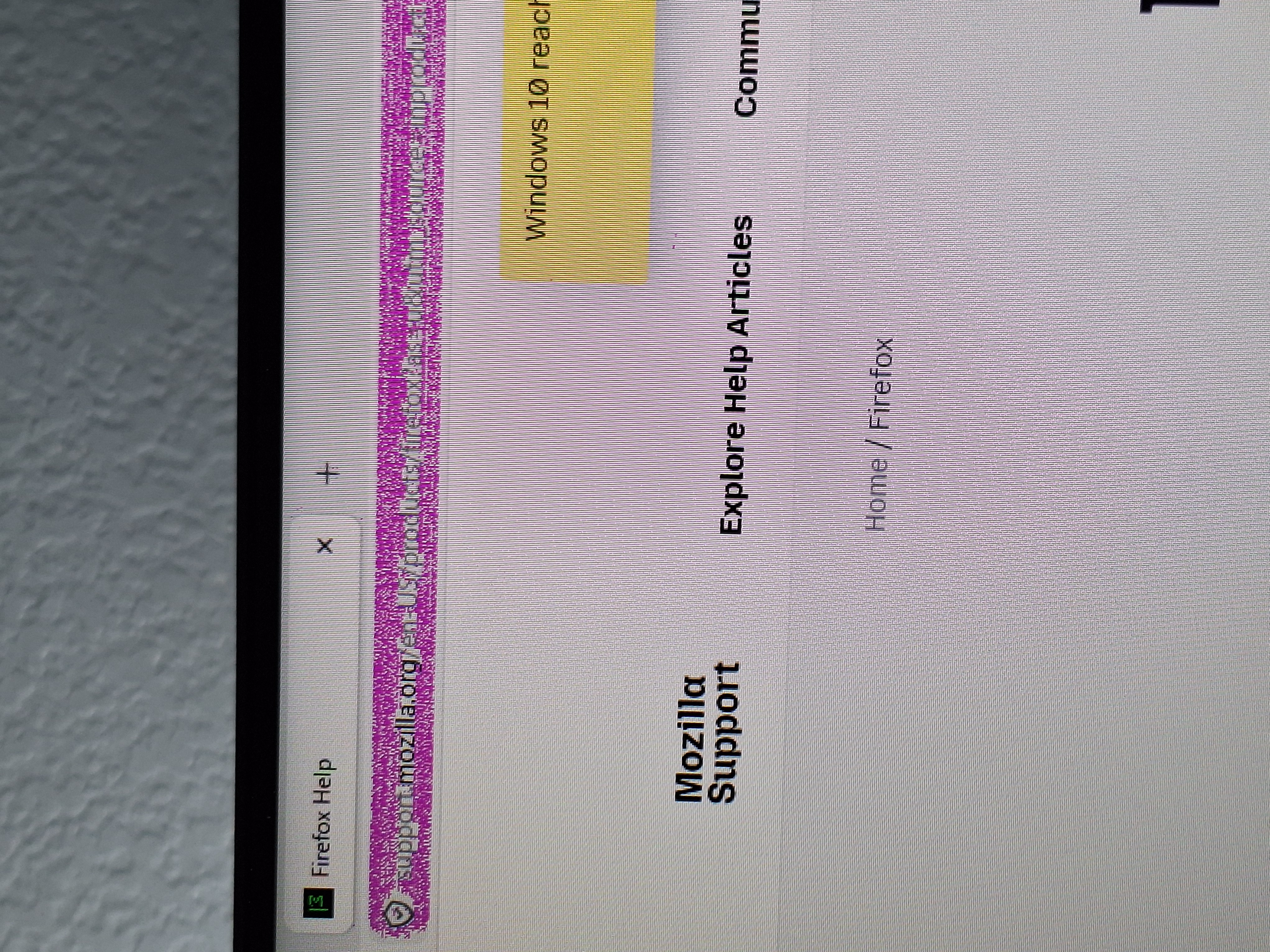
Address bar at top of page, only in Firefox, flashes hot pink/magenta.

The past few months, I get a periodic issue with Firefox. I've done some searches and looked, but nothing anyone has suggested seems to work. I also run the Chrome browser on this same computer (I have 2 Etsy shops and prefer to stay logged in to both of them, so 2 browsers are a must). NOTE: I've been doing it 'this way' since the early 2010.
This is a new Dell Windows 11 desktop. No issues with the computer. The browser is up to date.
I keep from 3-8 tabs open at a time. My Etsy shop. My email. My shipping supplier. Etc. None of these run a lot of hot graphics or anything. Suddenly, I see 'sparkles (the only way I know to describe it) on some text boxes/etc) then...the address bar starts with the flashing pink/magenta.
Appreciate some help in getting this to stop. Again, doesn't happen on the Chrome browser. Only Firefox. I've used Firefox for a very long time and appreciate it. So I hope that I don't have to go to a different browser.
Thanks in advance. I've attached a photo of what I'm seeing. Note that this vibrates...not static.
All Replies (4)
Enhanced Tracking Protection is a collection of Firefox features that protects your privacy by blocking trackers that follow you online to collect information about your browsing habits and interests. It also includes protection against harmful scripts.
If a site seems broken, you can try turning off Enhanced Tracking Protection for that website:
- Click the shield
 icon at the left of the address bar.
- At the top of the panel, toggle off the Enhanced Tracking Protection switch
 . The site will be added to your Enhanced Tracking Protection exception list, allowing trackers on it, and the page will reload automatically.
-
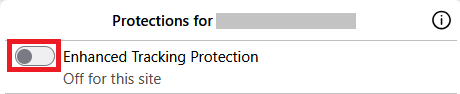
This will allow trackers to load on that website while keeping you protected on other sites. To learn more, see Enhanced Tracking Protection in Firefox for desktop.
Thank you for the information. It 'cured' itself yesterday after a few hours, but if I see it again, I will try this fix. And if that fixes the issue, I'll come back to indicate that it worked. It has been driving me crazy for months so happy to get this information.
Note that this can also be caused by an extension.
Thank you! I've marked this in my email as a link to return back. IF it continues, after I've done these recommended fixes.