


new account email setup

Trying to set up new smtp account. Out tech team says we did everything correctly.
I tested by trying to send email to dlibman72@gmail.com. I get "relaying" error.
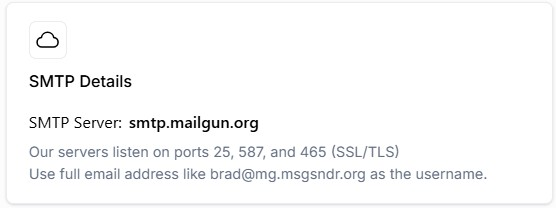
SMTP Server: smtp.mailgun.org Our servers listen on ports 25, 587, and 465 (SSL/TLS)
All Replies (9)
Please post screenshot of smtp server settings pane and also of incoming server settiings pane. Do you have more than one account with the same email provider? Relay error often indicates that sending email id does not match incoming email id. Please also post complete text of error message. thank you
Hi.
Let me answer each question:
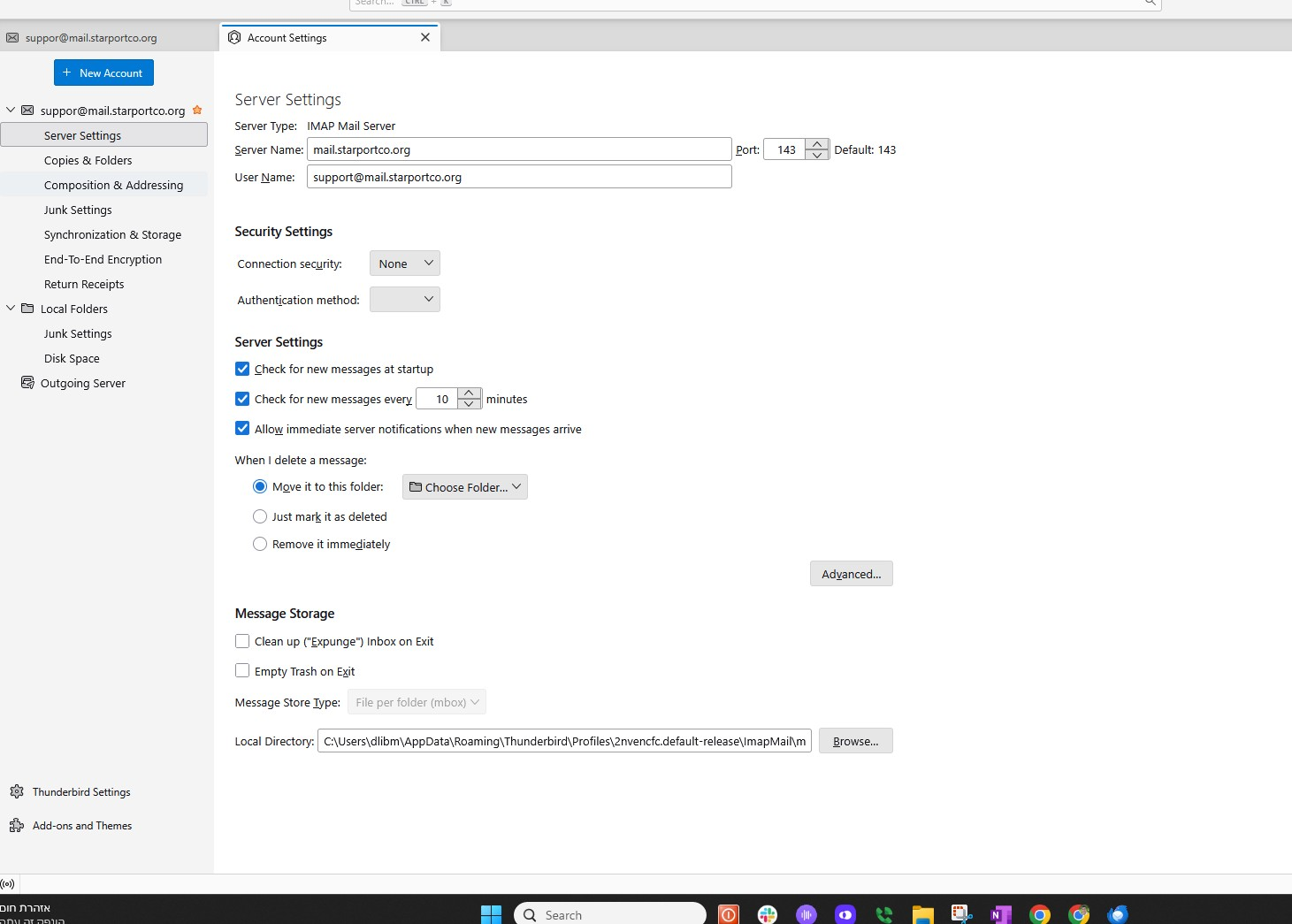
Q1. Please post screenshot of smtp server settings pane and also of incoming server settiings pane. A. Attached.
Q2. Do you have more than one account with the same email provider? A. No - not that I'm aware of.
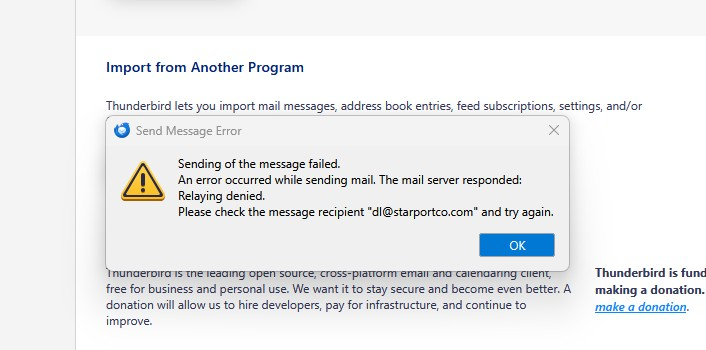
Q3. Relay error often indicates that sending email id does not match incoming email id. Please also post complete text of error message. A. Attached.
Thanks for your help. DL
The server panes are at account settings > server settings and at account settings >bottom line of account pane that shows link to SMTP server pane. The screenshots need to show the full content of the settings.
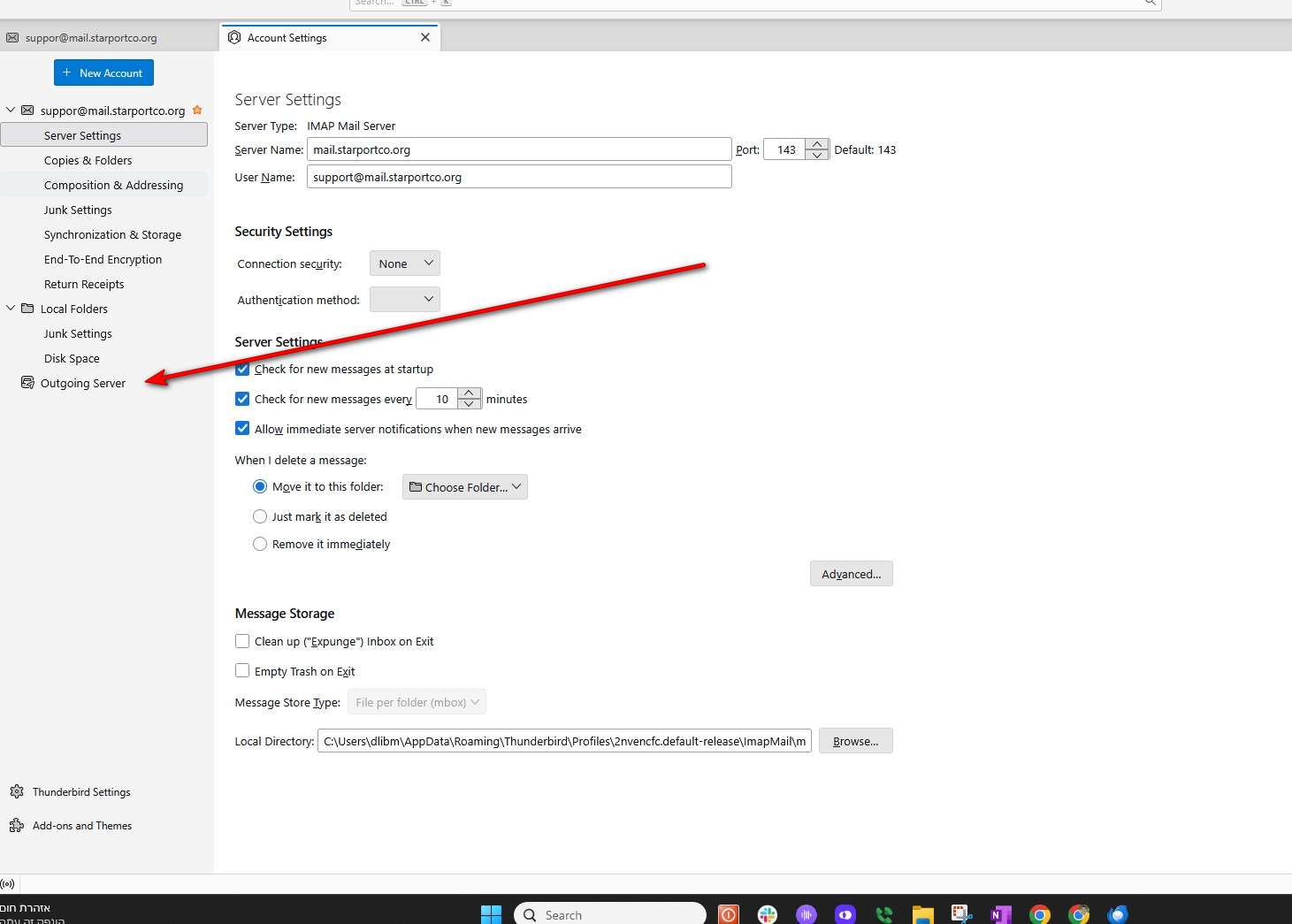
I did what you asked, not sure if I found the link to SMTP server pane..see attached.
See attached. Click there and do screenshot of the settings. Thanks
Done. See attached outgoing server info.
Thanks,
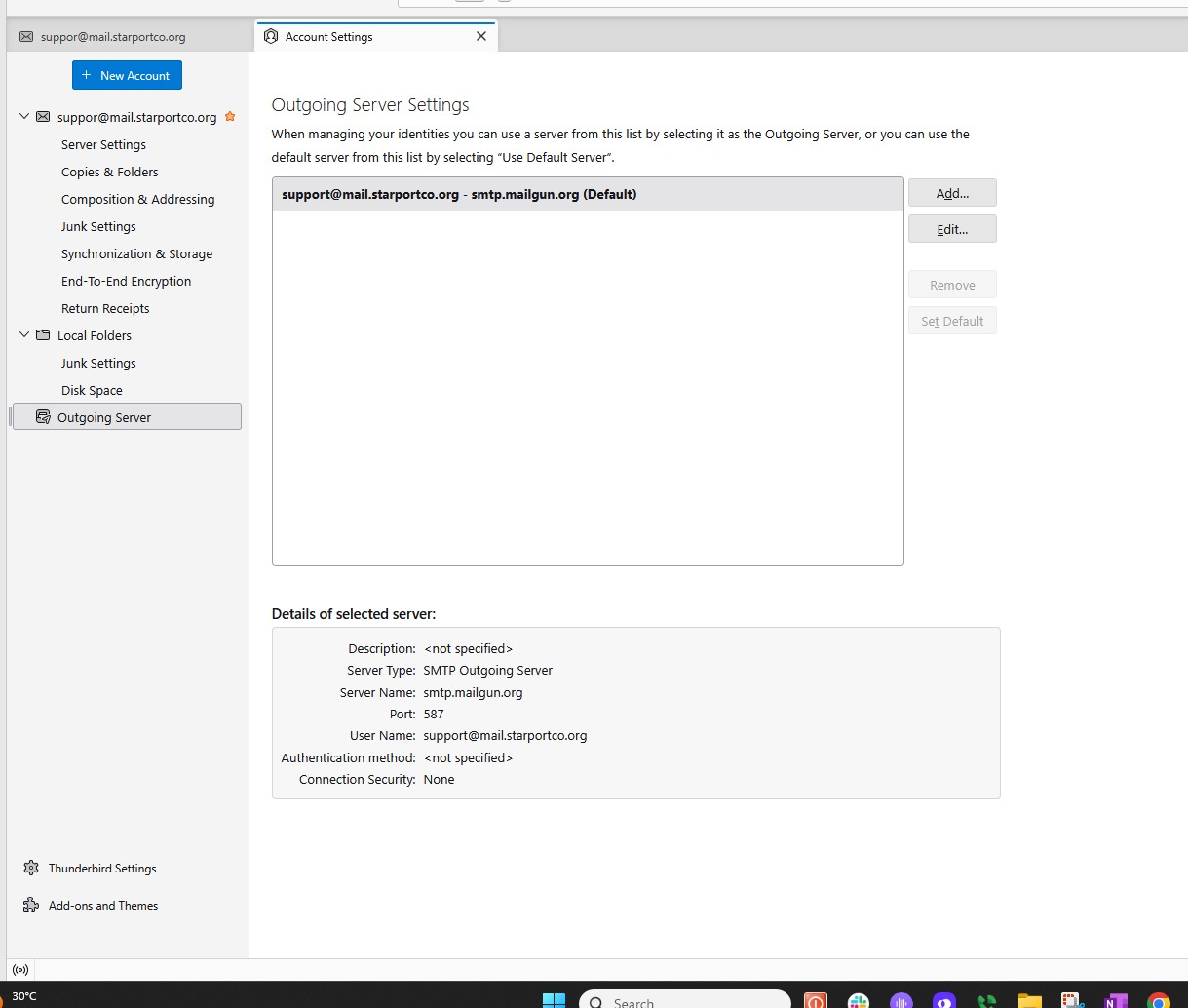
The obvious question here is is the email address you are sending from support@starportco.com the email address you have registered with mailgun as the email address to be sending mail. That error looks to me like it is not.
Have you approached mailgun for their support folk to explain why their SMTP server is issuing such an error?
Hi Matt,
At the start of this thread is a screen shot of the mailgun smtp info.
If everything seems to be correct at Thunderbird,then Im happy to go to Mailgun for support. What should I tell them/ask them?
David
A 'relay' error message indicates that the sending email address of the email message and the email address used for the SMTP server settings are not the same. Since you are using the one email address for both, Matt is encouraging you to verify with your email provider what email address is on file.