Connection at my thunderbird mail box

When trying to connect I am told "Invalid command" Is it a thundrebird pass word problem ? Or else ? I am lost with all the tries I did. I went to Pivacy and security but could not change the pass word
การตอบกลับทั้งหมด (12)

- Who is your email provider?
- What is your operating system?
- Please quote all error messages you see precisely and in full. Screen shots would be OK.
- Please post your email server settings (see <Account Settings | (account) | Server Settings> and <Account Settings | Outgoing Server >, then select the server for this account and the details will be below. I'm most interested in the server Name, port, authentication method, and connection security method.
The passwords that are stored in Thunderbird are stored in <Settings | Privacy & Security | Passwords |Saved Passwords>. Keep in mind that if you use OAuth2 as the authentication method, you won't see your actual password there, but instead an encoded version of it which can't successfully be edited.
This only changes the password in Thunderbird. To change to password with your email provider, you would have to do that on their web site or webmail page, then update Thunderbird to match the new password.
Hello, Thanks for your support. First of all, I inform you that I am a French guy, using Thunderbird module in french. I do my best with my poor english language and ther may be some misundertandings along our exchanges. Back to my problem not yet solved. - I am with SFR for my email, using a MacOS computer updated. - After modifying successfully the Thunderbird password , no progress. - after many attempts still the same answer : "invalid command"
Details: - server SFR : popsfr.fr , Port: 110 - Connection security : none - authentification : password
still open to improvment for success. regards
Did you have a look at the official website of SFR ? https://assistance.sfr.fr/sfrmail-appli/sfrmail/configurer-messagerie-recevoir-email-sfr.html
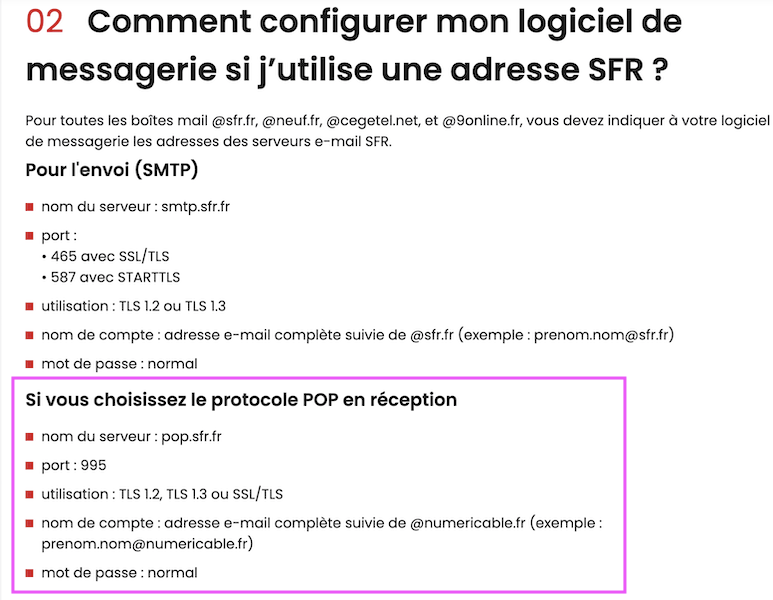
I checked and everything is in line. And still blocked... This account is installed since years and worked correctly : no more messages received after november 14. Where is the bug ? Question : is it possible to delete this account ( I have 2 accounts and only one is not receiving mails) and re-connect it afterwards?
Duffar said
I checked and everything is in line. And still blocked...
I don't understand: the SFR website advocates port 995 for the incoming "server" but you are using 110. Did you test with port 110, too?
Duffar said
This account is installed since years and worked correctly : no more messages received after november 14.
Which Thunderbird version is running on your Mac? When you connect to the SFR webmail page can you see messages from after November 14 which have not been downloaded by Thunderbird? Is there any message with a very big attachment?
Where is the bug ?
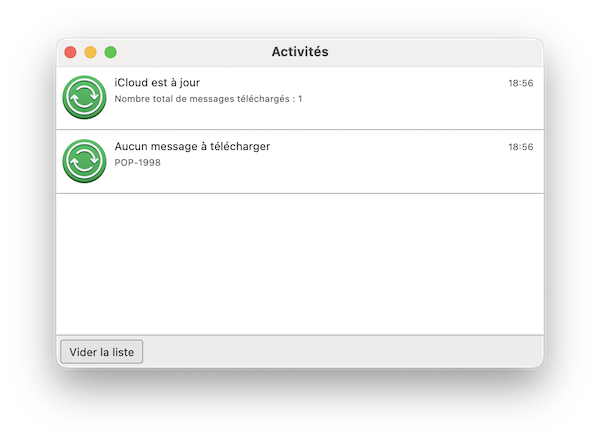
Actually we don't speak about a proven bug but an unidentified problem in your Thunderbird profile. Which is the exact error message in French when you start Thunderbird? After launching Thunderbird or clicking on the button "Relever" in the tool bar go to "Outils" and select "Activités" : is there any message in the activity box (see my screenshot)?
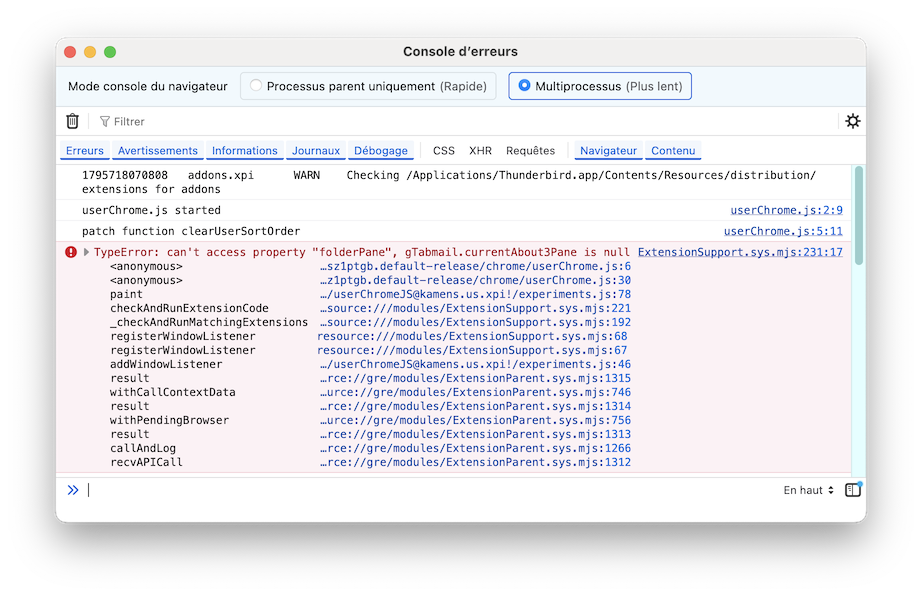
Also go to Outils > Outils de développement > Console d'erreurs et vérify if there are any errors mentioned (second screenshot).
Do you use any antivirus software on your Mac?
Duffar said
Question : is it possible to delete this account ( I have 2 accounts and only one is not receiving mails) and re-connect it afterwards?
We'll discuss this option later if we don't find the cause of your problem. Delete this account and re-create it with the same settings wouldn't be very clever but it could be an option if this time you let Thunderbird's "account hub" do the job....
เปลี่ยนแปลงโดย Mapenzi เมื่อ
Continuing the process... 1) I tried to run the account with both ports 995 & 110: same results, no success. 2)Version 153.8.0est On SFR server mail, there are many, many messages after nov. 14 and there is no message with big attachment 3) Now - which is new- when I go to obtain messages, I don't have anymore the english window that I mentionned at the beginning of my contact : "invalid command". Going to Outils/Activites as requested , there is a window permanently running saying "indexation des messages" that never ends up and other former messages about successfull indexation of messages for that account in question (before Nov. 14) and for my second account continuing to run correctly Checking on Outils de developpement/Console d'erreurs, there are few messages of thiscontent: "pop3.sever6.9 : the connection closed unexpectedly while a command was active" 4) I do not have anti-virus software on my Mac.
A bientot !!
We are progressing a little bit! At least now I know what is happening when you launch Thunderbird (TB), but I still don't know the exact cause. Since the "global message search" feature is activated by default TB on each start updates the global-messages-db.sqlite index file in the profile if new messages are downloaded. But updating this file shouldn't last very long if only few new messages arrive. In your case it seems that TB each time re-creates the database by indexing all messages from zero.
As a test I just removed my global-messages-db.sqlite file from my profile, restarted TB and opened the "Activités" box to follow the indexing progression. You can see the box in my attached screenshot. My profile with four email accounts and Local Folders contains about 10.000 messages, so re-indexing just takes a few minutes.
As the next diagnostic step I'd ask you to temporarily disable the global message indexing feature: in TB go to Paramètres > Général > Réseau et stockage > Recherche et performance and uncheck ▢ Activer la recherche pour tous les comptes de messageries. After that restart TB and report what happens.
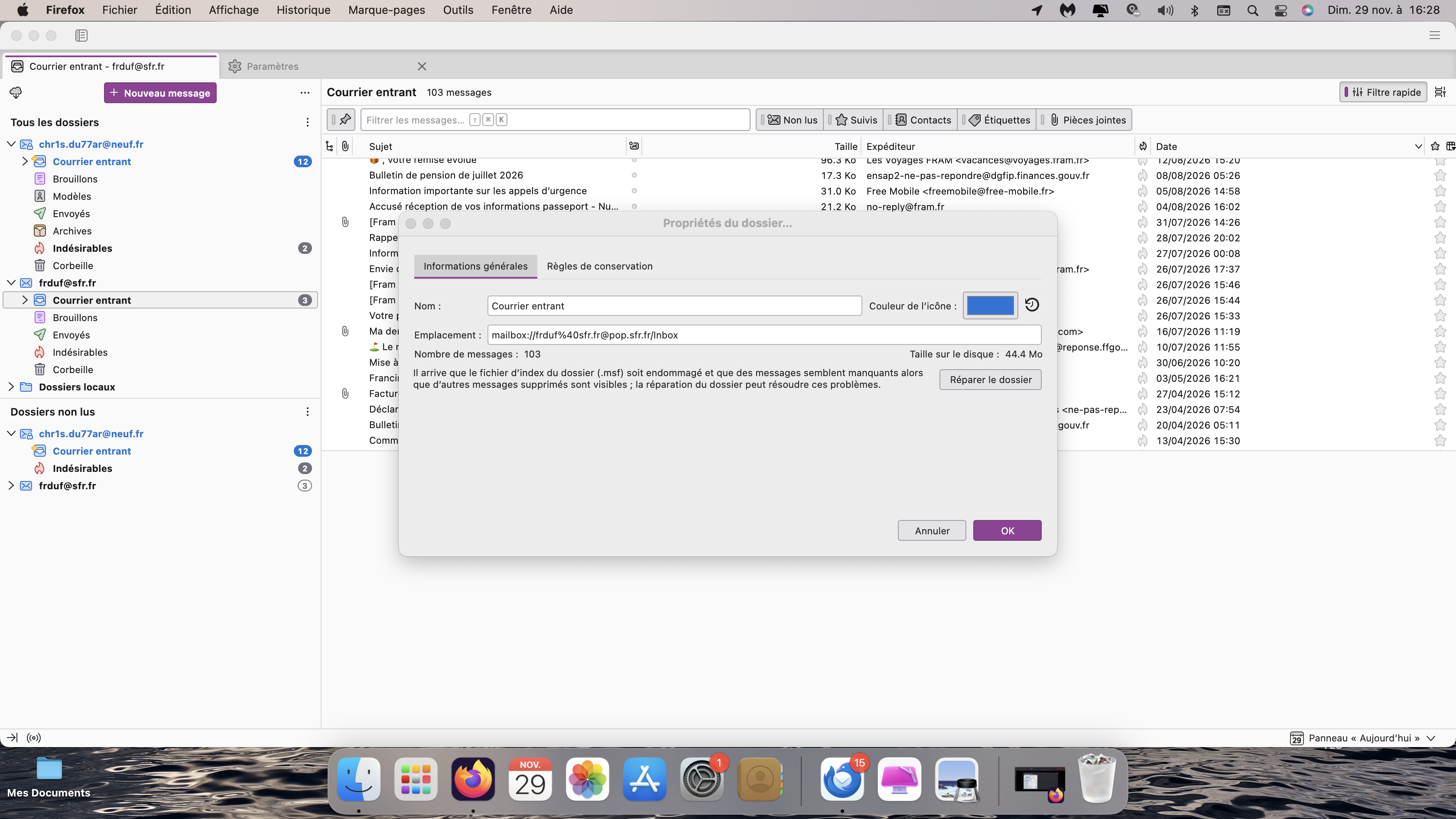
One more question: which is the size in MB or GB and the number of messages of the Inbox of your problematic POP account? R-click on Inbox > Properties > Number of messages and size on disk
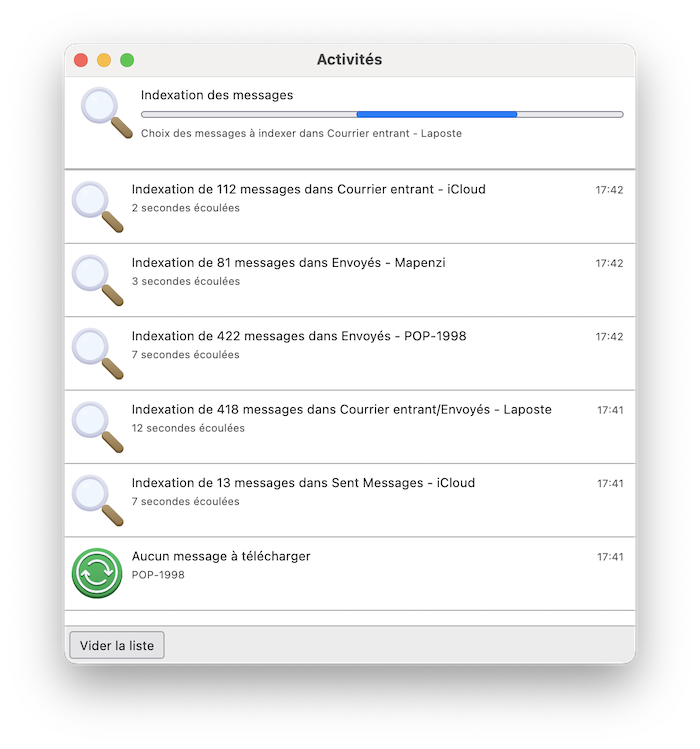
Hello, I did what was requested and re-strated TB : no change and of course no indexation on activites. On the SFR account 41Mo used among 19Go. Still stucked !!
What does 19 GB mean? Is this your quota on the SFR server? This is not the information I asked you. I had asked for the number of messages and the size on disk in the Inbox "Folder Properties" box of your POP account Inbox folder (see my new screenshot)
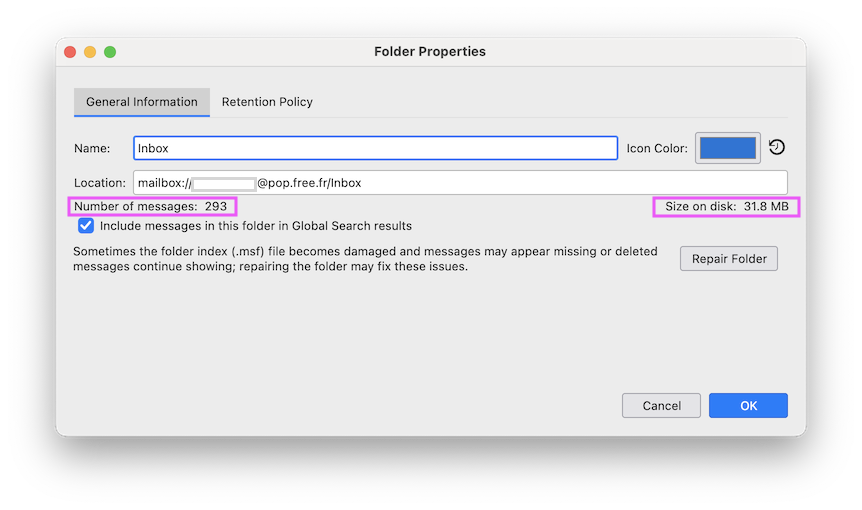
Hello, Typing error : 10 GO (giga octets) I am not sure I well understood your request: see screen copy attched
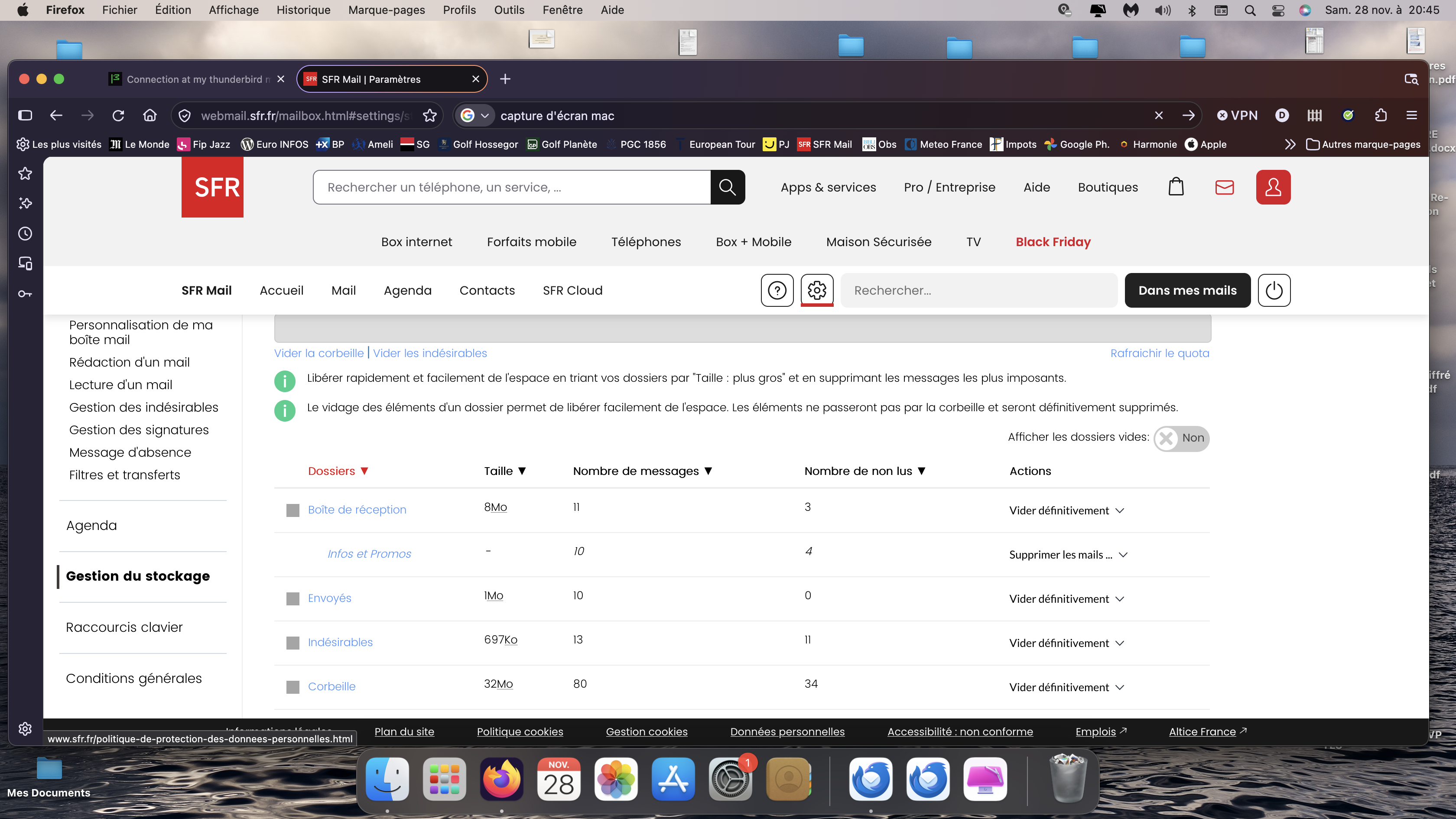
I wonder what you want to show me with this screenshot of your SFR webmail page I didn't ask for. If it shows your problematic POP Inbox I'm astonished why it contains only 11 messages, which is contradictory to your earlier statement that "On SFR server mail, there are many, many messages after nov. 14...."
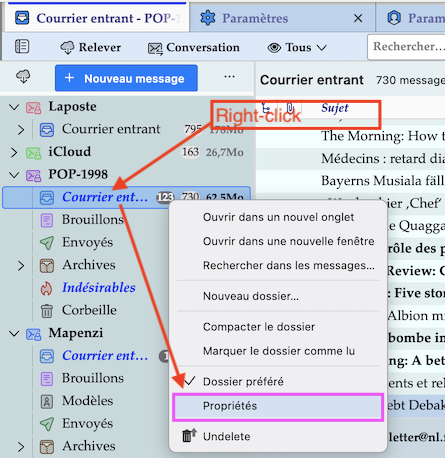
Obviously my instructions have not been clear for you, so once again and with illustrations: • in the Thunderbird folder pane , which is the pane on the left of the main window, select the problematic Inbox folder of the the POP account and open the right-click menu • in the right-click menu select the item "Propriétés" which will open a box "Propriétés du dossier" • in the "Propriétés du dossier" box look up and note "Nombre des messages" and "Taille sur le disque"
If these instructions are too difficult to accomplish you can contact me at mapenzi arobase free dot fr You also opened the discussion "change password" here https://support.mozilla.org/en-US/questions/1619568 Does this question concern the same POP email account which we are talking about in the present discussion?
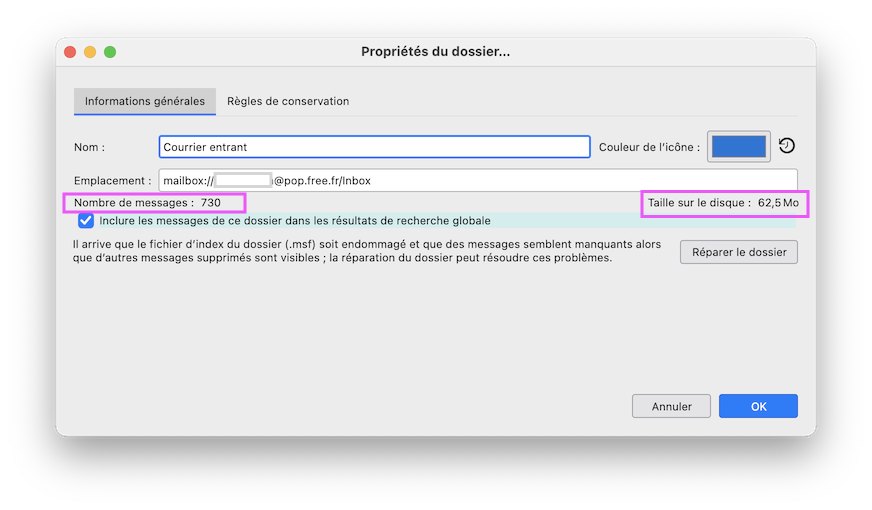
เปลี่ยนแปลงโดย Mapenzi เมื่อ
With clear instructions, I can now reply: - 103 messages - 44,4 Mo
About password, Yes I changed it with different attempts to check if one was right.
Regards