How to stop visited sites showing up in shorcuts
Is there a way to stop visited sites from showing up in the shortcut bar so that it just shows the sites i have saved?
Is there a way to stop visited sites from showing up in the shortcut bar so that it just shows the sites i have saved?
การตอบกลับทั้งหมด (1)
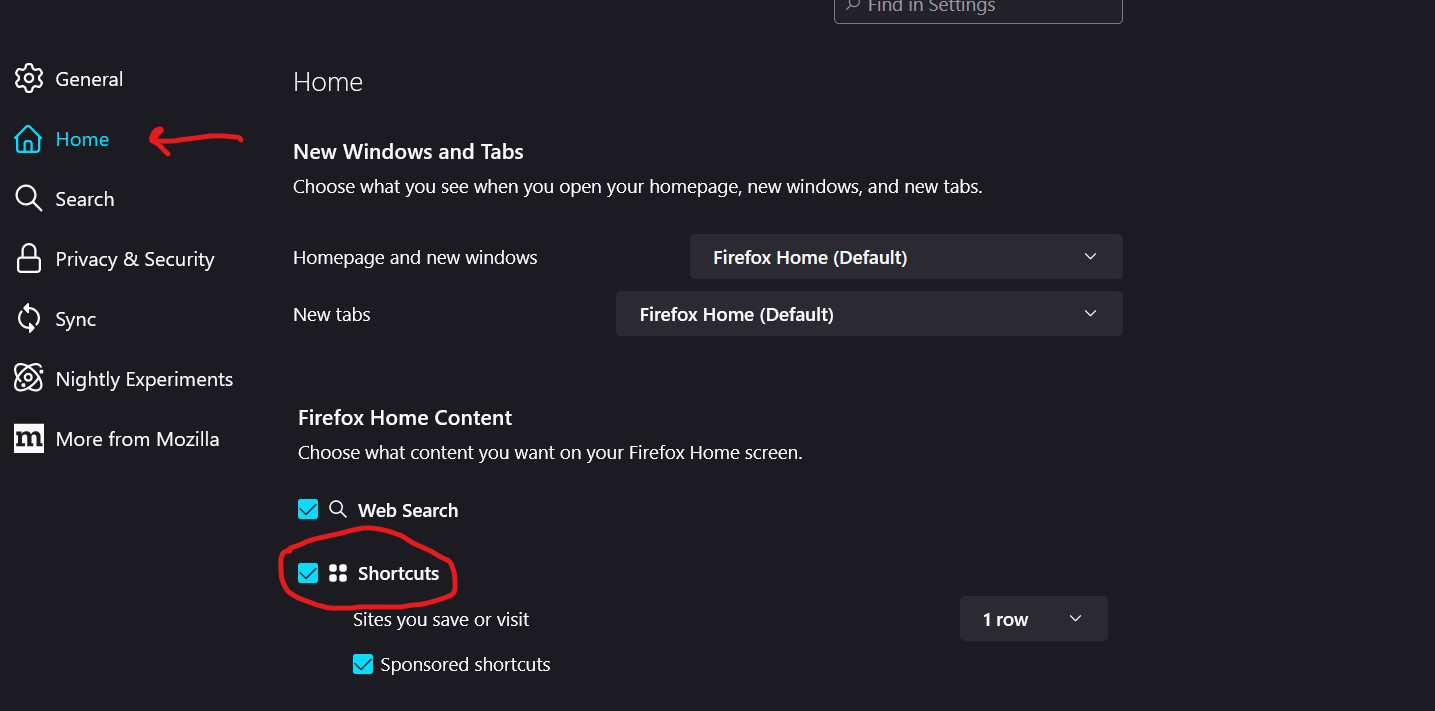
I'm sorry, but currently there's no way to do that.. By default, all sites that you save and you visit will be shown in the Shortcuts. There is, however, an option to switch of the Shortcuts option. You can do that by redirecting to your Browser Settings Page, Go to the 'Home' Tab, Now scroll down until you see the 'Firefox Home Content' Section, Under this, Click on the box beside Shortcuts Option.
NOTE - I'm using Firefox Nightly (Windows 11) in the image, but it works the same for Firefox in Windows 10