หัวข้อนี้ถูกเก็บถาวรแล้ว
โปรดถามคำถามใหม่หากคุณต้องการความช่วยเหลือ

Solved
เก็บถาวรแล้ว
Firefox automatically restores previus session after computer shutdown
If I shutdown my computer while Firefox is open, it will start up automatically with all of my previous tabs open next time I turn on my computer. It does this faster than my VPN can start up, thus exposing my true IP to what ever sites I had open when I turned off my computer. Is there any way to make it so that Firefox doesn't do this?
If I shutdown my computer while Firefox is open, it will start up automatically with all of my previous tabs open next time I turn on my computer. It does this faster than my VPN can start up, thus exposing my true IP to what ever sites I had open when I turned off my computer. Is there any way to make it so that Firefox doesn't do this?
การตอบกลับทั้งหมด (2)
Hi 100cupboards, glad to see you on Mozilla Support Forum.
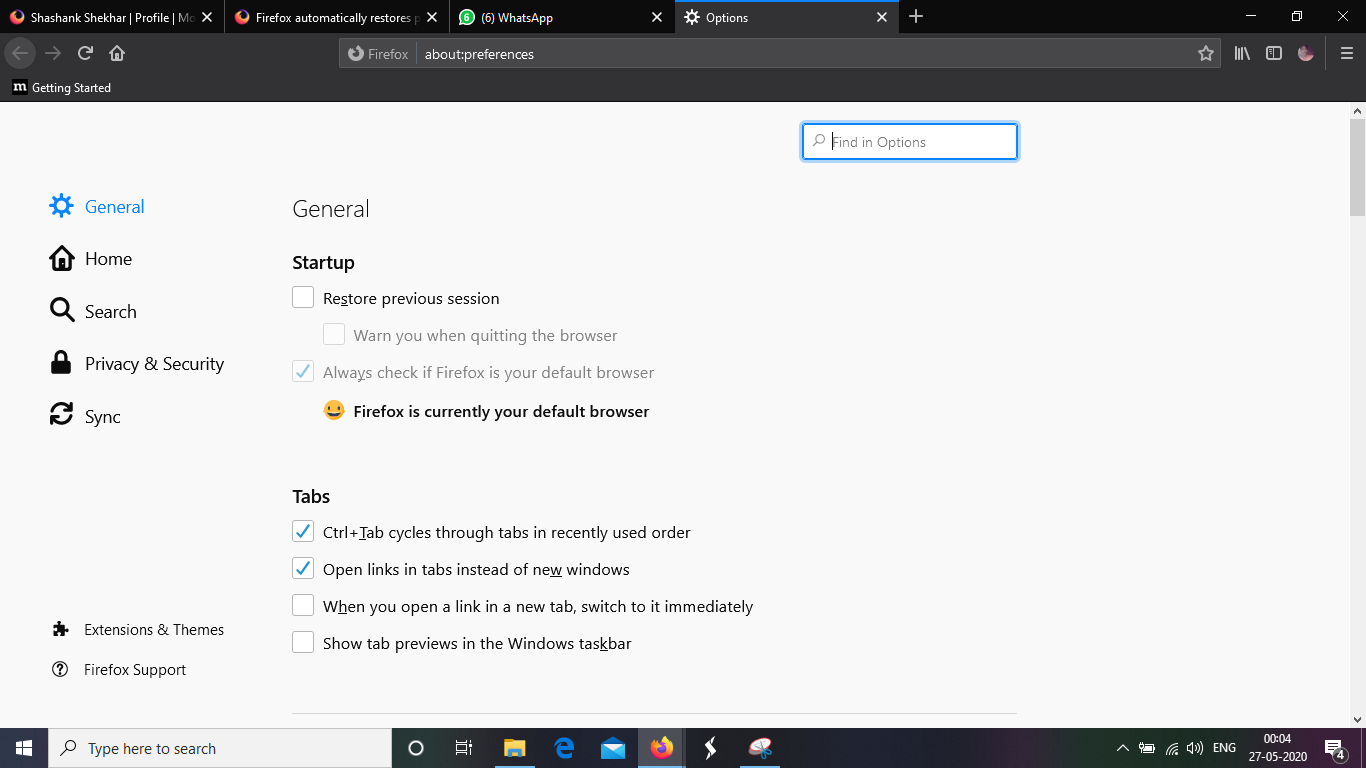
You can disable this feature by following steps:-
- Click on menu icon.
- Click on options.
- In left pane, you will find general menu, click on it.
- In this menu, you will find Startup option.
- Just uncheck Restore Previous Session from that option.
Hope it helps ! Thank You.