


Why can't I save credit cards?

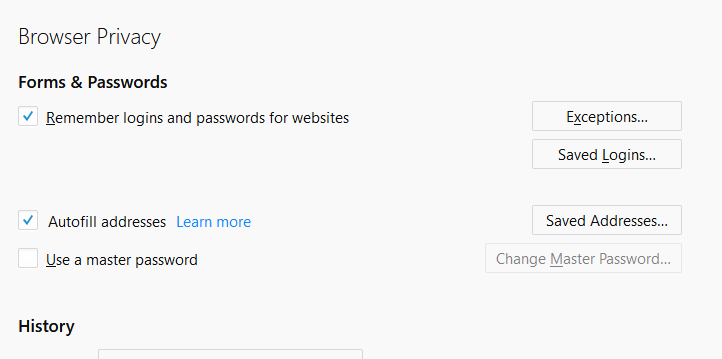
I cannot save credit card information. I never get a prompt for it so I decided to check the settings. I see that there is no option to add any credit cards anywhere. I reviewed previous questions asked about this saying to go into "Privacy & Security" but the credit card section isn't even there.
วิธีแก้ปัญหาที่เลือก
Mozilla is slowly enabling formautofill for credit cars spread out over a number of new version released, and initially for a certain percent of en-US users. The code is inside Firefox but just not enabled for all users. For users who didn't get it enabled automatically that can be done manually like this.
In about:config use the Search at the top for this pref - extensions.formautofill.creditCards.available - then right-click and Toggle that pref to True.
อ่านคำตอบนี้ในบริบท 👍 1การตอบกลับทั้งหมด (2)
วิธีแก้ปัญหาที่เลือก
Mozilla is slowly enabling formautofill for credit cars spread out over a number of new version released, and initially for a certain percent of en-US users. The code is inside Firefox but just not enabled for all users. For users who didn't get it enabled automatically that can be done manually like this.
In about:config use the Search at the top for this pref - extensions.formautofill.creditCards.available - then right-click and Toggle that pref to True.

Warning: Just make sure no one else can access your Firefox profile.