FIREFOX UPDATED TO VERSION 47 NOW SEARCH PAGE IS NOT SECURE, NOT PADLOCK OR i SYMBOL. WHY?

Just updated Firefox 45 to 47. Now the search page is not secure- no padlock symbol, no 'i' symbol and it is no longer protectable by Rapport. Why is this and how can I make it secure?
Just updated Firefox 45 to 47. Now the search page is not secure- no padlock symbol, no 'i' symbol and it is no longer protectable by Rapport. Why is this and how can I make it secure?
การตอบกลับทั้งหมด (1)
Hi Alicat23, do you mean the built-in Firefox home page or a different page?
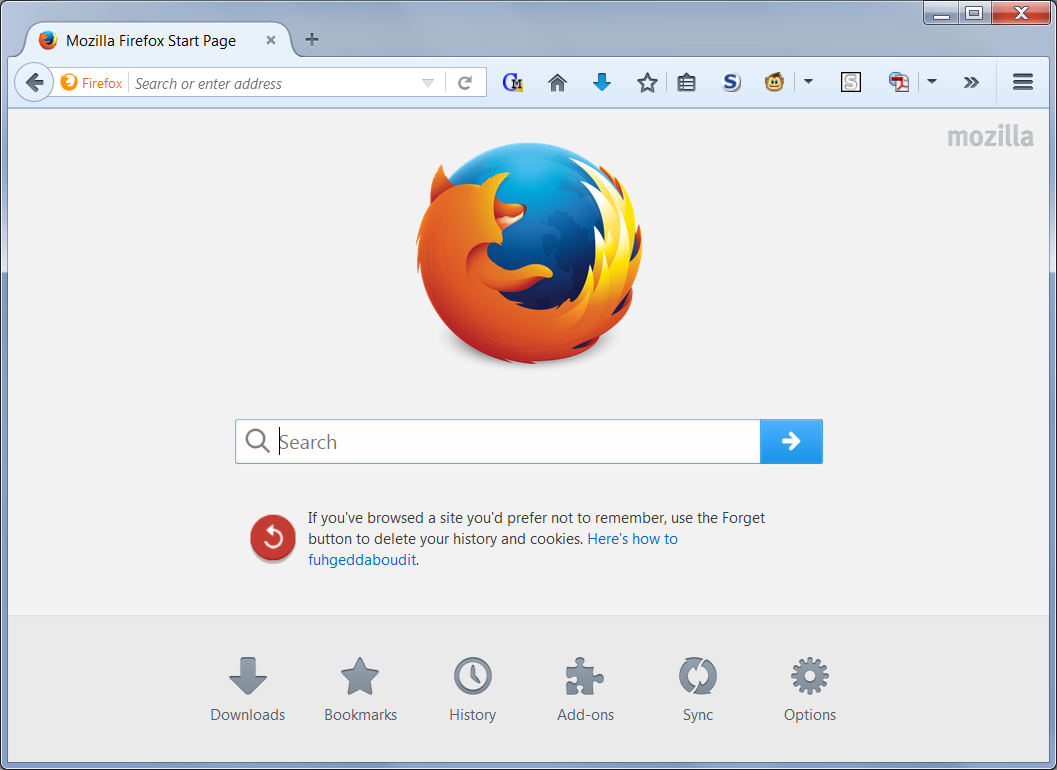
The built-in home page (example screen shot attached) is an internal page that doesn't use HTTP or HTTPS; it's actually on your computer. If you want to change to a different home page, check out this article: How to set the home page.
If the problem is with a different page, what is the address of the page? You should be able to right-click the address bar to select the address, then choose Copy, and you can paste into a reply.