


firefox slows-then crashes

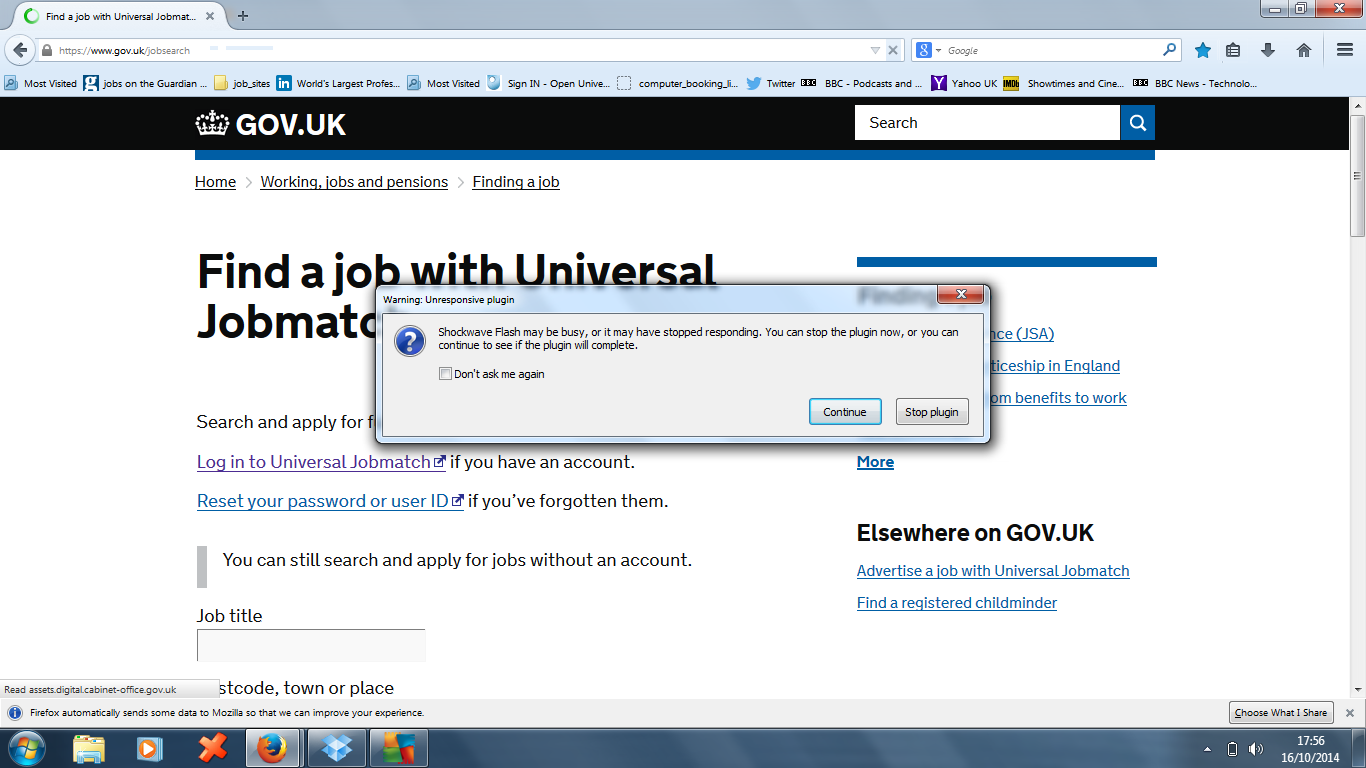
Please can you look into this problem. Firefox slows down, shows an error message, and then crashes. When a website loads, the circle in the corner of the tab usually turns, and then the website loads. On a regular basis, the circle stops turning, and then I see an error message.
"Shockwave Flash may be busy of it may have stopped responding. You can stop the plug-in now, or you can continue to see if the plug-in will complete."
This makes it look like my version of Shockwave Flash is out of date. But this is untrue, since I have the latest version, 15.0.0.
ఎంపిక చేసిన పరిష్కారం
Update your Shockwave Flash v15.0.0.152 http://get.adobe.com/flashplayer
In the address bar, type about:crashes. Note: If any reports do not have BP in front of the numbers, click it and select Submit.
Using your mouse, mark the most resent 7 - 10 crash reports, and copy them. Now go to the reply box below and paste them in.
Start Firefox in Safe Mode {web link} While you are in safe mode;
Type about:preferences<Enter> in the address bar
Select Advanced > General. Look for and turn off Use Hardware Acceleration.
Poke around safe web sites. Are there any problems?
Then restart
edit: corrected first link as it was to the wrong adobe product.
ఈ సందర్భంలో ఈ సమాధానం చదవండి 👍 0ప్రత్యుత్తరాలన్నీ (6)

ఎంపిక చేసిన పరిష్కారం
Update your Shockwave Flash v15.0.0.152 http://get.adobe.com/flashplayer
In the address bar, type about:crashes. Note: If any reports do not have BP in front of the numbers, click it and select Submit.
Using your mouse, mark the most resent 7 - 10 crash reports, and copy them. Now go to the reply box below and paste them in.
Start Firefox in Safe Mode {web link} While you are in safe mode;
Type about:preferences<Enter> in the address bar
Select Advanced > General. Look for and turn off Use Hardware Acceleration.
Poke around safe web sites. Are there any problems?
Then restart
edit: corrected first link as it was to the wrong adobe product.
న James చే మార్చబడినది
Thanks for replying so promptly.
bp-7a351a6b-be37-4c69-95f2-787752141005
the version of Shockwave flash has been updated to the latest version.
న cor-el చే మార్చబడినది
The file NPSWF32_15_0_0_152.dll = Part of Shockwave. is causing the issue.
Did some research. Try running a Windows Registry scan and repair.
Thank you very much for your reply. Could you please tell me how I would go about scanning the Windows registry, since I do know that the registry is a very important and fragile part of Windows. I do not want to mess about with it too much.
You will have to do a search for a good one. Some anti-virus programs have one.
Th ank you - seems to do the trick.