


how to get spell check
I use to have spell check on my Mac Air, but now it's gone. How do I get it back on? I've googled to find out, tells me to go to Settings, Language, etc. Spell check shows it's mark in the box, but when I go to type in words it doesn't come underlined in red. How can I get it back?
Thank you in advance!
All Replies (7)
https://support.mozilla.org/en-US/kb/how-do-i-use-firefox-spell-checker
For starters depending on what language locale of Firefox you have installed you may need to install a Dictionary from say https://addons.mozilla.org/firefox/language-tools/ if you do not have a dictionary installed. Only a few locales (like en-US) comes with a dictionary due to licensing reasons. Look in the right list as the language packs list is not for the spell checker.
When in a text input, right–click (or Control+click) in the field for context menu, and there's both the list of spelling dictionaries, which one is selected, and if spellcheck is active:
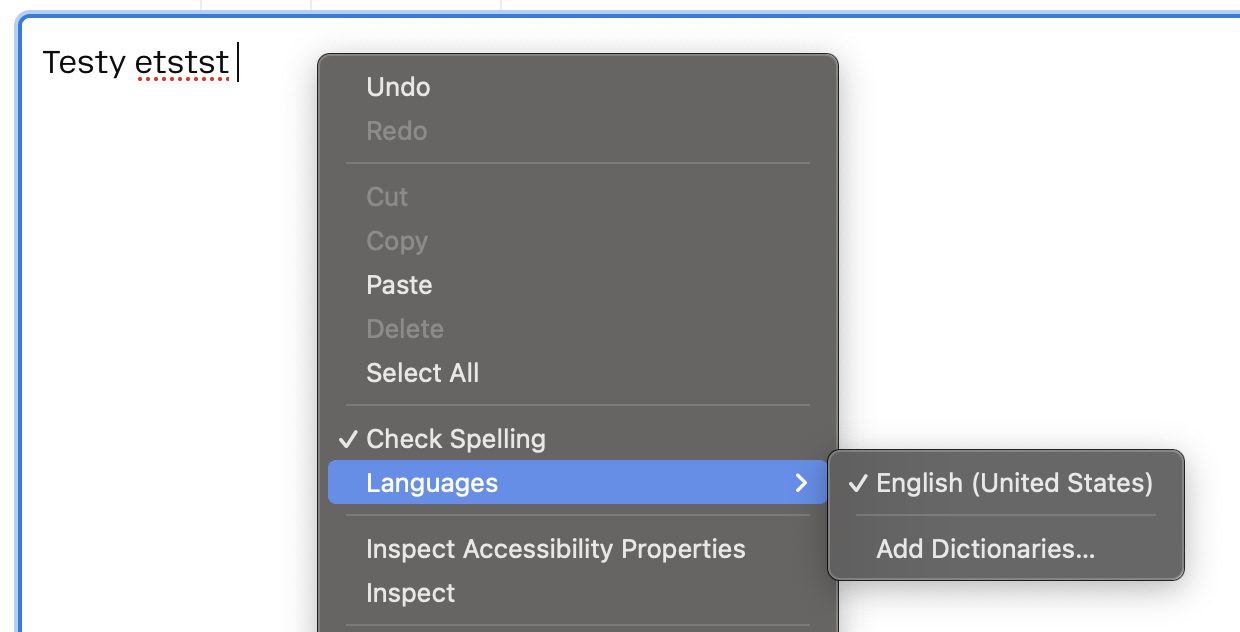
Thank you for your response on how to get spell check back. However, with further investigation, I found out that Firefox isn't supporting spell check unless you are a Premium member. That means "pay" to get spell check. I'll look the word up myself!
Thanks again, Genie
That doesn't sound right. Firefox doesn't have memberships or anything explicitly "Premium" — where did you find this information? (That sounds like some third–party scam to me.)
I'm running this completely stock Firefox on US English macOS and it came with a built–in US English spelling dictionary. (The image above was from my MacBook Air, nothing extra had to be installed.)
Which language you need to spell–check?
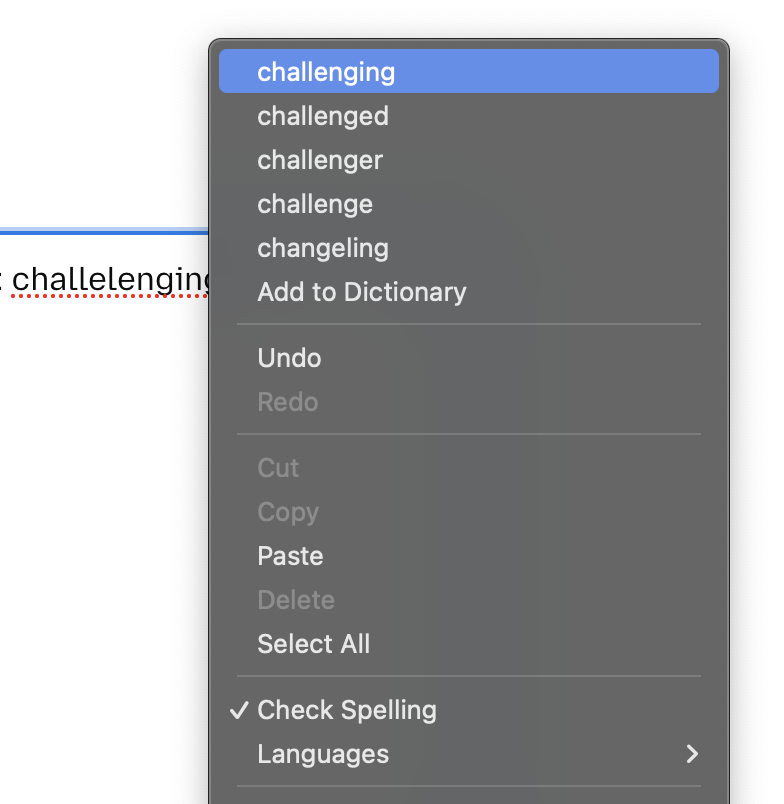
I found it in the Mozzilla support. I have put in English (US) for spell check, checked the box for spell check, but still get nothing as I'm typing. Nor a red underline. Therefore, I went to Mozilla support and asked a question. I don't remember the whole of the statement, but it said, not supporting etc etc. I'm in my 80s so tech is chaellenging for me. I misspelled the word "challenging" on purpose in this email. This time it came up underlined red, but when I clicked on it, the correct spelling didn't show.
Genie
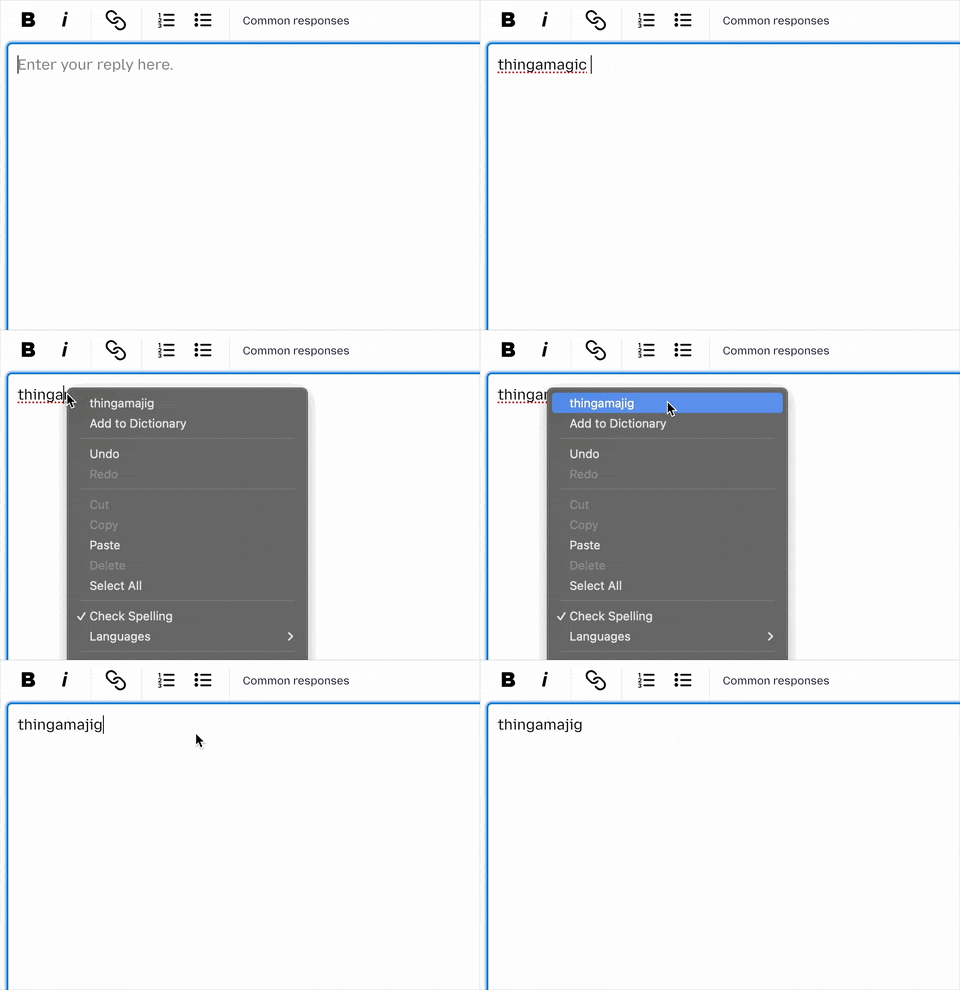
Right–click or Control+click should show the replacements, if there are any: (see How do I use the Firefox spell checker?)
Mavis said
Thank you for your response on how to get spell check back. However, with further investigation, I found out that Firefox isn't supporting spell check unless you are a Premium member. That means "pay" to get spell check. I'll look the word up myself!
The inline spell checker in desktop Firefox has been 100% free to use since it it existed in Firefox 2.0 released twenty years ago back in October 2006. Also there is no feature in desktop Firefox you have to pay to use including the built-in VPN that has existed in desktop Firefox since 149.0.
Mavis said
I found it in the Mozzilla support. I have put in English (US) for spell check, checked the box for spell check, but still get nothing as I'm typing. Nor a red underline. Therefore, I went to Mozilla support and asked a question. I don't remember the whole of the statement, but it said, not supporting etc etc. I'm in my 80s so tech is chaellenging for me. I misspelled the word "challenging" on purpose in this email. This time it came up underlined red, but when I clicked on it, the correct spelling didn't show.
If you installed something in Firefox it needs to be a Dictionary as some people mistakenly installed a language pack instead. The language packs is used as a way to change the language of the menus and such in Firefox and not used with the spell checker.
As jbr showed in the image in his first reply you need to have a dictionary language selected. If there is no language in right-click menu there then you may not have a dictionary installed as only a few language locales of Firefox comes with a dictionary like en-US Firefox does for example.
Also this is a community support forum and not some form of ticket or email system.