


Thunderbird crashes on "System Integration" (Not Responding)

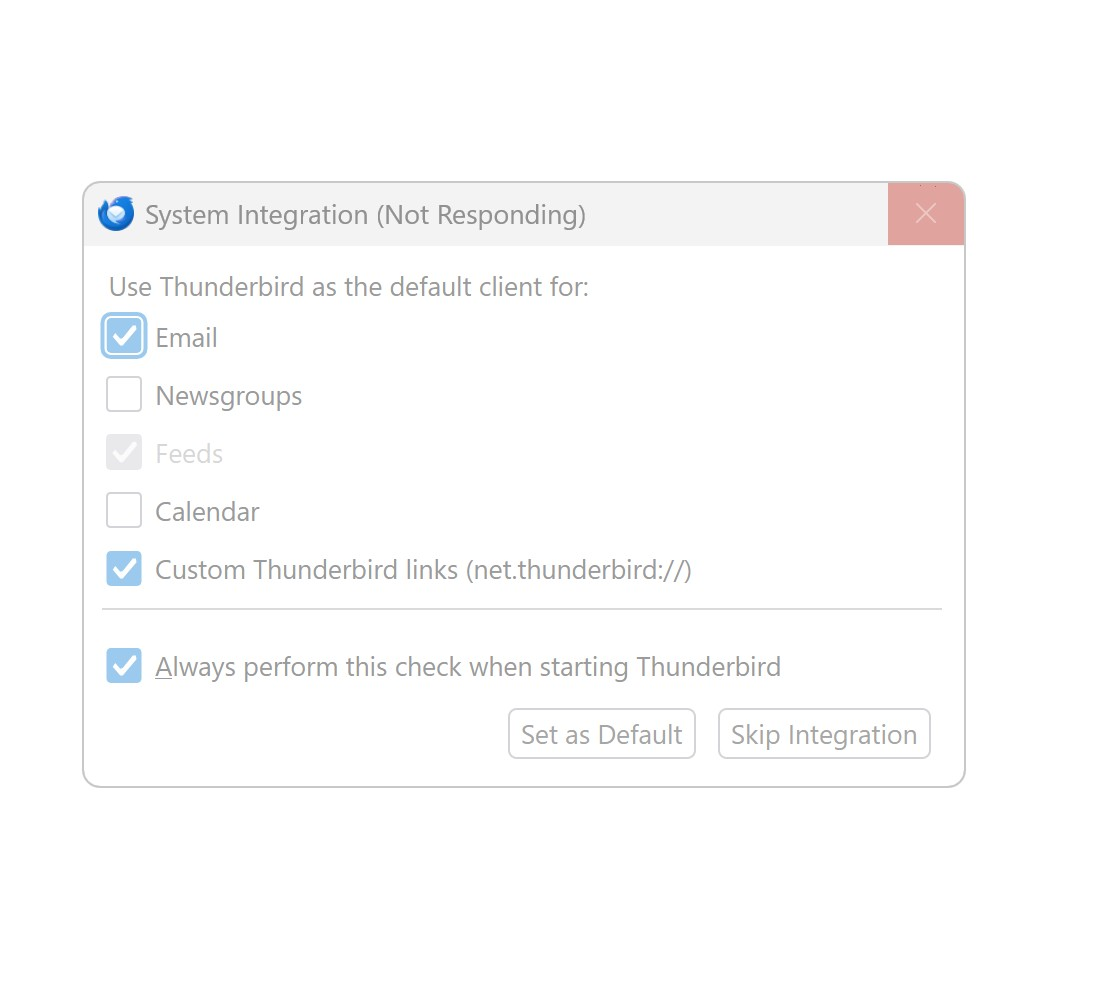
I have a Dell Desktop with 64GB Memory, Windows 11, Intel Core i7-7700 @ 3.60 GHz, 1TB ssd, and two additional drives. On a new installation of Thunderbird 152.0, I get "System Integration" (Not Responding)" window. The only option is to exit. What can I check to correct this. I have uninstalled and deleted the install file multiple times with the same result. Thank you.
All Replies (1)

Do I understand correctly that you have never had a working Thunderbird installation on this computer? If so, I think you should install the esr (extended support release) version, which tends to be more stable. The installer is available here:
https://www.thunderbird.net/en-US/download/esr
If a program crashes like that it can leave phantom processes and the system in an unstable state. Did you reboot between installation attempts?
Before installing again, try to have as little running on the computer as possible. Temporarily disable your Anti-Virus, if possible. Ditto any VPN or other network "helper" apps.
Install the esr version (140.12.0esr as of now). Decline all prompts to set up an account for now. Disable the System Integration stuff for now. When it settles down, try exiting and starting it a couple of times. When you feel like it's running well, now go the Accounts Settings and initiate the Add New Account Setup process to add your first account.