


Mail filters for custom headers do not work on the Yahoo! IMAP account

Mail filters for custom headers like List-Unsubscribe, Authentication-Results or Received-SPF copying messages from IMAP accounts to Local Folders do not work on the Yahoo! IMAP account. For example:
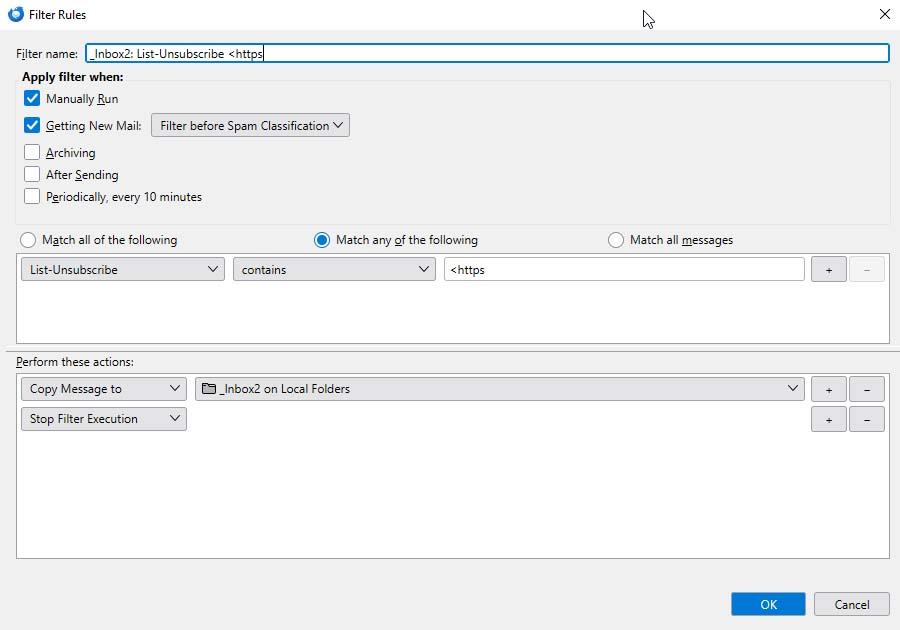
filter1.jpg: name="_Inbox2: List-Unsubscribe <https" enabled="yes" type="17" action="Copy to folder" actionValue="mailbox://nobody@Local%20Folders/Inbox/_Inbox2" action="Stop execution" condition="OR (\"list-unsubscribe\",contains,<https)" (should copy messages from IMAP folders to _Inbox 2 on Local Folders)
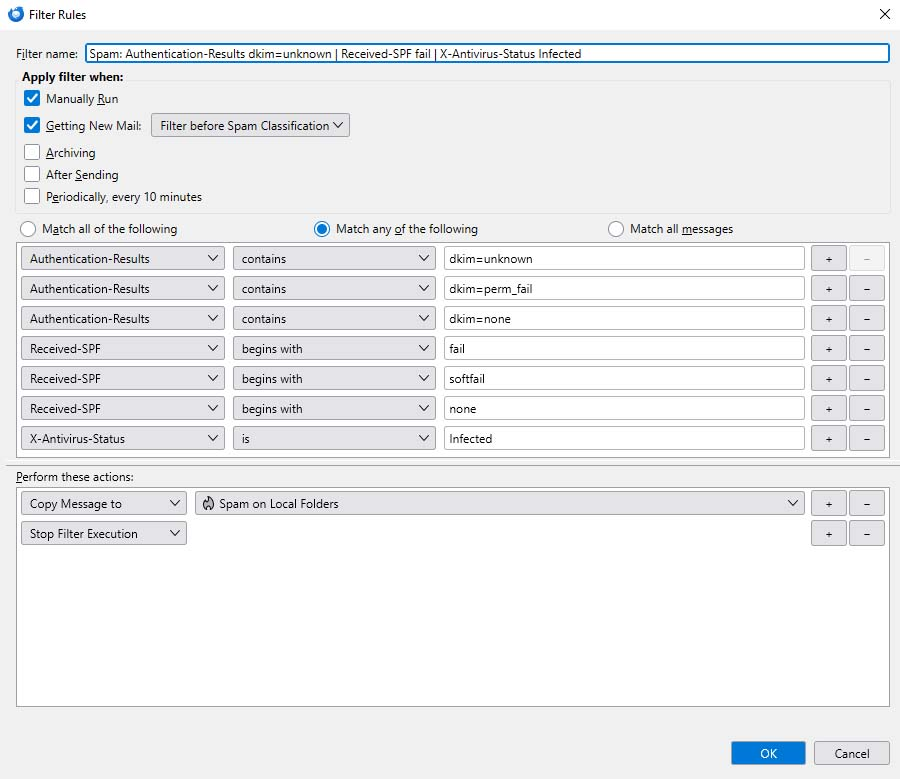
filter2.jpg: name="Spam: Authentication-Results dkim=unknown | Received-SPF fail | X-Antivirus-Status Infected" enabled="yes" type="17" action="Copy to folder" actionValue="mailbox://nobody@Local%20Folders/Junk" action="Stop execution" condition="OR (\"authentication-results\",contains,dkim=unknown) OR (\"authentication-results\",contains,dkim=perm_fail) OR (\"authentication-results\",contains,dkim=none) OR (\"received-spf\",begins with,fail) OR (\"received-spf\",begins with,softfail) OR (\"received-spf\",begins with,none) OR (\"x-antivirus-status\",is,Infected)" (should copy messages from IMAP folders to _Inbox 2 on Local Folders)
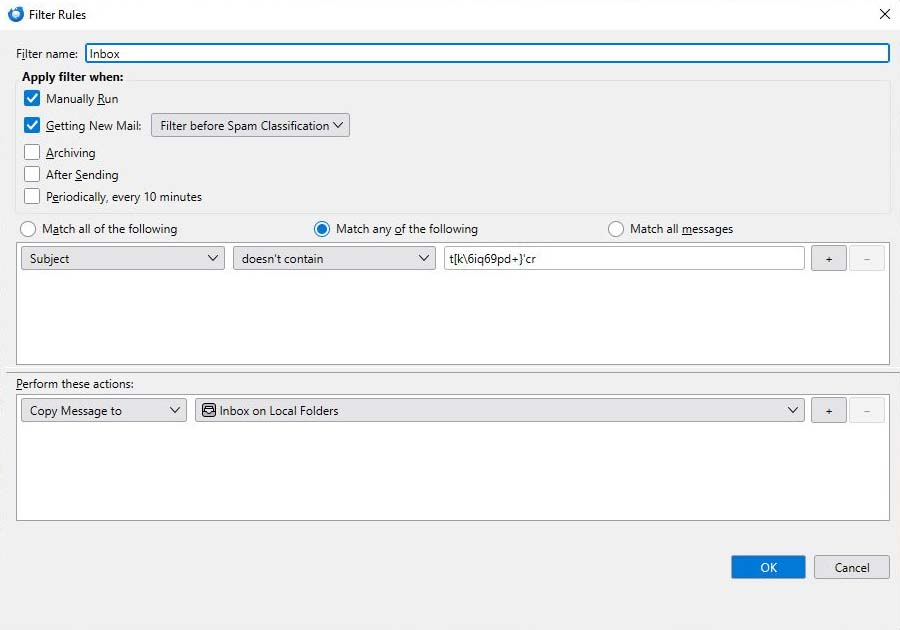
But filter3.jpg works well: name="Inbox" enabled="yes" type="17" action="Copy to folder" actionValue="mailbox://nobody@Local%20Folders/Inbox" condition="OR (subject,doesn't contain,t[k\6iq69pd+}'cr)" (copies all remaining messages from IMAP folders to Inbox on Local Folders)
(the snippets above are fragments of the msgFilterRules.dat file)
Filters1 and 2 work well on other IMAP accouns, like for example wp.pl. So this is about Yahoo or something is corrupted. My question is, what wrong is here ? And by the way - how to create filter copying all messages from IMAP to Local Folders ? Is better way then filter3 looking for random string in the subject or somewhere else ? Thank you.
darekk மூலமாக திருத்தப்பட்டது
All Replies (3)
Assuming the words are categories in email headers, have you tried using the customize feature in the menu to do this? That would fit into normal thunderbird process.
Topics such as Subject: From: To: are in the headers. if the words you mention are also topic headers, then select the customize option in the filter and add those Yahoo terms to the list. Then, reference those in your search options.