


Sending of Password fails

As so many have experienced, but I have yet to find the actual solution, I will bring up the issue.
I recently purchased a new computer. Installed Thunderbird, created all the mail accounts I have and... no problems. All the accounts, once created, populated with emails. For 3-4 days, there were no issues.
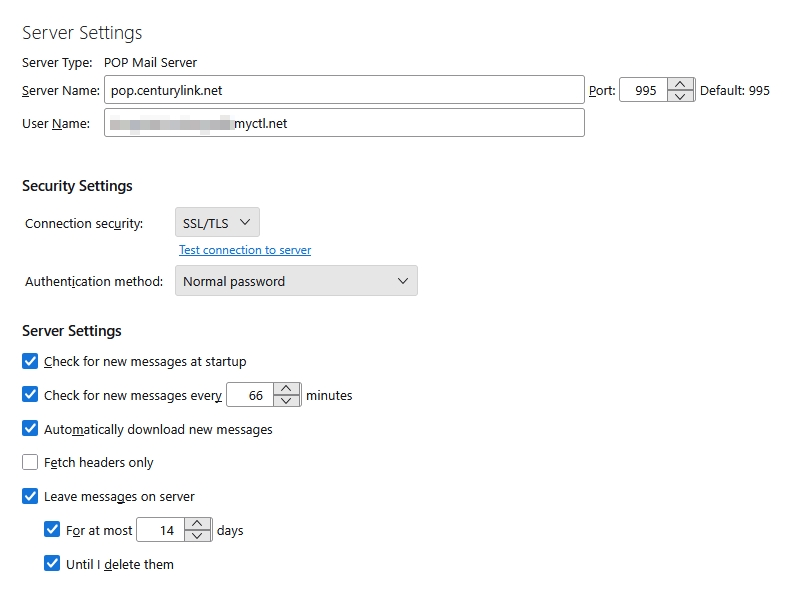
Important to note: I let TB use all the default settings. And once everything was up and running >>>>I did not change anything<<<<<.
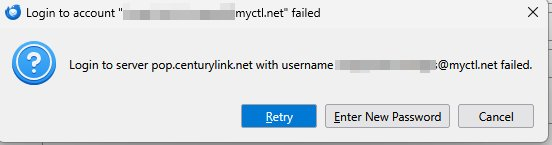
Then a few days later, I started getting the following messages for two accounts that had migrated from q.com to myctl.net. Entering the 100% proven-correct password results in the know endless-loop of entering the password and the same pop-up error message. The PW is 100% correct as I can go to Centurylinks' website and login using that same, exact password and read my emails.
I've spent enough time trying all the suggestions here, reddit, facebook etc so I'd thought I'd see if anyone has actually found a solution.
All Replies (6)
It is exceedingly difficult to get anything useful from a diagnostic process when you have already decided where the problem lies. Unfortunately these days the problem rarely lies where the error occurs. First things first. I really do not care if you can login on some web page. That is a webpage,not email or an email server which uses completely different protocols. Comparing webmail and real email is a little like comparing travel by road and air. Both get you to the same destination in the end but how they do it is only vaguely similar. Even if webmail does allow you to interact with your email it offer almost no diagnostic value at all.. The next most important thing is that these days the password used on a website is often not the one to be used for email. ATT being one of the huge players in the US market that never uses the same password.
However as your setting worked for a number of days,there is no inherent reason to think they magically changed overnight we need to be looking outside the traditional email client email server box..
I am guessing that you fixed the antivirus on your new computer about the time everything went pear shaped. It is truly amazing the amount of failure in email that is caused by antivirus products and their ancillary software. Firewalls, VPNs and other security breaking things like a failure to respect encrypted communications. Instead hacking them with man in the middle hacking techniques and rather dodgy self signed encryption certificate that Thunderbird does not accept by default because the chain of trust in the certificate space is crucial to the whole encrypted communications process.
So what antivirus do you use? If you disable it does the problem with mail go away?
Lots of word salad with little value. But to answer with two important facts;
1. Anti-virus was installed FIRST. THEN everything else. So that blows it out of the water being the issue. And after everything was installed it worked fine FOR 3-4 DAYS.
2. You apparently missed the point that the PASSWORD is not being accepted in TB. At CenturyLinks site the SAME PASSWORD WORKS.
Your only question really seems to be what AV I use.... BitDefender.
kendepue மூலமாக திருத்தப்பட்டது
Matt's comments are valid. Thunderbird is intentionally ignorant of what it does. It sends the password you provided and displays the return message. That is, Thunderbird is not rejecting your password: your email provider is. So, as Matt indicated, something else is involved. I suggest checking to see if Bitdefender has a means to bypass email, or possibly disable Bitdefender for a test.
Adding emails to whitelist makes no difference. TB still demands, and rejects, correct passwords.
The email whitelist is not affiliated with passwords. The solution likes elsewhere, as Matt indicated.