


Sign-in to email not recognised

My email account does not recognise my sign in - Plusnet has migrated to Greenby, which seems to have caused all sorts of glitches.....any advice?
All Replies (5)
Please note - you do not need to repeat identical questions unless at least a week has elapsed and you have had no response to first attempt. From now onwards please keep responses in this question so there is no loss of continuity of conversation.
re :My email account does not recognise my sign in Do you get an error message? If yes, it would be helpful to see an image of it. Please upload an image file to this forum.
Are you able to logon to webmail account in Greenby to see emails on server? Please confirm you can get access to the greenby webmail account for email address.
Did you receive an email from Greenby notifying you that your migration has been completed. This will confirm password is ok and that migration to greenby has occurred.
Did you logon to webmail account on greenby webmail logon and modifiy the password? If yes, did you then access the stored paswords in Thunderbird and edit the stored password?
How to update the stored password in Thunderbird:
- Settings > Privacy & Security
- scroll to Passwords section
- Click on 'Saved Passwords'
- click on 'Show Passwords'
You should have two lines - incoming and outgoing for username = email address of problem account.
- Right click on each line and select 'Edit Password'
- Completely clear contents and then carefully type correct password.
- When both lines done click on 'Close'
- Exit Thunderbird, wait a few moments for background processes to complete then restart Thunderbird.
Are you an active Plusnet Broadband customer?
If yes:
Then the email service with Greenby is provided for the next 2 years free of charge.
Please check the following on computer: Firewall: Firewall may be the defaul provided by OS or controlled by an Anti-Virus you installed. Access Firewall and make sure Thunderbird is set up as an allowed program. It's important to have Thunderbird as an allowed program to ensure nothing is blocking ports etc. Please confirm you have set this up.
VPN: Please check computer to see if a VPN has been auto enabled. Many servers do not like VPN as it hides your IP address and server thinks you might be a hacker, hence a block. Some Anti-Virus now provide a VPN and in some cases will auto enabled it. Confirm any VPN is switched off.
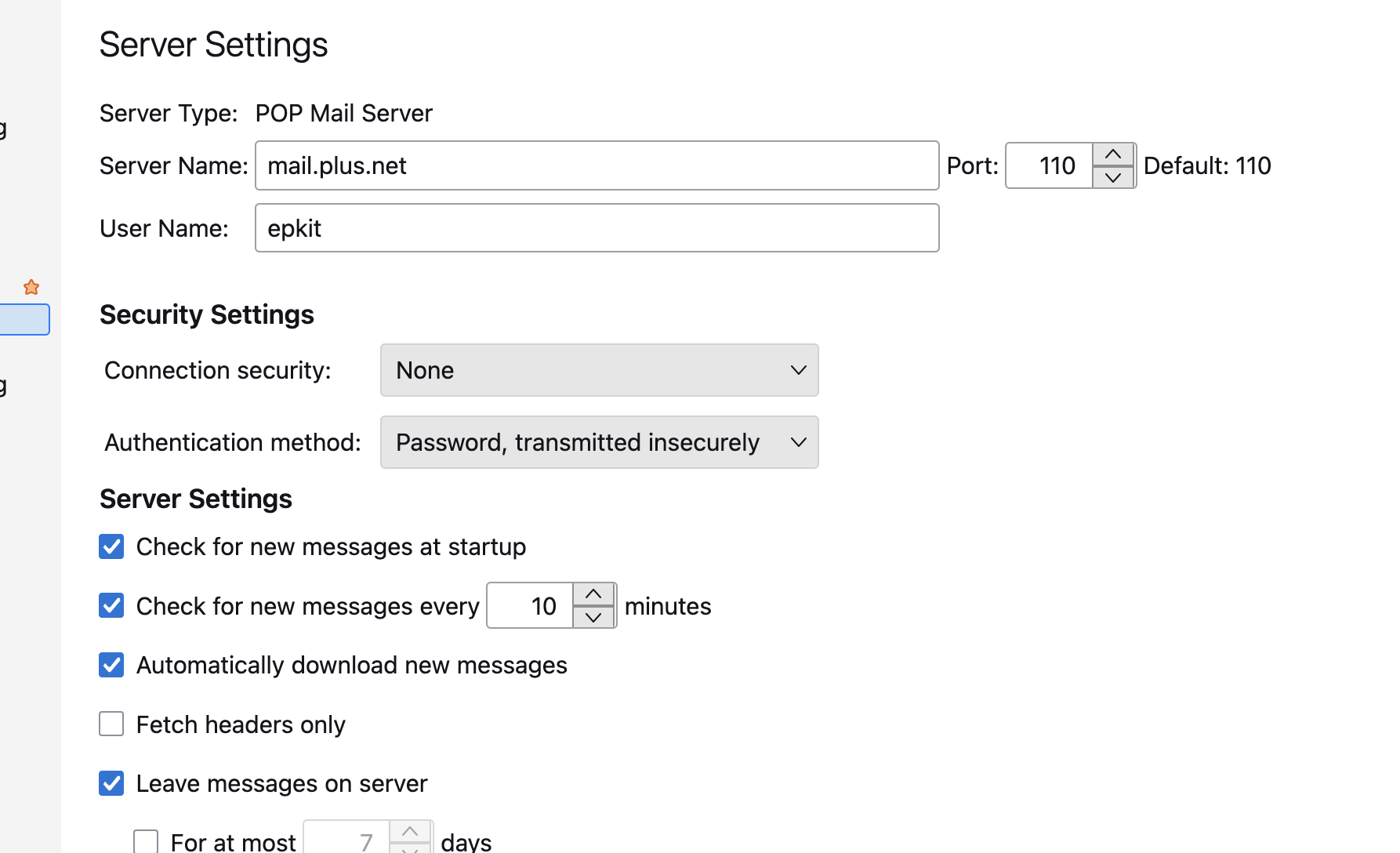
Server Setting for the account in Thunderbird According to Greenby, you should not need to alter Server Settings, but it would be useful to know what server settings are currently set up for the account. You could upload an image showing what is located here: 'Account Settings' > 'Server Settings' for the problem account.
Please note you can only modifiy or get new password via the Greenby webmail account. If you have forgotten password... When you attempt to logon to webmail account there should be a 'Forgot Login Details' link under the login box, and follow the on screen instructions.
Then update stored password in Thunderbird so it has the new password.
Toad-Hall மூலமாக திருத்தப்பட்டது
Many thanks Toad-Hall - much appreciated;
Please see uploaded images you requested...
I AM able to access webmail through Greenby. I never received the email from them informing me I had been 'migrated', so spoke to one of their operators who set me up. It worked fine for a couple of weeks until the current problem appeared. They say it is a problem at Thunderbird's end. I've now changed my password at Greenby and updated my password in T/bird settings as you suggested, with no success... No Firewall or VPN issues. Any other ideas?
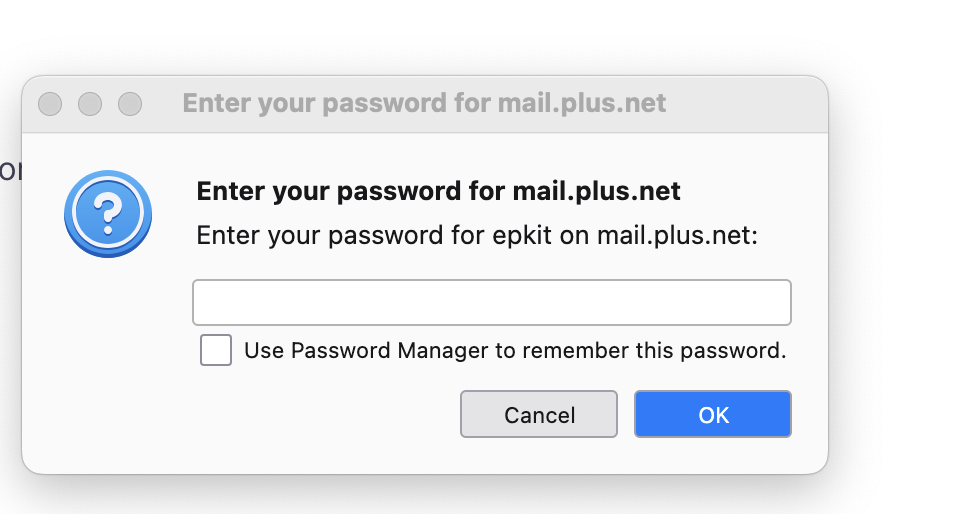
re : Email regarding Migration The advice of migration is sent to the ACCOUNT contact email address, which might not be a Plusnet email address or email address of this problem account.
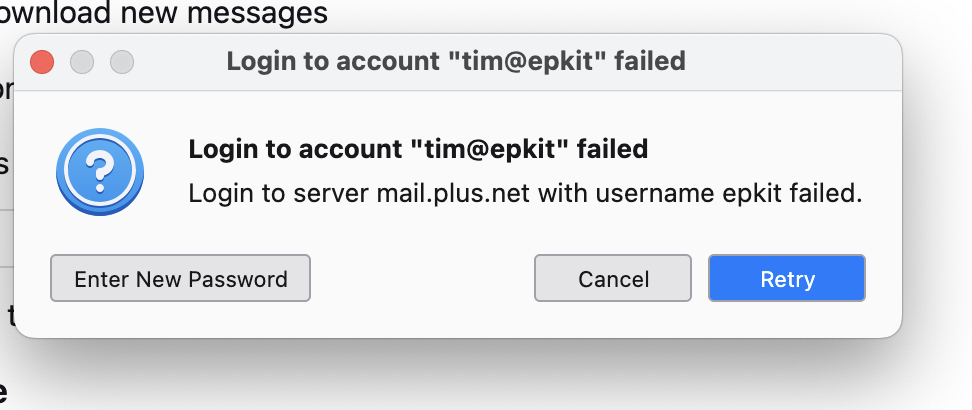
Thanks for images. Those Server Settings do not look correct and error messages imply account name is wrong and so is username, so even if password was correct it would not match. Nothing is secure. Account name looks wrong as usually they end with .com or .uk or similar and yours displays nothing. I do not know of any domain which has no dot something. I know epkit.ai and epkit.com are domains already taken, but whether that's you or not I have no idea. Username is usually full email address OR the part before the @ but yours is part of the server name and not full email address. So something is amiss. Info from Plusnet etc says nothing can be sent without authentication after end of 2025. So assume Greenby will also use those settings as they claim nothing would be changing.
I would expected you to have been using the following secure and standard plusnet settings which Greenby say they should still work. In Account Settings for the account, I suggest you try the following.
Pop accounts server settings on the plusnet server used the following: Pop incoming:
- Server name: mail.plus.net
- Port: 995
- Connection Security: SSL/TLS
- Authentication Method: Normal Password
- Username: full email address
SMTP
- Outgoing server : relay.plus.net
- Port : 587
- Connection Security: STARTTLS
- Authentication Method: Normal Password
- Username: full email address
When you have altered those settings, Exit Thunderbird, wait a few moments for background processes to complete and then restart Thunderbird.
Hi Toad Hall, I have used the User name and account name for years, but I tried changing them along with the other server settings you advised with no luck. How frustrating!!!
Would it be advisable to delete this email account and re-enter my details? And would I be able to keep my existing email address?