Disabling PDF Viewer Autozoom

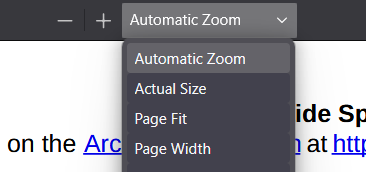
Hello! I have a lot of PDFs on my computer, and every time I go to look at them, my browser immediately views it in "automatic zoom" and with the sidebar expanded. Is there a way to disable these features? I find myself fixing all the PDFs to "actual size" and closing the sidebar, and not only does it take a lot of time, but it doesn't save my preference once I've closed and reopened it! Please let me know if there's a setting I can disable to fix this issue. Thanks!
Hello! I have a lot of PDFs on my computer, and every time I go to look at them, my browser immediately views it in "automatic zoom" and with the sidebar expanded. Is there a way to disable these features? I find myself fixing all the PDFs to "actual size" and closing the sidebar, and not only does it take a lot of time, but it doesn't save my preference once I've closed and reopened it! Please let me know if there's a setting I can disable to fix this issue. Thanks!