


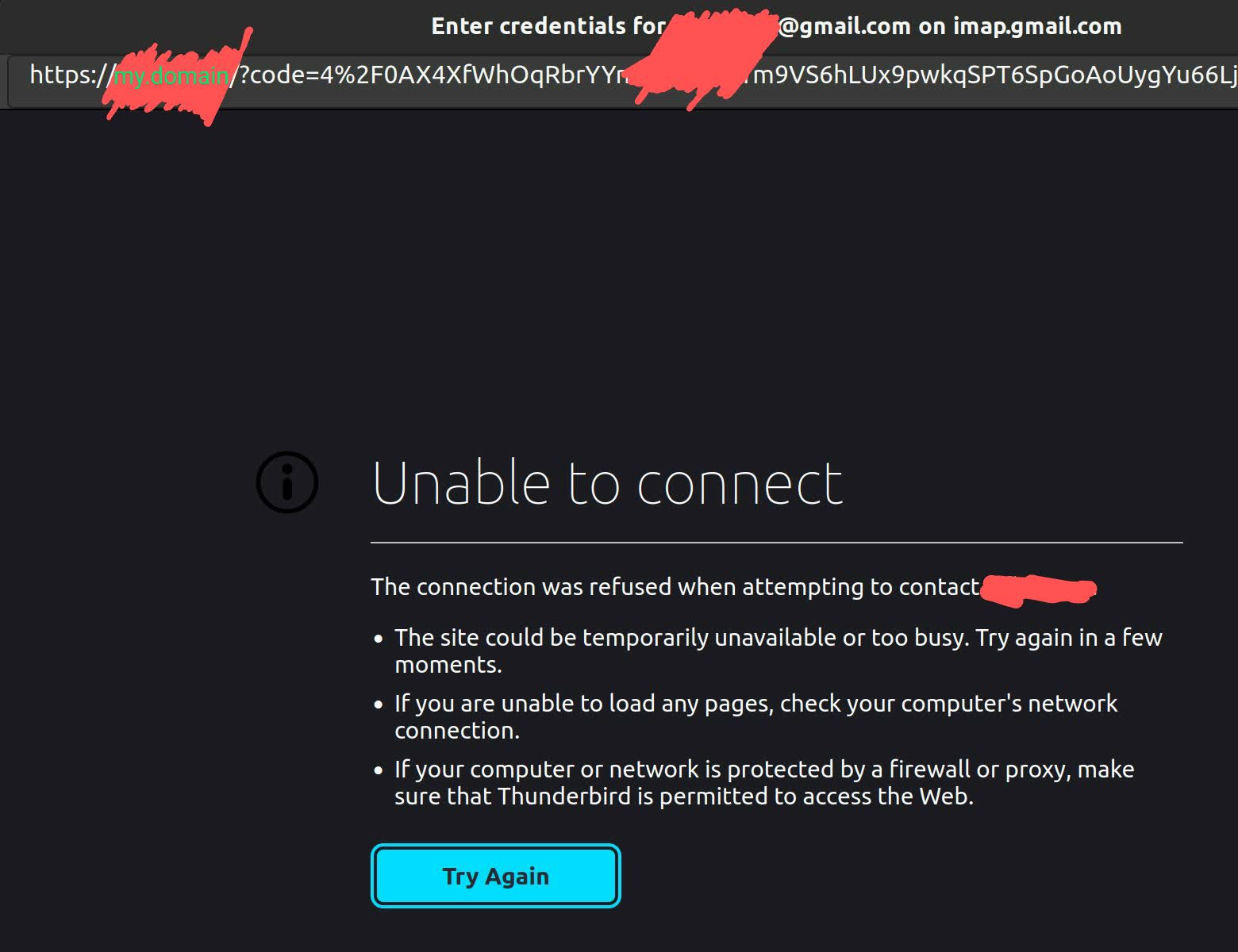
Thunderbird gmail oauth setup failure "Unable to connect"

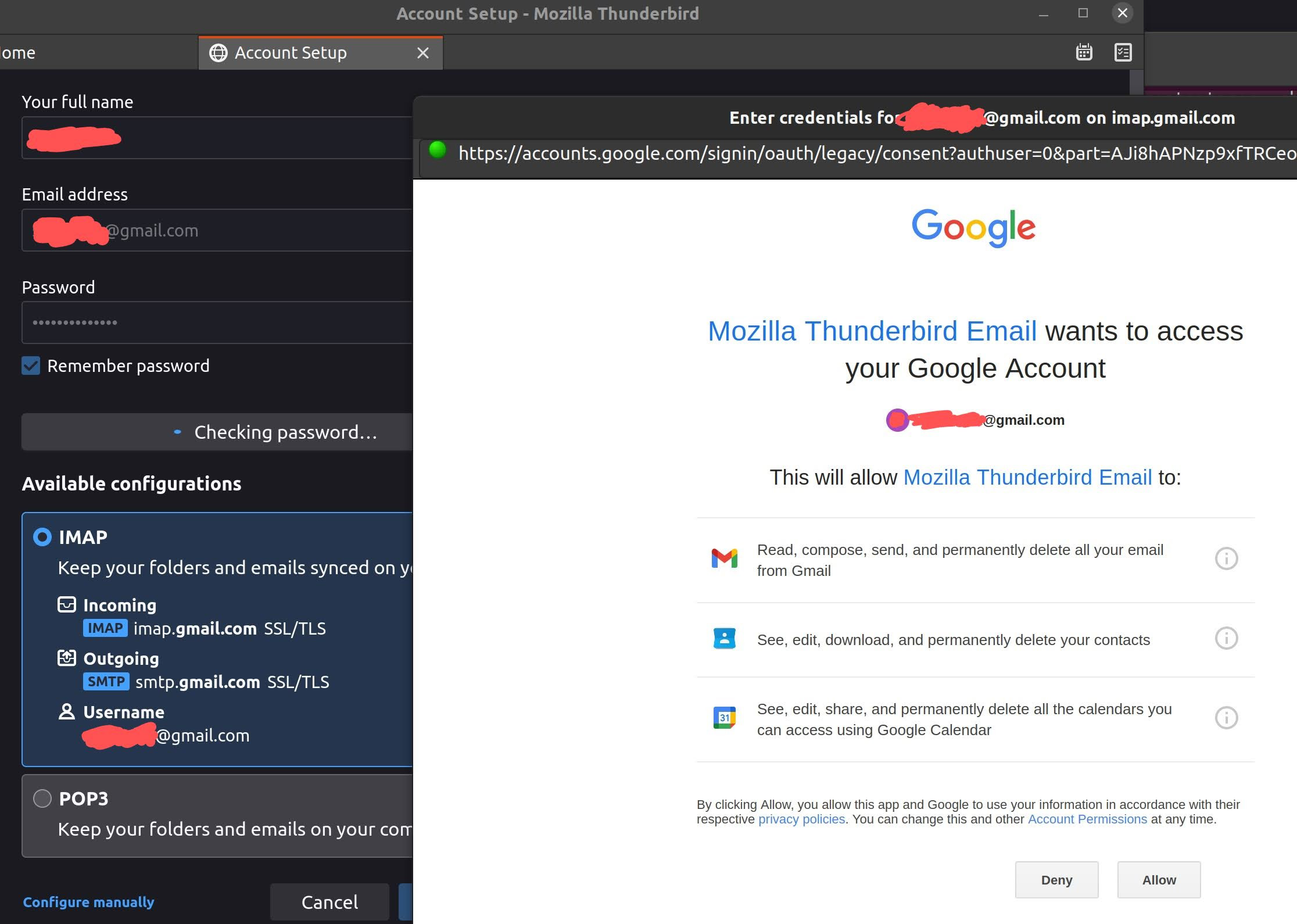
When adding a gmail account, after clicking "allow", the page attempts to redirect to my personal domain. This computer hosts an apache web server for that domain. Why is it doing this? How can I make it stop? Thanks.
Wayne Mery மூலமாக திருத்தப்பட்டது
All Replies (6)

Hello theres0015 We have read your message. We try to help you.
What number of Thunderbird version are you using?
I be got some info form for you to read about the setup. https://support.mozilla.org/en-US/kb/thunderbird-and-gmail
are you connected to a cluster system on a work floor that runs the same for every employee? Then it would still be possible that this will not be accepted by the proposed internal system.
or are you just at home with a server and a switch with several computers?
Greetings Firefox volunteer.
user4447188 மூலமாக திருத்தப்பட்டது
Hello день, This is thunderbird 91.6.2, running on ubuntu 20.04.3. I am on a basic home network: modem->router->computer.
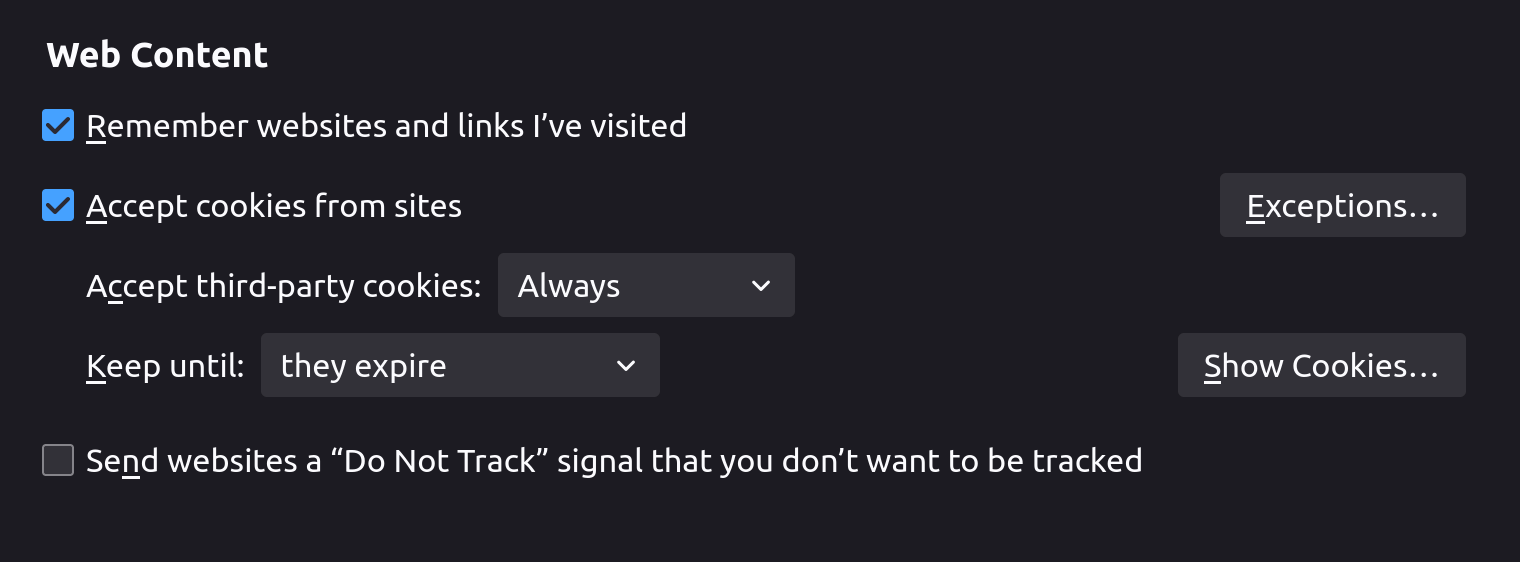
Please confirm you have enabled cookies in Thunderbird.
Menu app icon > Preferences > Privacy and Security Under 'Web content' section select 'Accept cookies from sites' Then restart Thunderbird and try to create gmail mail account.
Hello Toad, All of the settings are at their default values; I freshly downloaded this thunderbird instance.
disable you port and other redirects on loalhost if the mail server software it installed on the same device, disable it for the duration of the setup as the oauth authentication uses local host redirects. Or at least that is my understanding.
Hello Matt, Unfortunately I do not understand your suggestion. I have not set up any particular redirects. My /etc/hosts file is unmodified (ex: 127.0.0.1 localhost), and I haven't touched iptables, etc. I have a pretty basic apache configuration, and disabling apache did not fix this issue.