


Printing Emails

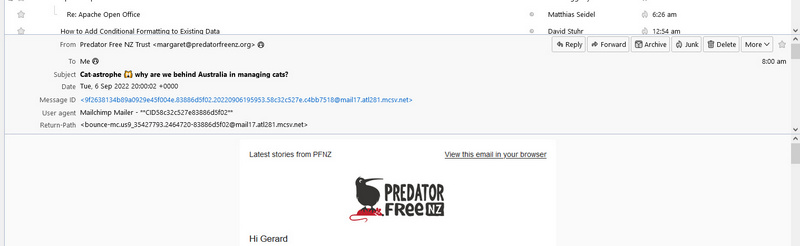
Hi when I open an email there is a horizontal column that shows From; To, Subject, Date, Message-ID etc and then a lot of similar information. It is the column that has Reply, Forward, Archive, Junk, Delete, and More. I do not need all this information, also it will print this information. How do I turn off this background information? Thanks, G
Suluhisho teule
Click View>Headers>Normal and that will eliminate the additional data.
All Replies (4)
Would you please post a screenshot of it? I see a row with some of that, but no message-id and that row doesn't appear when printing. Thank you.
Hi David and thanks for your time. I hope you can open the picture attached. It is the middle column that I am referring to (the one above Predator Free NZ). There is a lot more information than what can be seen in this shot. Problem is that when it is sent to print all of the information will print, I hope this makes sense and again thanks for your time Gerard
Suluhisho teule
Click View>Headers>Normal and that will eliminate the additional data.
HI David and yes that did the trick. Thanks for your time and input. Cheers Gerard