This thread was archived.
Please ask a new question if you need help.

Archived
How to make extra adress fields instead of only three?

When I want to send an email to more than three persons, how do I add extra adress lines?
When I want to send an email to more than three persons, how do I add extra adress lines?
All Replies (1)
Three lines are shown to save space.
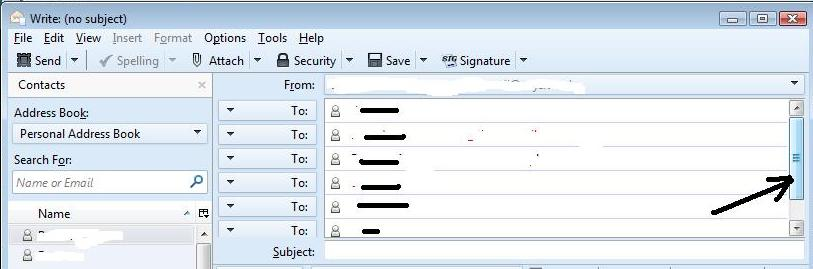
After entering the last email address press 'Enter/return' key to get a new line. When there are more lines than displayed, you will see a scroll bar appear.
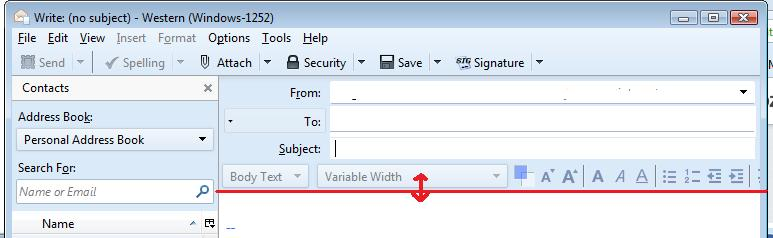
You can also move the section up/down to show/hide lines. hover over the dividing section between composing are and the lower formatting bar to get a double headed arrow, then left click and hold down to grab the line. Move up or down as required. see images below as guide.