


I can't pin websites to newtab page

My New Tab page has the nine boxes outlined, but no pin icons in the corner. When I try to drag a website to pin it in the page, the page just opens, instead of getting pinned to the New Tab page.
Vald lösning
Hi 1060nst,
Sorry you are having problems with the New Tab page and its thumbnails.
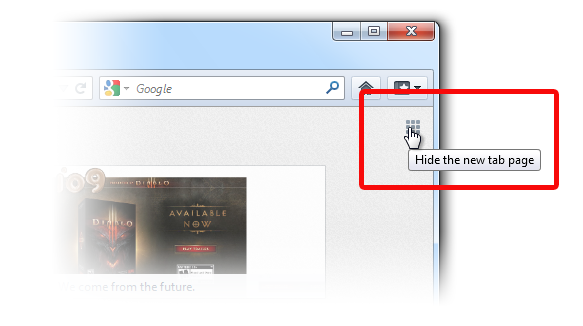
If you have boxes that are empty and not showing thumbnails either you are using Private Browsing or have otherwise cleared the cache. If the page is blank one reason may be that you have toggled the NewTab feature off. It is easy to turn on again.
- See Customize your Firefox New Tab page_how-do-i-turn-the-new-tab-page-off
(Scroll the article for other ideas and explanations.)
Alla svar (2)
Hello,
This happens because probably you seted your firefox to start in a private window or to never remember history:
Change the "Firefox will:" to "Remember history"
After, restart firefox surf a bit then open a new tab and you will see the websites that you visited
Ändrad av Diego Victor
Vald lösning
Hi 1060nst,
Sorry you are having problems with the New Tab page and its thumbnails.
If you have boxes that are empty and not showing thumbnails either you are using Private Browsing or have otherwise cleared the cache. If the page is blank one reason may be that you have toggled the NewTab feature off. It is easy to turn on again.
- See Customize your Firefox New Tab page_how-do-i-turn-the-new-tab-page-off
(Scroll the article for other ideas and explanations.)