


How can I manage cookie settings

When I select Photos from menu (top right bars), I get Google message that there is a problem with my cookie settings and I need to enable them. I haven't changed them.
Alla svar (3)
The default is now to block third party cookies, which the site you are using may not work with.
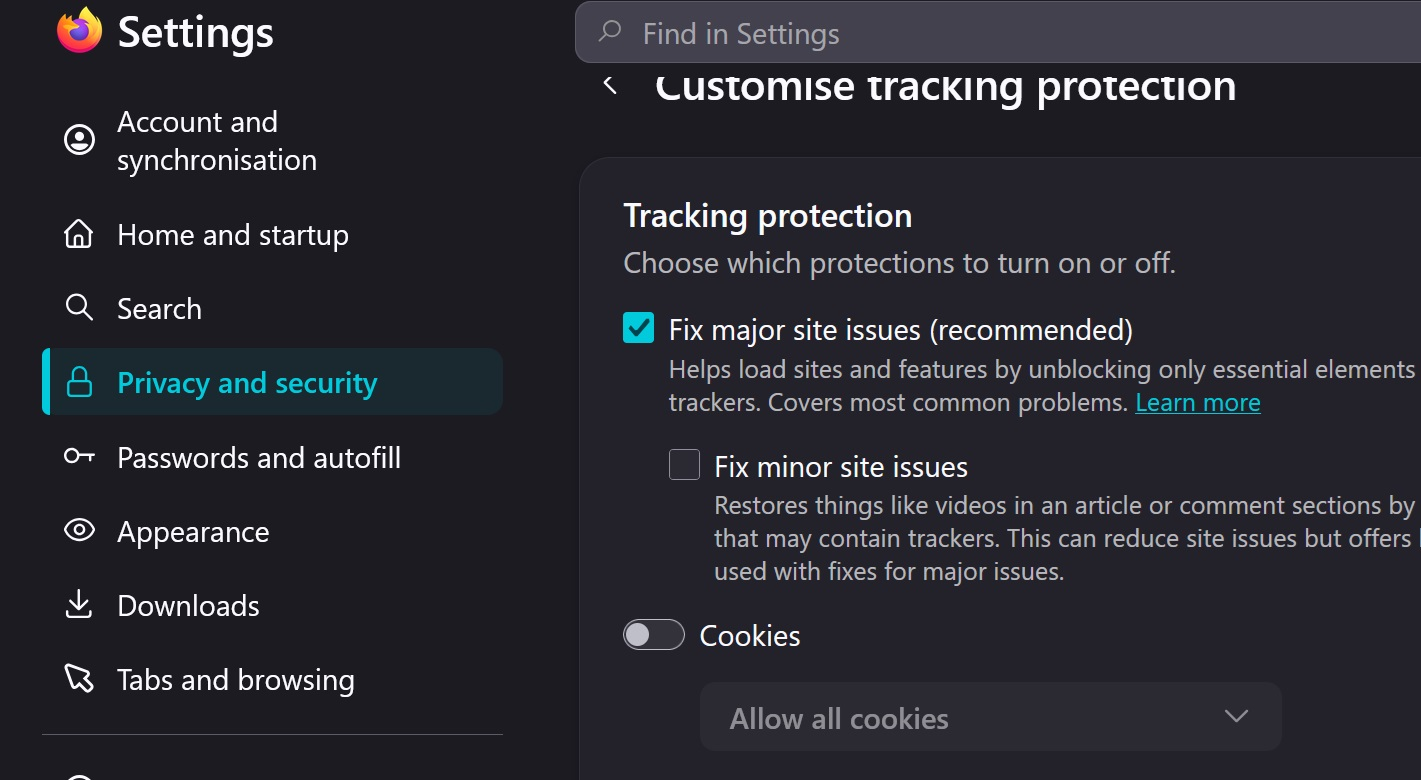
You can try to temporarily [Allow all cookies] to see if that helps, then revert back to the default setting.
Check under Privacy and security > Enhanced Tracking Protection > Advanced settings > Custom tracking ......
Note your default setting
Note this is temporary thing as you may not want to open up to evwry third party cookie that is on offer, some taste really sh!tty.
amoun said
The default is now to block third party cookies, which the site you are using may not work with.
It is the Cross-site tracking cookies that are now disabled by default for all Firefox users, not third-party cookies.
https://support.mozilla.org/en-US/kb/third-party-cookies-firefox-tracking-protection
Thanks for your help. The changes I made seemed to take effect after I closed Firefox and reopened. So all seems to be fixed now.