


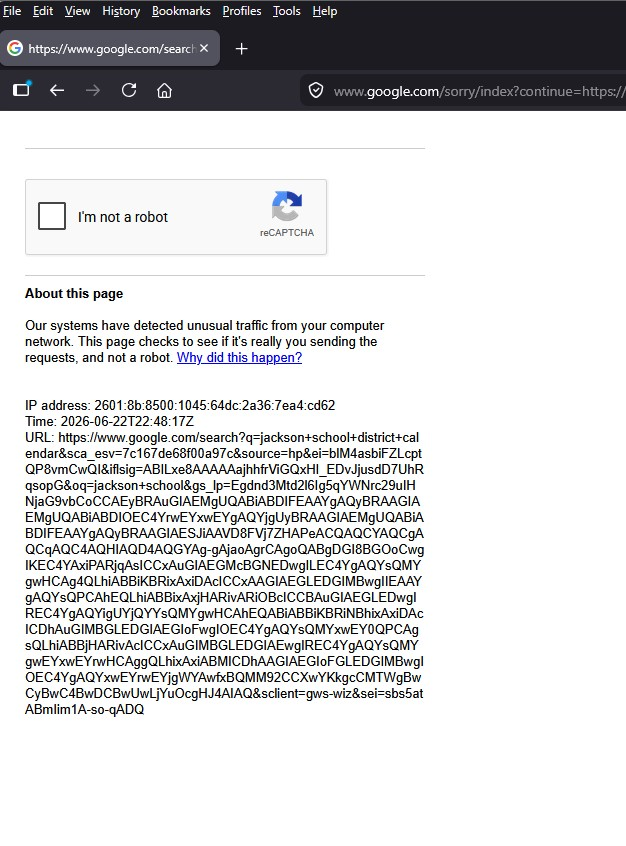
Useless, jibberish response to a qyuery

Hello. I get this screen quite often in response to a search, mainly from a Google search. It started about a month ago. I have deleted must of the junk that Firefox accumulates, as well as refreshed Firefox. This is running on Windows 11.
Alla svar (6)
Typical of your IP address being seen as questionable, so clear the cache and try a different location to connect.
The jibberish looks like it may be the code for an image that is not being displayed
Google might not like if you're clearing their session data too often — does it only happen once, on the first direct search after each restart? If you go to google.com homepage and search from there, are you able to avoid the turing test?
If they're currently blocking your session/location/behavior — and you're not signed in with them (or it has no effect), perhaps verify you're not clearing site data repeatedly: https://support.mozilla.org/questions/1586735 in case you have setting to clear all browsing history on exit — or what also worked is to set a different Google URL query as a custom search engine if that helps in your case: https://support.mozilla.org/questions/1587084
This just started about a month ago, and is very random. It does not happen with any of my other browsers (edge, chrome). It's very frustrating because I like Firefox, and have been a loyal user for at least 20 years. Whether I'm signed in to Google does not seem to matter. I do 95% of my browsing incognito.
And this is when you search from the default search box directly?
- If you go to google.com homepage and search from there, are you able to avoid the turing test?
- Does it only happen once, on the first direct search after each restart or closing and reopening the private window, or even if you fill the puzzle you'd get it right in the next search again?
What worked for me is to set a different Google URL query as mentioned in the above link.
For some it might be worth trying disabling IPv6 and only connect via IPv4 if that makes any difference.
I have disabled IPV6, no change. It happens whether I do a search from the Google home page, or right click on a URL to open in a new window. It is very random and frustrating.
This is wild. There are "soft blocks" for first searches after wiping sessions only for direct searchbox results… and "hard blocks" for unrecognized devices that keep asking this even when referred by their own site — I'd normally point at "privacy" extensions that either scramble the fingerprint or remove any HTTP referrer data… however I don't see anything like that in your troubleshooter log.
The only thing to try regarding any customizations is to restart into Troubleshoot Mode from Help menu and see any change there… And eventually trying the separate Firefox Nightly nightly.mozilla.org that might give a slightly different fingerprint to see if it's also affected.
I don't have a good answer to that unfortunately, last time they bothered me with this I switched my searches to Startpage: https://support.startpage.com/hc/en-us/articles/4520913488148-Search-strings 🤷