


Unable to save or open in mac preview using print system dialog

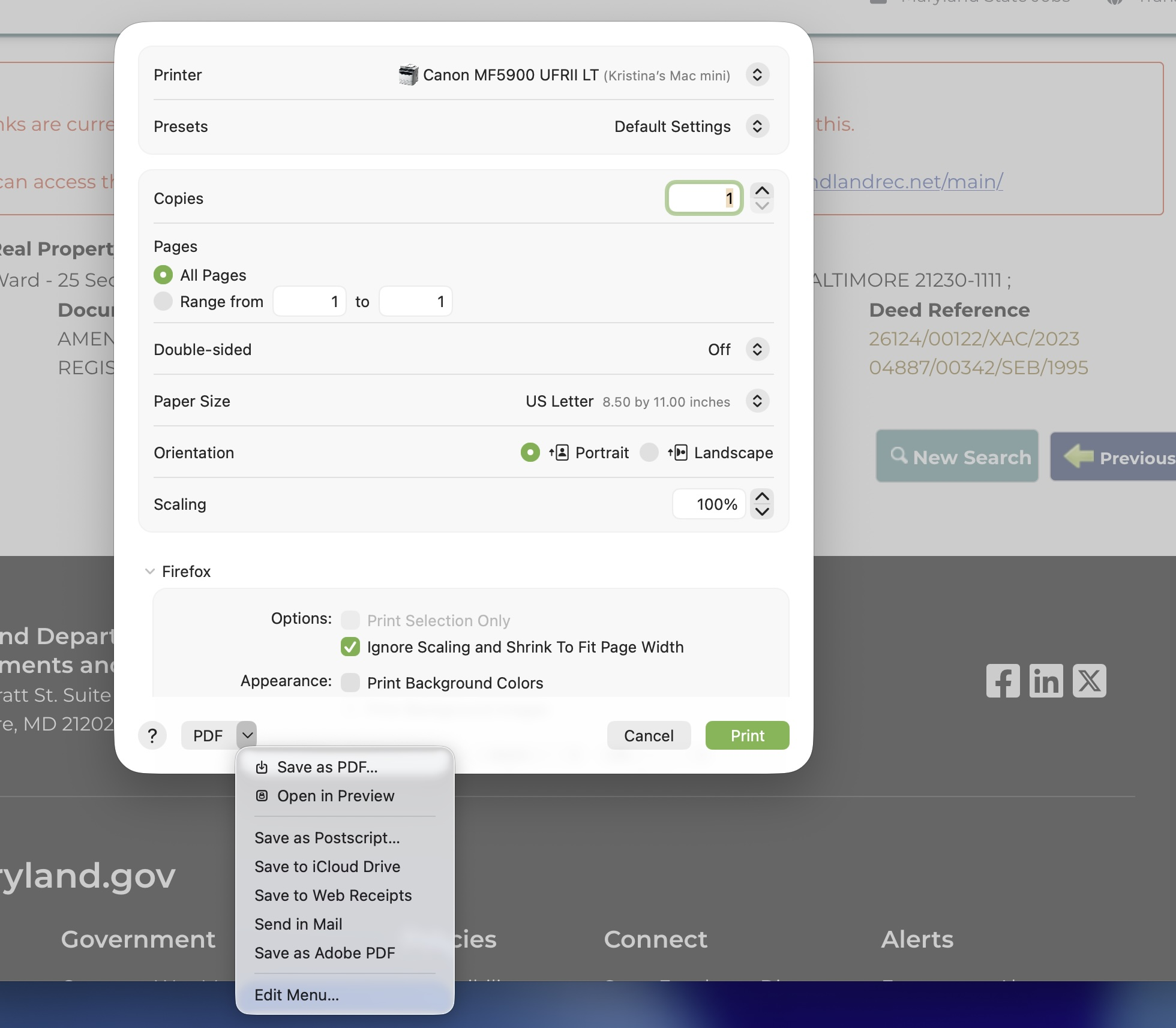
I am no longer able to open in Mac Preview or save when hitting Command + P, then 'print using system dialog'. It will only print instead. For instance, I save certain web pages as PDFs using the print dialog and now it will only print when trying to use either the save or preview options. Command + P, print using system dialog, then I choose either save as PDF or open in Mac Preview, but as soon as I do one of these it will only print. I am able to use save in the drop-down list of printers, but I need to be able to open in Mac Preview.
Vald lösning
Actually, Kristina — if you open your "About Firefox" menu, chances are you'd have the new version already available to you there and it will update when you next restart it.
Thanks for taking the time to report this! It's truly appreciated.
Alla svar (10)
There is something going on with macOS 26.5.1 apparently — would you mind sharing your exact Tahoe version? Thanks!
I just updated to 26.5.1 hoping it would resolved my issue, but it did not.
Kristina, do you remember which 26.x version you were on before the update, when you first had this issue? Thanks.
No I don't, but I'm sure it would have been the immediate previous version. If I have located the correct version in my System info it says 26.3.1.
This seems to be pretty recent, I couldn't find any bug reported, just analogous issue in Thunderbird bugzilla.mozilla.org/2042316 starting in 152.0beta that will be the same culprit.
Would you mind filing a bug in https://bugzilla.mozilla.org/enter_bug.cgi?product=Core&component=Printing%3A%20Output in case the engineers would need to ask some followup question or check logs for the particular setup?
Will do. Thank you.
No worries, it’s filed: bugzilla.mozilla.org/2047850 — and already fixed. New release v152.0.1 will start rolling out soon.
Thank you!!
Vald lösning
Actually, Kristina — if you open your "About Firefox" menu, chances are you'd have the new version already available to you there and it will update when you next restart it.
Thanks for taking the time to report this! It's truly appreciated.
IT WORKED!! THANK YOU!!