


Links opening in new windows, not in same or new tab

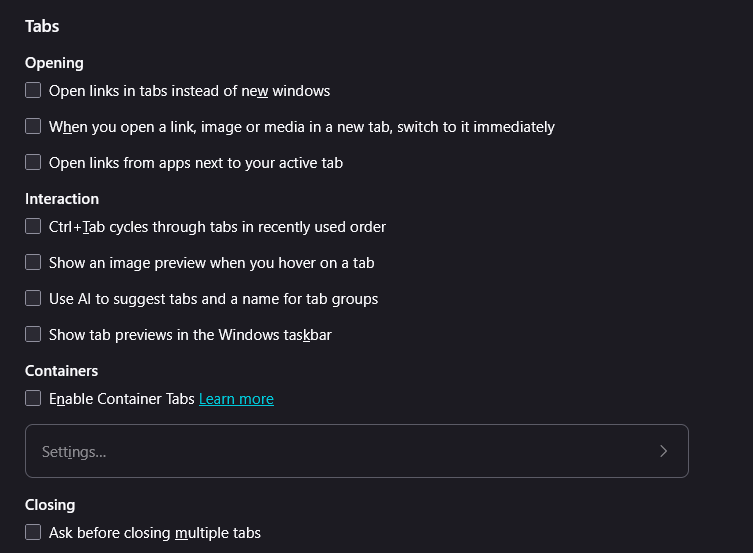
Hyperlinks keep opening in new windows, not in the same/existing window where they were selected. Issue is not unique to Google Search results and occurring across multiple websites. At wits end trying to figure this one out. I have deselected the "Open links in tabs instead of new windows", turned off all extensions, and uninstalled & reinstalled Firefox. Issue is still occurring. Attached is image of my tab selections showing all turned off.
Alla svar (3)
Vald lösning
Well, you need to select Open links in tabs instead of new windows so that it opens links in new tabs instead of new windows. With that unchecked, it will keep opening new windows.
If it's still doing it with that checked, causing new windows to open up, might see if some extension is causing it by to Help -> Troubleshoot Mode which will temporarily disable them all. (To get them back, just restart the browser).
Thank you. I did another clean install of Firefox, unchecked everything, then re-selected only Open links in tabs instead of new windows and it now appears to be working properly.

There must be an easier way?