


Email filter on local folders not working.

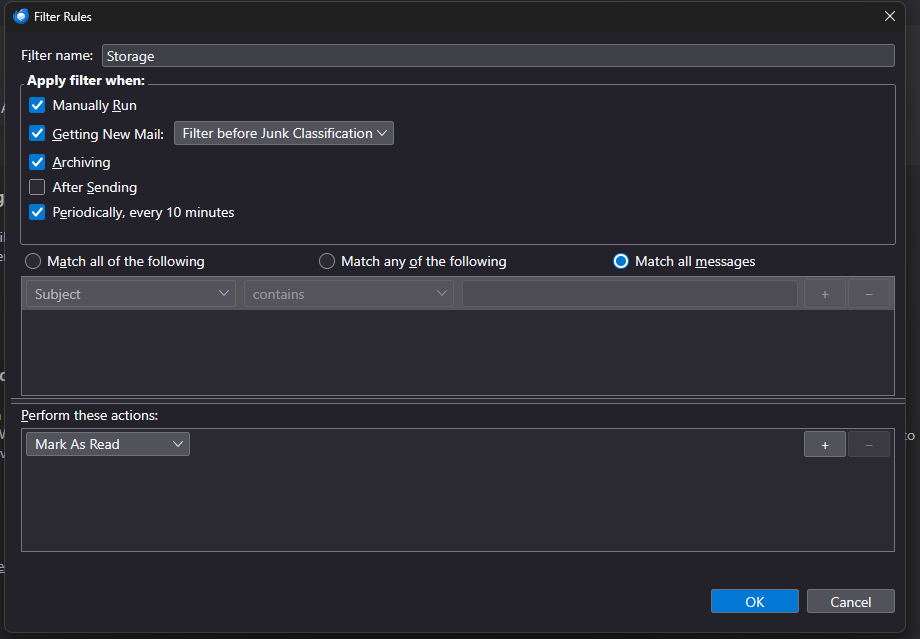
I have a filter set up on one of my computers with Thunderbird that copies all incoming emails into a local folder. I then have a filter on the local folder to mark those messages as read (see attached), but it doesn't work. Is there something I'm doing wrong?
Vald lösning
Your original filter is correct: Match All Messages means to apply the filter without any criteria (conditions). Perhaps you're expecting the filter to run automatically, but this happens only for the Inbox. Filters must be run manually on other folders.
Läs svaret i sitt sammanhang 👍 0Alla svar (5)
You don't have any conditions in the filter. You need to set a condition that will always be true.
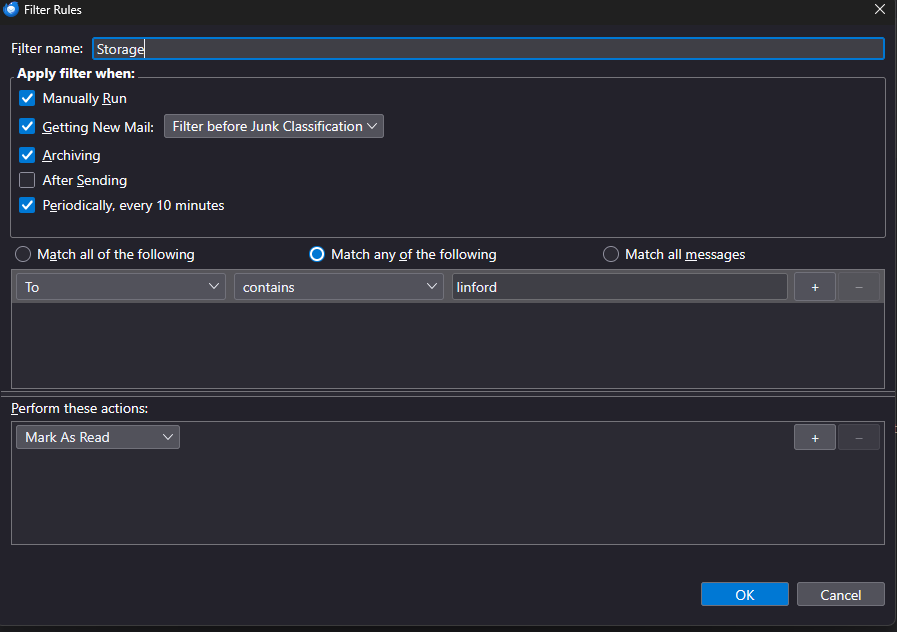
Yes, if that is always true. Another possibility would be to set To as NOT equal to santaclaus That is, you want a filter that will always always be true.
Vald lösning
Your original filter is correct: Match All Messages means to apply the filter without any criteria (conditions). Perhaps you're expecting the filter to run automatically, but this happens only for the Inbox. Filters must be run manually on other folders.