


picture in picture

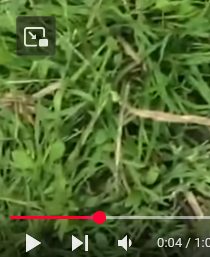
i was wondering if there is a way to disable this p-i-p icon in the video (image 1) while keeping the p-i-p in the searchbar enabled? (image 2
i was wondering if there is a way to disable this p-i-p icon in the video (image 1) while keeping the p-i-p in the searchbar enabled? (image 2

Alla svar (2)
You can set media.videocontrols.picture-in-picture.video-toggle.enabled to false in about:config to disable the PiP icon on hover. For the URL bar there is this separate pref:
- media.videocontrols.picture-in-picture.urlbar-button.enabled
Hi, thanks for the suggestion! I tried setting media.videocontrols.picture-in-picture.video-toggle.enabled to false in about:config, and keeping media.videocontrols.picture-in-picture.urlbar-button.enabled but the setting resets every time I restart the browser (it disables the picture in picture video controls setting (embed picture)). Is there a way to make this change permanent?
