


Google AI search scroll problem

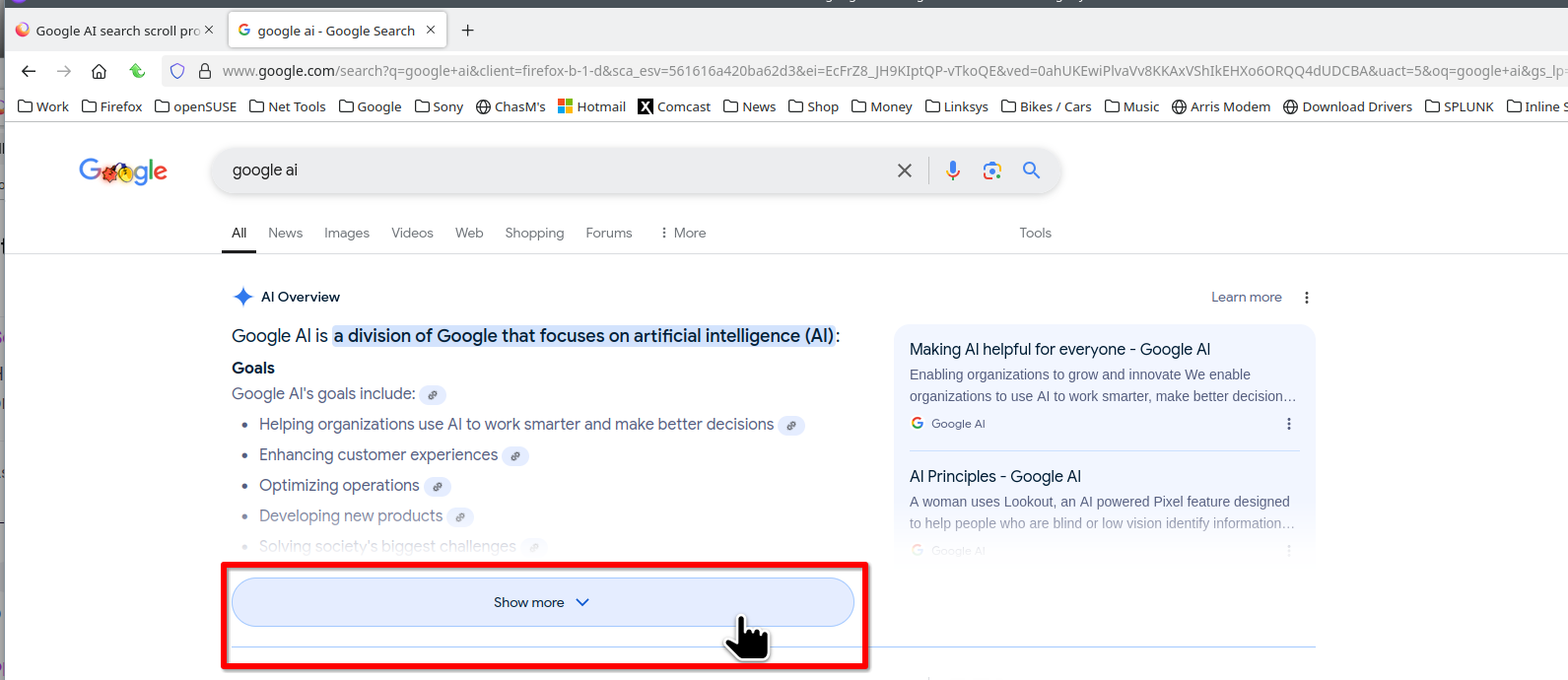
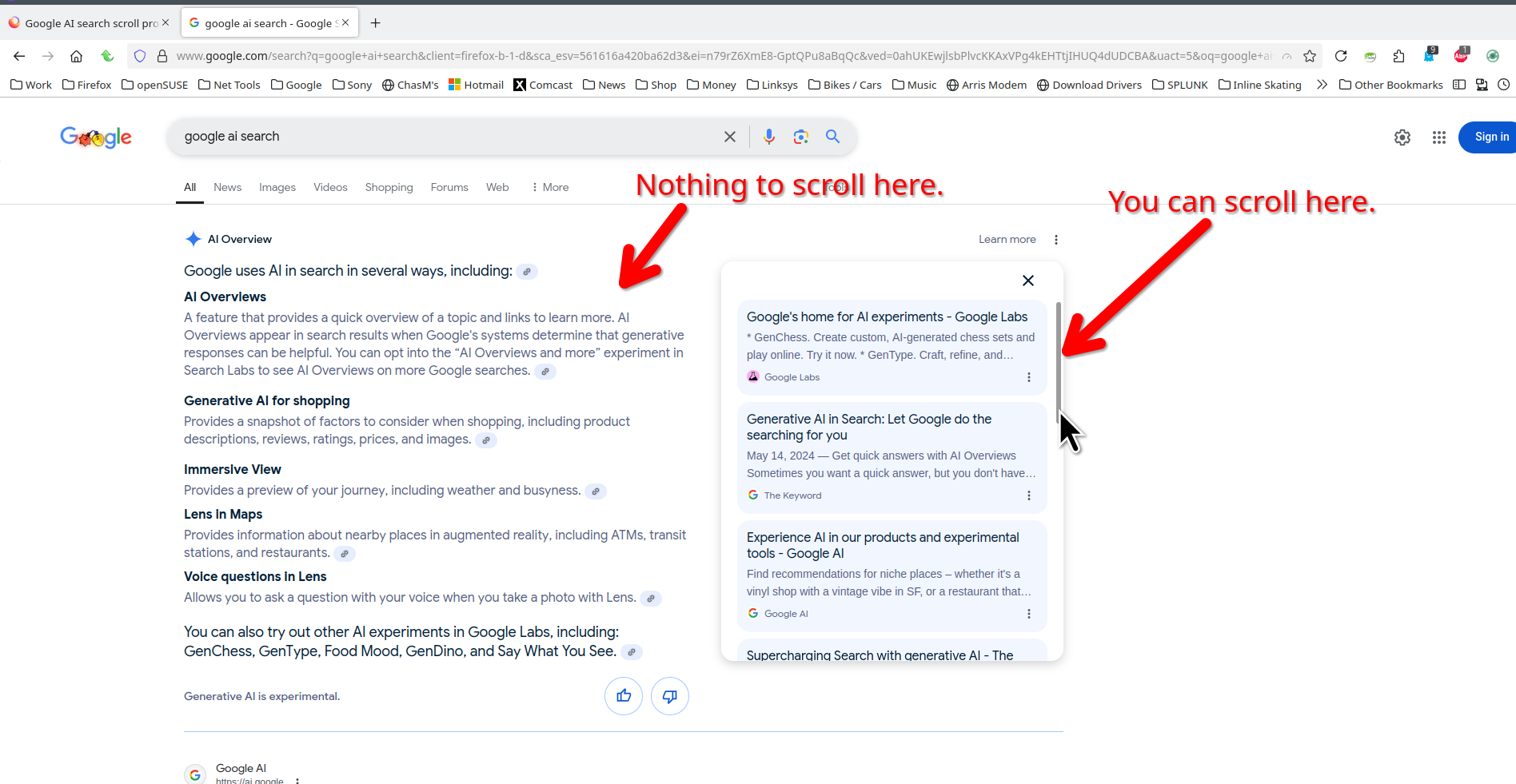
I'm talking about the built in "AI Overviews" for Google search. When the mouse is anywhere over the search content it provides, the page will not scroll until I move below it, or to the scroll bar.
I just realized it does not occur in Chrome, as far as I can tell. The Chrome search does not show the AI indicator on top.
The best you get is an occasional slight single jumping motion with a mouse wheel scroll anywhere withing the boundaries of that straight line just below the search field, the straight line below "Show More", and the inner border of the scroll bar

Alla svar (4)
You should post a screenshot showing chrome. When you click "Show More", you can then scroll the content in the blue shaded section. see screenshot
Ändrad av jonzn4SUSE
removed
Ändrad av noel_envode
I can't replicate the problem on a couple sample searches.
Usually if the mouse pointer is over a scrollable region within the page, the scroll wheel will scroll that region until it reaches the bottom and then it will scroll the page. That can be frustrating from time to time. But these shortened sections aren't scrollable, so that should not kick in anyway.
Are those orange circles with the up and down arrows in your screenshot controls you see in the page, or did you add those for illustration? If it's in the page, what do they do? Any idea how they got there?
Hi jscher2000,
jscher2000 - Support Volunteer said
I can't replicate the problem on a couple sample searchesI can't speak for jonzn4SUSE, but my troubleshooting revealed that Yet Another Smooth Scrolling WE is the cause.
jscher2000 - Support Volunteer said
Usually if the mouse pointer is over a scrollable region within the page, the scroll wheel will scroll that region until it reaches the bottom and then it will scroll the pageI'm not exactly sure what your "scrollable region" represents, but now that I disabled Yet Another Smooth Scrolling WE, scrolling is back to normal, from top to bottom. BTW, those images you referenced were from jonzn4SUSE.