


Windows 10 reached EOS (end of support) on October 14, 2025. If you are on Windows 10, see this article.

Sök i support

Akta dig för supportbedrägerier: Vi kommer aldrig att be dig att ringa eller skicka ett sms till ett telefonnummer eller dela personlig information. Rapportera misstänkt aktivitet med alternativet "Rapportera missbruk".

Läs mer

Subtitles and rewind/fast-forward not following Picture-in-Picture mode for Disney+

  • 2 svar
  • 0 har detta problem
  • 531 visningar
  • Senaste svar av TyDraniu
  • Arkiverad

I've been having an issue with picture-in-picture (PiP) mode where the subtitles and rewind/fast-forward buttons (rr/ff) won't follow the video into the small player for Disney+ specifically. I have no issues with YouTube or any other site. The subtitles and rr/ff just stay with the original video player on the site while the video is in PiP mode. I can see the subtitle button on the PiP player, but it is grayed out and I can't click it. I've updated both Firefox and my computer (Windows 11) and reinstalled Firefox, cleared cookies and cache, and still no dice. Any advice? Thanks!

(In the screenshot, the PiP player isn't showing video, but I think that's just because of Disney's anti-piracy software - I can see the video in the PiP player on my screen.)
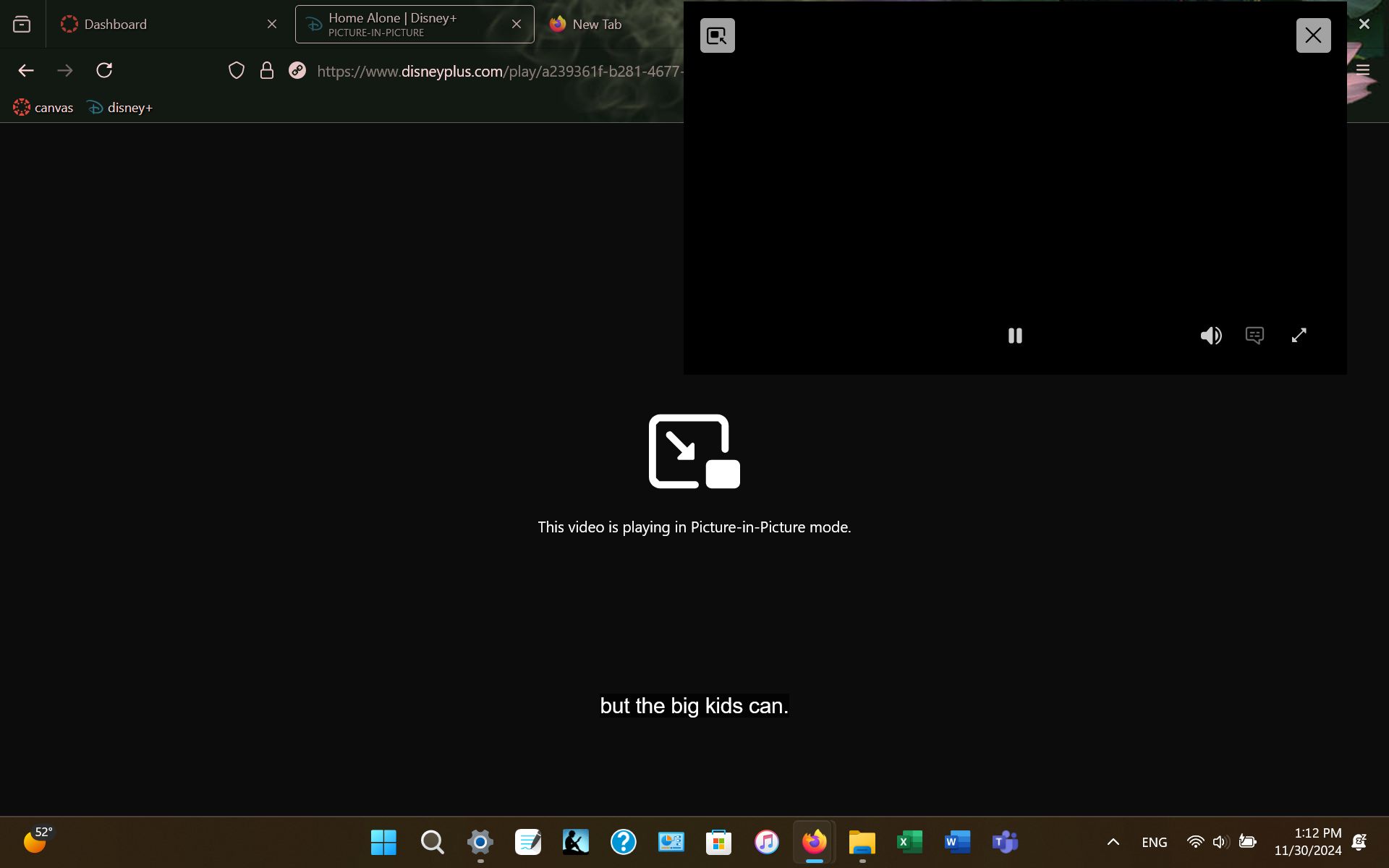
I've been having an issue with picture-in-picture (PiP) mode where the subtitles and rewind/fast-forward buttons (rr/ff) won't follow the video into the small player for Disney+ specifically. I have no issues with YouTube or any other site. The subtitles and rr/ff just stay with the original video player on the site while the video is in PiP mode. I can see the subtitle button on the PiP player, but it is grayed out and I can't click it. I've updated both Firefox and my computer (Windows 11) and reinstalled Firefox, cleared cookies and cache, and still no dice. Any advice? Thanks! (In the screenshot, the PiP player isn't showing video, but I think that's just because of Disney's anti-piracy software - I can see the video in the PiP player on my screen.)
Bifogade skärmdumpar

Alla svar (2)

Right, there's open bug for this, unfortunately without assigned developer.

https://bugzilla.mozilla.org/show_bug.cgi?id=1829812

It will be fixed in version 139, see https://bugzilla.mozilla.org/show_bug.cgi?id=1958974