


Gmail-Konto

Hallo,
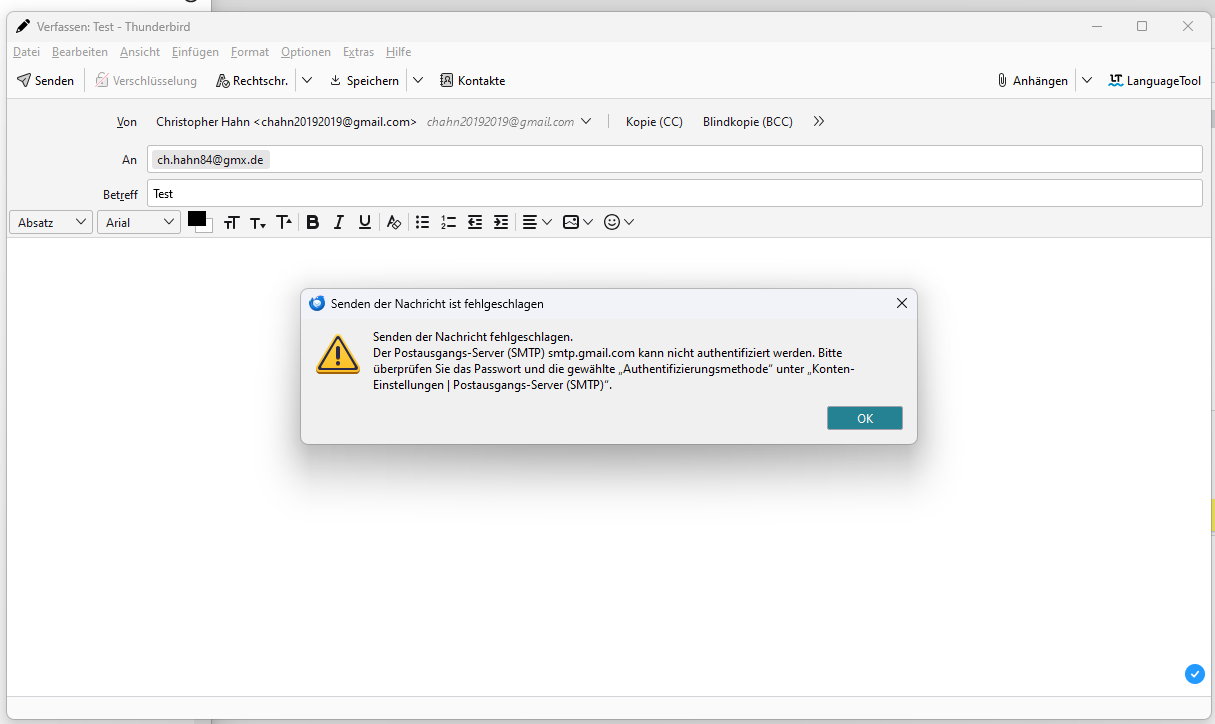
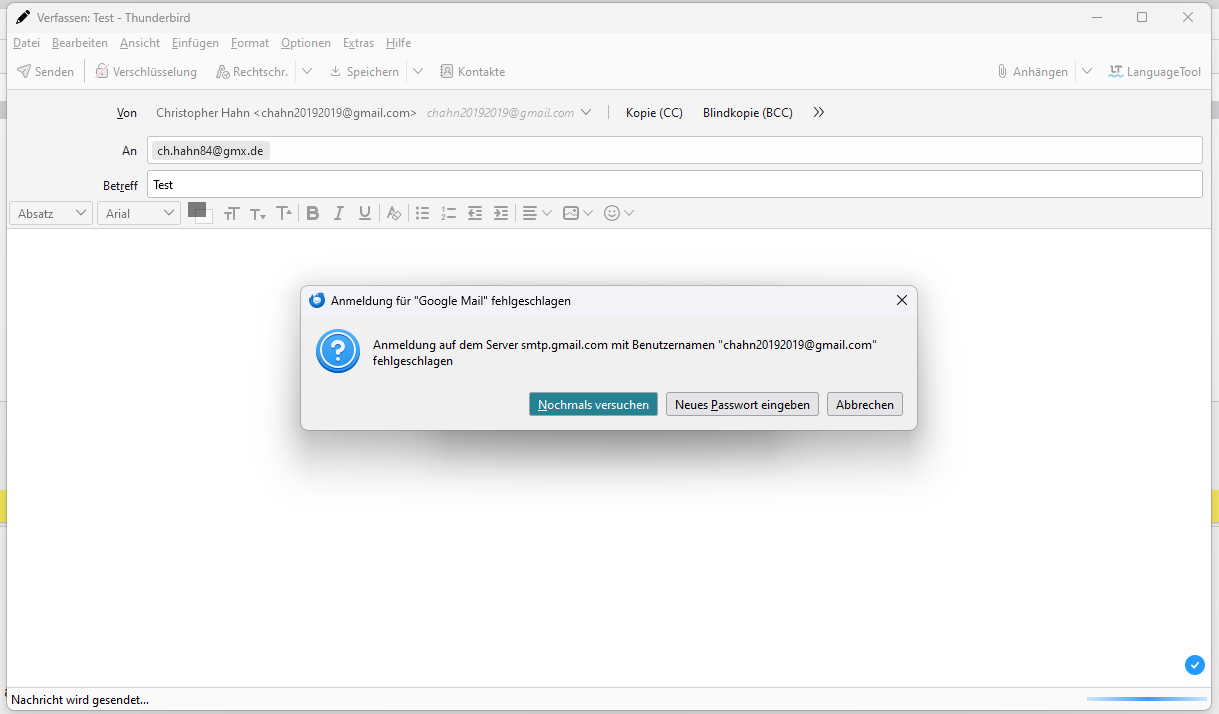
mein Gmail-Konto lässt sich nicht mehr mit Thunderbird verknüpfen. Ich habe das Konto bereits gelöscht und neu hinzugefügt. Es ist immer derselbe Fehler. Das Passwort ist nicht mit dem Server-Ausgang (SMTP) abgestimmt.
Im Anhang befinden sich zwei Screenshots, auf denen Sie den angesprochenen Fehler noch einmal erkennen können.
Viele Grüße Christopher
Vald lösning
Christopher Hahn said
Hello, my Gmail account can no longer be linked to Thunderbird. I have already deleted and re-added the account. It is always the same error. The password is not synchronised with the server output (SMTP). Attached you will find two screenshots where you can see the error again. Best regards Christopher
The errors indicate you have 'normal password' authentication for the smtp server. It should be OAuth2, and also for the incoming server. Remove any imap:// and smtp:// entries for the account from Saved Passwords in Settings, set the authentication to OAuth2, restart TB, enter the account password in the OAuth window to allow access.
Läs svaret i sitt sammanhang 👍 0Alla svar (2)
Vald lösning
Christopher Hahn said
Hello, my Gmail account can no longer be linked to Thunderbird. I have already deleted and re-added the account. It is always the same error. The password is not synchronised with the server output (SMTP). Attached you will find two screenshots where you can see the error again. Best regards Christopher
The errors indicate you have 'normal password' authentication for the smtp server. It should be OAuth2, and also for the incoming server. Remove any imap:// and smtp:// entries for the account from Saved Passwords in Settings, set the authentication to OAuth2, restart TB, enter the account password in the OAuth window to allow access.
Danke für deine schnelle Hilfe! Das Problem ist gelöst.