


I cannot create new folders and subfolders

Hi,
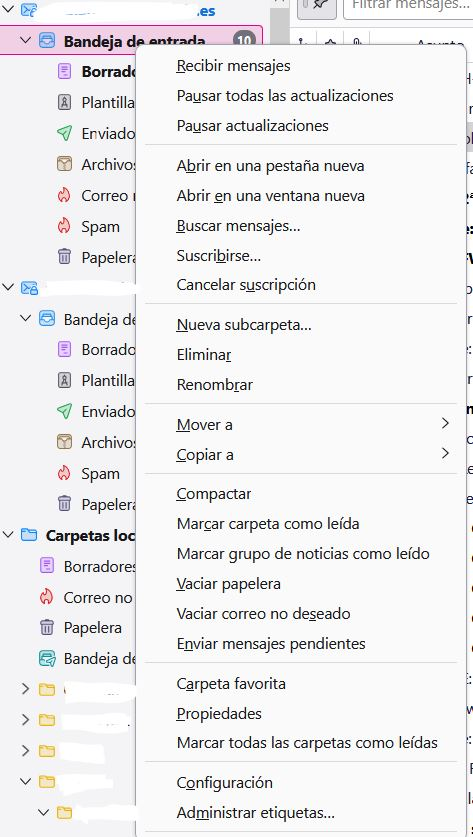
I’m having trouble with Thunderbird as it won’t allow me to create new folders, subfolders, or rename the existing ones. Additionally, when I right-click on a message to access more options, I see more options than usual (see attached image). This behavior started recently, and I haven't made any significant changes to my settings.
I’ve tried updating Thunderbird, but the issue persists. Could someone help me figure out what might be causing this and how to fix it?
Thanks in advance for any assistance!
Alla svar (3)
Hola, Prueba; 1) Ejecutar el Thunderbird como administrador. 2) Modo de resolución de problemas: https://support.mozilla.org/es/kb/modo-seguro-tb#w_como-iniciar-thunderbird-en-modo-seguro
Saludos
Hola! Sigue igual, creo que la única solución va a ser reestablecer el correo.
Gracias igualmente.
GerardoPcp04 dijo
Hola, Prueba; 1) Ejecutar el Thunderbird como administrador. 2) Modo de resolución de problemas: https://support.mozilla.org/es/kb/modo-seguro-tb#w_como-iniciar-thunderbird-en-modo-seguro Saludos
Probaste ejecutar el Thunderbird en modo administrador?