


Thunderbird - email with attachments becomes HTML/corrupted

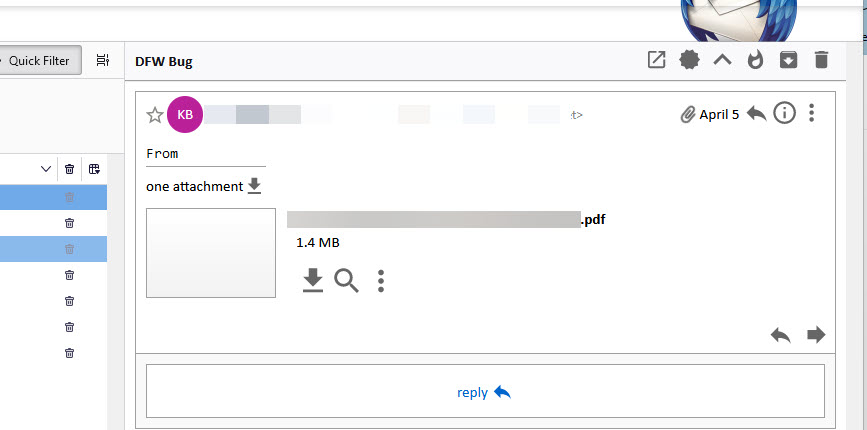
Hi, I have Windows 11, Intel processor, 64 Gb RAM, TBytes of SD storage. Lately I have been experiencing issues displaying email with attachments. It is intermittent, but occurs when I display an email with one or more attachments such as PDFs. I have a preview window open to the right of my mail list. If I click on the item in the list I see a properly formatted email in the preview window .. for a few seconds. Without me touching anything, the mail converts to HTML and the attachment is gone. Redisplaying the item goes right to HTML. Further, the HTML has nothing to do with the original message. If I go to my mail server the original item might still be there, but it might be gone. I have not seen a pattern to determine why some are gone. I need to solve this. I don't see this problem described in previous posts.
Attachments: tbird_before.jpg - preview email with attachment (personal data obscured) a few seconds later it switches to tbird_after.jpg and I cannot get the email back.
Kenneth Kornblum

Alla svar (2)
You appear to be using the Conversations add-on. Does the same thing happen in safe/troubleshoot mode (hold Shift when launching TB)? Safe mode will run without add-ons, among other factors.
It could also be an AV issue if your antivirus scans attachments (especially if it's non-MS AV).
Hello there We have read the question We try to help you
that's a good question regarding the formatting that changes in the text editor to html without any reason to act.
Do you also use external editors together with your Thunderbird program?
These apps or extensions could still cause a crash.
Greetings Firefox volunteer
Ändrad av Googlethunderbird.