


Printing at Reduced Scale Cuts Off Page

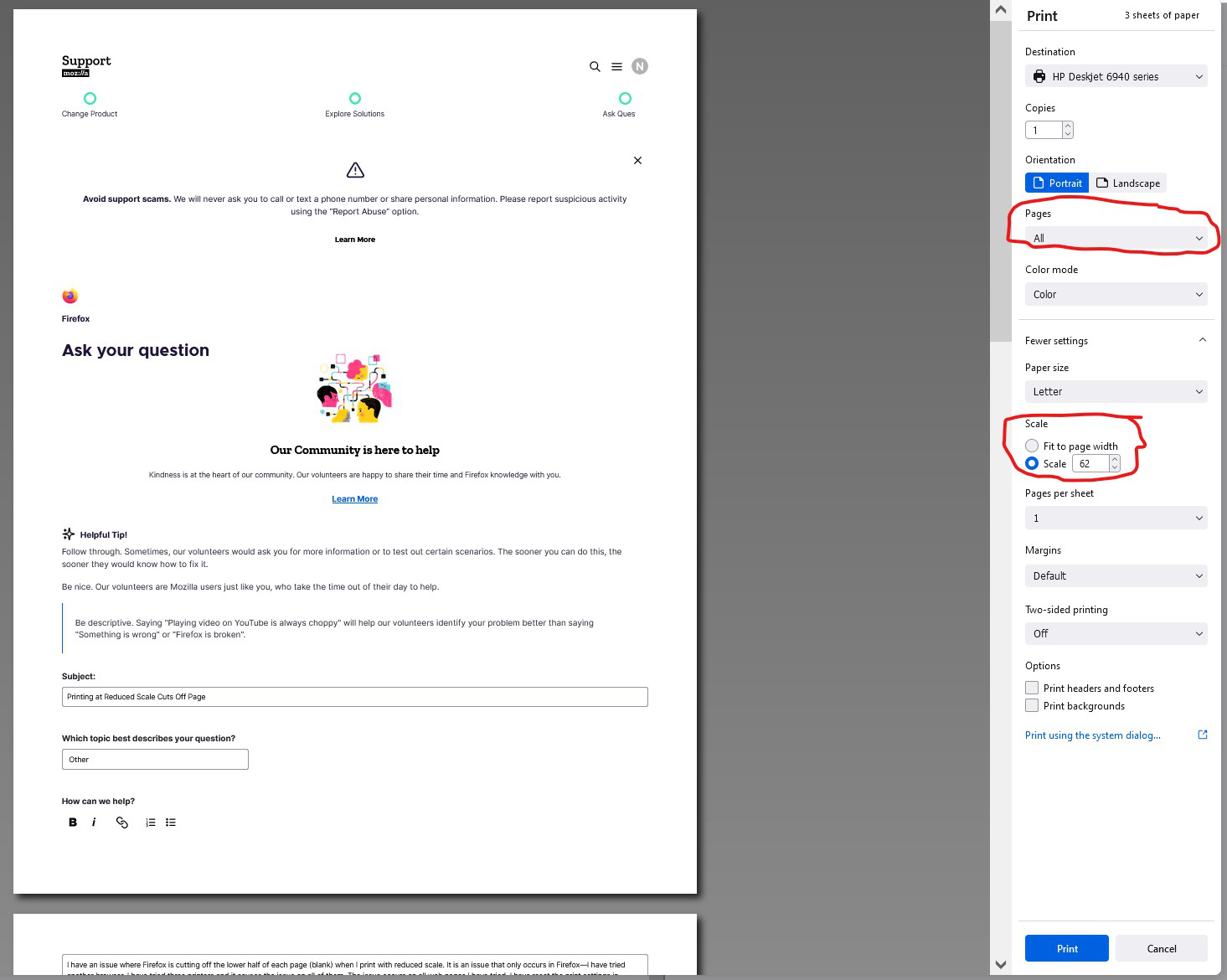
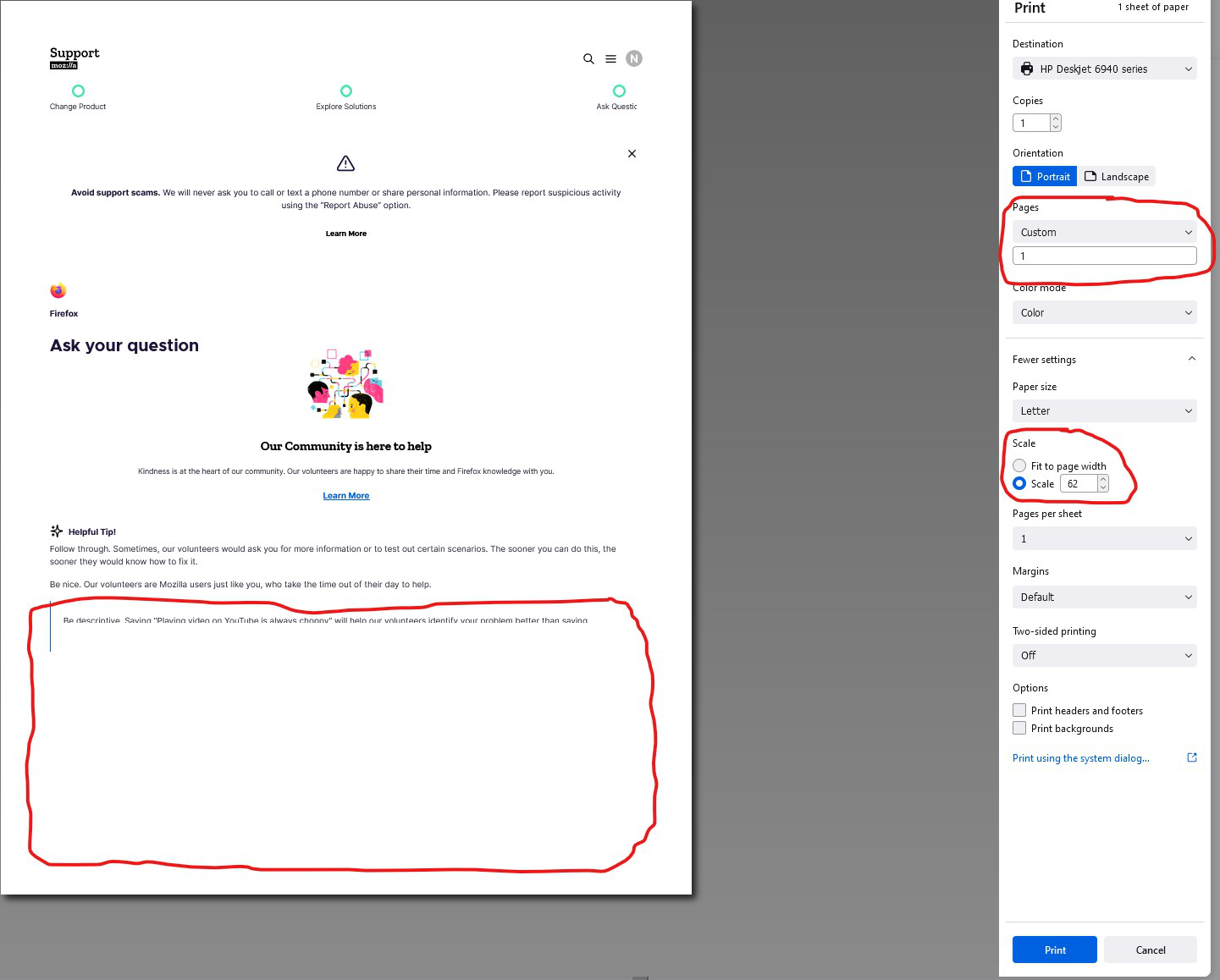
I have an issue where Firefox is cutting off the lower half of each page (blank) when I print with reduced scale. It is an issue that only occurs in Firefox—I have tried another browser. I have tried three printers and it causes the issue on all of them. The issue occurs on all web pages I have tried. I have reset the print settings in Firefox, run Firefox in troubleshooting mode, and refreshed Firefox.
Print preview will show the pages correctly with reduced size, but when printed, the bottom half of each page is blank. However, in print preview, if I change the settings to only print the first page, the preview will then show the first page with the bottom half missing.
I am wondering if this problem is caused by the latest Windows update. That is the last change to the computer I am aware of before this printing problem occurred.
Anything else I can try to resolve this issue?
Vald lösning
This is probably https://bugzilla.mozilla.org/show_bug.cgi?id=1720621 which should have been fixed in 90.0.2. Let us know if updating to that version fixes things for you or not.
Läs svaret i sitt sammanhang 👍 1Alla svar (8)

I have the same issue. For me, it is the current version of Firefox 90.0. I had no issues with the previous version of 89.x. When I print at a reduced scale, the page during preview is correct, when it actually prints via printer or PDF file, the page is corrupted, cutting off the page with missing text/graphics. The issue only occurs with Firefox. I do not have this issue with Chrome. Please fix this.
We have seen more reports about similar print issues. See:
- /questions/1343808 Printing Problems after update
Several bug reports have been filed with the developers, but we don't yet have any idea of when it might be fixed. Unfortunately, I haven't yet seen a quick workaround for this problem.
Thank you for the replies. I will have to remember to file a bug report the next time something like this happens. I am happy to hear that has already been done. I will print with a different browser as a workaround until the issue has been resolved with Firefox.

Vald lösning
This is probably https://bugzilla.mozilla.org/show_bug.cgi?id=1720621 which should have been fixed in 90.0.2. Let us know if updating to that version fixes things for you or not.
Yes, this update seems to have fixed the issue. Thank you for your reply Jonathan!
Hey this update did indeed fix my printer problem! Thank you firefoxes!

Yes, this fixed the problem. Everything is back to normal when printing.