


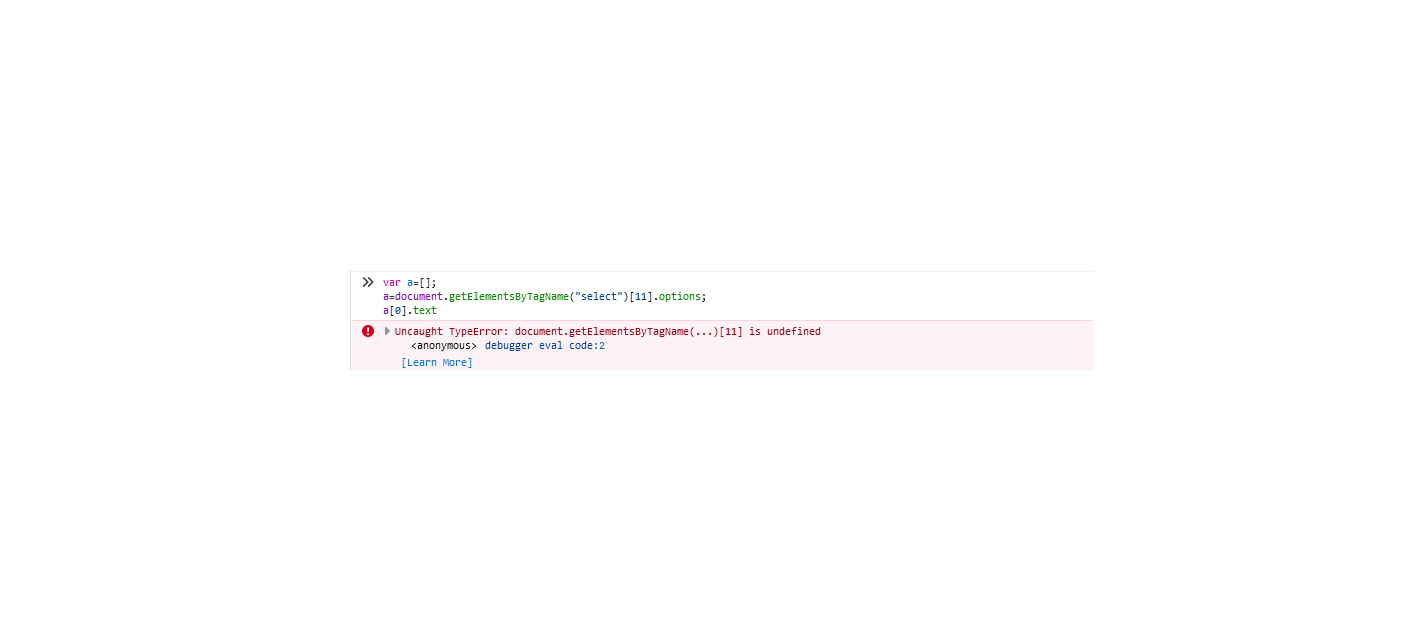
document.getElementsByTagName(...)[11] is undefined
Hi team
i am trying to get the value of an element. var a=[]; a=document.getElementsByTagName("select")[11].options; a[0].text this code works fine in chrome's console but it does not work in firefox.
Infact, when i use document.getElementById("id").text it gives error as document.getElementById("id") is undefined. Please help me with this issue
Alla svar (9)
Can you provide a working example of this issue on jsfiddle.net or codepen.io ?
Do you have at least 12 <select> controls in the page?
What is the value of
document.getElementsByTagName("select").length
@jscher2000, document.getElementsByTagName("select").length returns 43 in chrome however same code in firefox returns 2.
I do not understand why it is so
@jscher2000, document.getElementsByTagName("select").length returns 43 in chrome however same code in firefox returns 2.
I do not understand why it is so
That's a good question. Are you doing anything fancy with iframes or shadow DOM that could affect the scope of "document"?
@jscher2000, yes, there is iframe and inside iframe, i have the content which i am trying to access
I don't have a good sense of whether your script is running in the right document. Maybe a demo is the best next step:
TyDraniu said
Can you provide a working example of this issue on jsfiddle.net or codepen.io ?
If you type/paste document.getElementsByTagName("select") in the Web Console and press Enter that you should see the DOM tree for these elements as an array that you can expand for inspection, so you can see if the correct element is found.
Hi Team
i got it fixed other way..Thank you for your help