


screen share
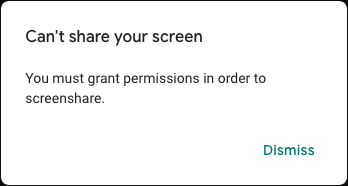
when i try to start sharing my screen on google meet it said i must grant permission in order to screen share but there is no option to give permission
Alla svar (3)
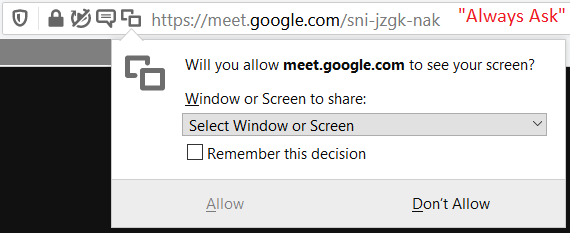
Hi ambrose, did you ever see the permission dialog that drops down from the left end of the address bar? This is how it looks on Windows when I tell Google Meet that I want to "Present" (with the default "Always Ask" permission):

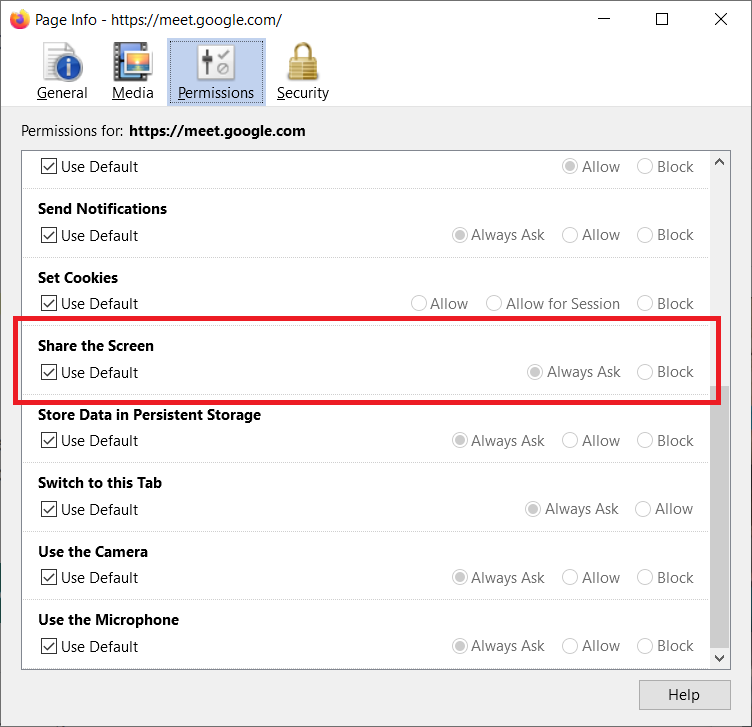
You can check a site's individual permissions by calling up the Page Info dialog (Command+i on Mac, Ctrl+i on Windows/Linux). Check the Permissions panel and scroll down to "Share the Screen". The current effective permission should have a dot next to it (although it may be grayed out as in my example here):

If the current effective Permission is Block, change it to Always Ask.
If all of that is good, I wonder whether you need to allow screen sharing or Firefox in MacOS settings? Not sure that is applicable to your version.
Vald lösning
thank you jscher2000