


Why are favicons missing from add-ons/extensions?

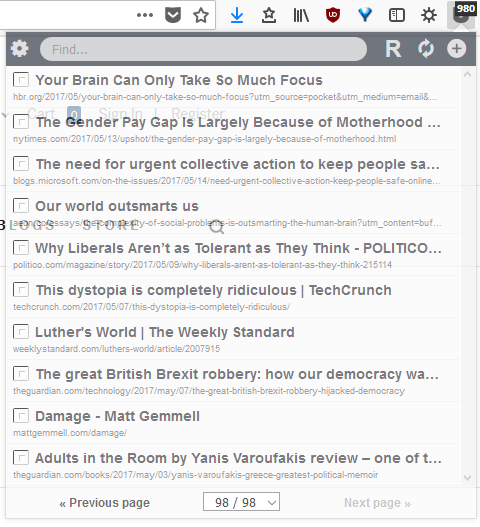
Recently, favicons have gone missing from my extensions. Attached are screenshots from OneTab and In My Pocket, with the icons missing.

Alla svar (5)
Would you please contact the developers ?
For One Tab : https://www.one-tab.com/ (at the bottom of the page)
For In My Pocket : https://pabuisson.wufoo.com/forms/zi5scw41v368kr/
Do you otherwise have a problem with showing images or background images?
cor-el said
Do you otherwise have a problem with showing images or background images?
No issues elsewhere.

Make sure you are not blocking content.
Start Firefox in Safe Mode {web link} by holding down the <Shift> (Mac=Options) key, and then starting Firefox.
A small dialog should appear. Click Start In Safe Mode (not Refresh). Is the problem still there?
One issue that seems more common lately is Firefox's Tracking Protection feature. When it is blocking content in a page, a shield icon will appear at the left end of the address bar next to the padlock icon. This article has more info on managing this feature: Tracking Protection {web link}
FredMcD said
Make sure you are not blocking content. Start Firefox in Safe Mode {web link} by holding down the <Shift> (Mac=Options) key, and then starting Firefox. A small dialog should appear. Click Start In Safe Mode (not Refresh). Is the problem still there?
One issue that seems more common lately is Firefox's Tracking Protection feature. When it is blocking content in a page, a shield icon will appear at the left end of the address bar next to the padlock icon. This article has more info on managing this feature: Tracking Protection {web link}
I assume your suggestion was to start Firefox in safe mode and then start it normally again. (Extensions are not enabled in safe mode so doing this will not show anything related to the problem.) Doing this did not fix the problem.
I would guess that tracking protection is not the issue as I have the same privacy settings on another machine and all the favicons show up correctly there.