


How-to limit spelling languages options in right-click context menu?

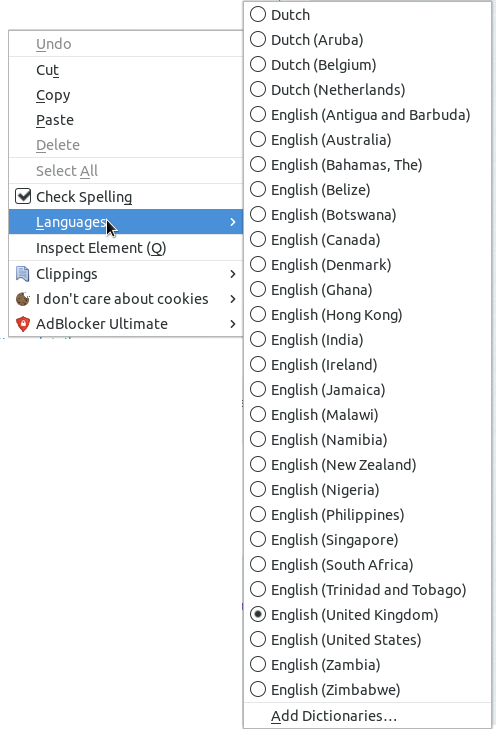
I use 'Check Spelling' a lot with multiple languages, requiring me to frequently switch between Languages in the right-click context menu, how-ever every time I enter this menu, I feel a bit overwhelmed.
This option menu consist of 28 choices listing a wide range of language variants, I am are only interested in Dutch (Netherlands) and English (United Kingdom).
How can I hide the unused variants, making it easier to select the relevant ones?
Vald lösning
Some Linux distributions come with a lot of spelling dictionaries and Firefox finds them and automatically makes them available. You will have to (re)move from from their installation location.
You can check these locations for globally installed dictionaries:
/usr/share/hunspell/
/usr/share/myspell/
Läs svaret i sitt sammanhang 👍 1
Alla svar (2)
Vald lösning
Some Linux distributions come with a lot of spelling dictionaries and Firefox finds them and automatically makes them available. You will have to (re)move from from their installation location.
You can check these locations for globally installed dictionaries:
/usr/share/hunspell/
/usr/share/myspell/
Thanks, I would never guessed this location to be relevant. Removing the variants, presented as symlinks in Fedora 27, did the trick:
sudo find /usr/share/myspell -type l -delete