


Cannot open Facebook, Google and other sites

Ever since the upgrade (two days ago) I no longer can view certain site like Google, Facebook and other https sites. Keep getting the certificate error message. The owner of www.google.com has configured their website improperly. To protect your information from being stolen, Firefox has not connected to this website.
This site uses HTTP Strict Transport Security (HSTS) to specify that Firefox may only connect to it securely. As a result, it is not possible to add an exception for this certificate.
And I cannot bypass it.
Alla svar (5)

There is security software like Avast, Kaspersky, BitDefender and ESET that intercept secure connections and send their own certificate.
https://support.mozilla.org/en-US/kb/firefox-cant-load-websites-other-browsers-can
https://support.mozilla.org/en-US/kb/firefox-and-other-browsers-cant-load-websites
https://support.mozilla.org/en-US/kb/secure-connection-failed-error-message
https://support.mozilla.org/en-US/kb/connection-untrusted-error-message
http://kb.mozillazine.org/Error_loading_websites
- uses an invalid security certificate SSL_ERROR_BAD_CERT_DOMAIN
- configured their website improperly
How to troubleshoot the error code "SEC_ERROR_UNKNOWN_ISSUER" on secure websites https://support.mozilla.org/en-US/kb/troubleshoot-SEC_ERROR_UNKNOWN_ISSUER
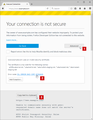
None of these are related to my issue. All my other browsers can enter these sites. This occurred after the upgrade.
Some problems occur when your Internet security program was set to trust the previous version of Firefox, but no longer recognizes your updated version as trusted. Now how to fix the problem: To allow Firefox to connect to the Internet again;
- Make sure your Internet security software is up-to-date (i.e. you are running the latest version).
- Remove Firefox from your program's list of trusted or recognized programs. For detailed instructions, see
Configure firewalls so that Firefox can access the Internet. {web link}
Unfortunately this is not the case. It is happening to my computers at home and at work. All other browsers have no issues. I guess we have to switch to IE and/Or Chrome.
Do a malware check with several malware scanning programs on the Windows computer.
Please scan with all programs because each program detects different malware. All these programs have free versions.
Make sure you update each program to get the latest version of their databases before doing a scan.
- Malwarebytes' Anti-Malware:
http://www.malwarebytes.org/mbam.php - AdwCleaner:
http://www.bleepingcomputer.com/download/adwcleaner/
http://www.softpedia.com/get/Antivirus/Removal-Tools/AdwCleaner.shtml - SuperAntispyware:
http://www.superantispyware.com/ - Microsoft Safety Scanner:
https://www.microsoft.com/security/scanner/en-us/default.aspx - Windows Defender:
https://windows.microsoft.com/en-us/windows/using-defender - Spybot Search & Destroy:
http://www.safer-networking.org/en/index.html - Kasperky Free Security Scan:
https://www.kaspersky.com/security-scan
You can also do a check for a rootkit infection with TDSSKiller.
- Anti-rootkit utility TDSSKiller:
https://support.kaspersky.com/viruses/disinfection/5350
https://support.kaspersky.com/viruses/utility
See also:
- "Spyware on Windows": http://kb.mozillazine.org/Popups_not_blocked