


Printing in Reader View creates black dot on every page

I use Print to PDF with reader view quite regularly, and when I print I find that there is *always* a large black spot in the bottom right corner of every page. The location correlates exactly to the spot that the icon for changing font size is located in Reader view.
Can you please try this to replicate my error, and then fix it?
Thank you very much!
Alla svar (3)
Here is an image to help clarify the problem: I have tried this on multiple android phones and the result is always the same.
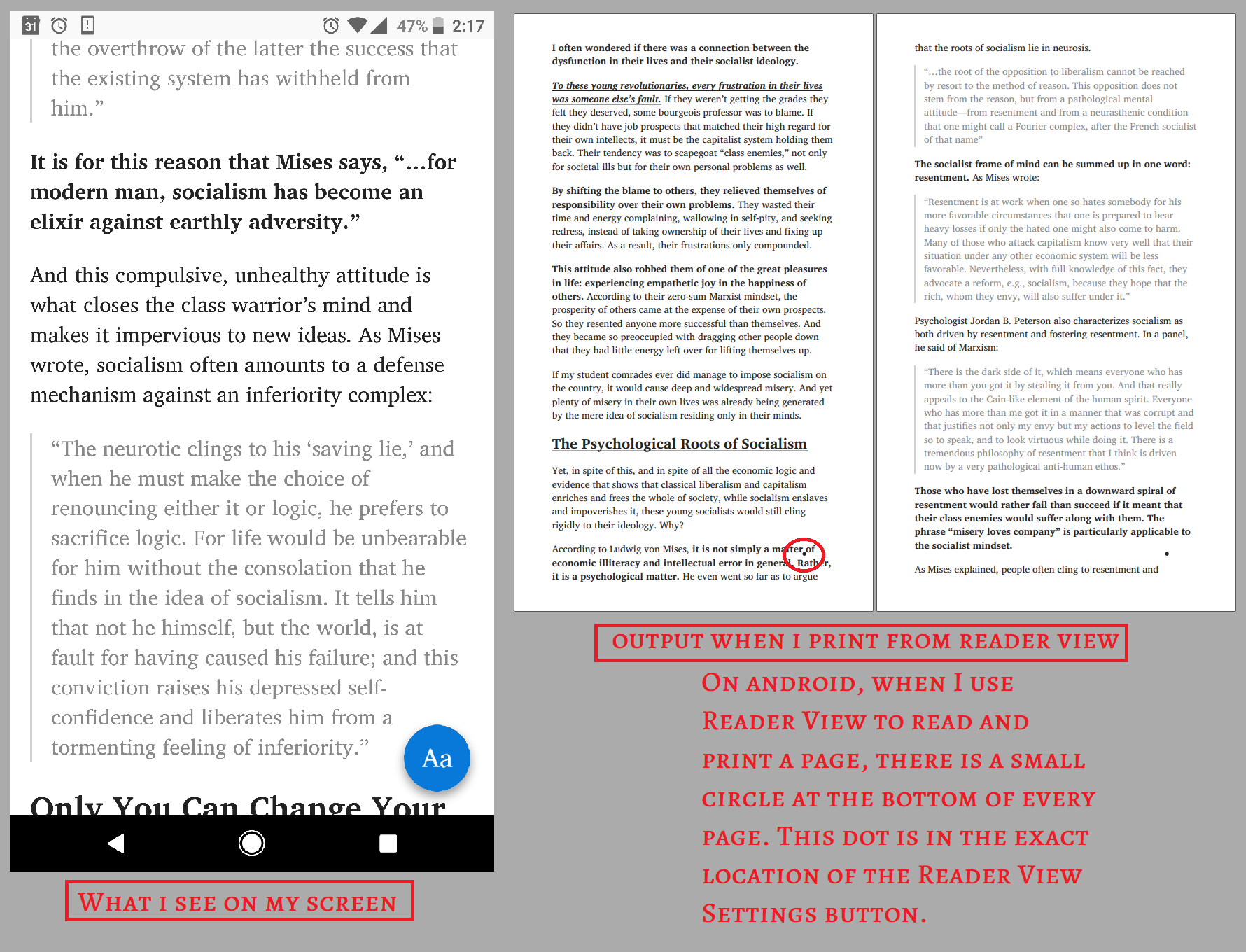
There was recently an update that made the situation much, much worse. Now every page printed to PDF from Reader View contains the Big Blue Dot with the letter A's in it in the bottom right corner. The original little black dot is gone but there is the dot as seen in my previous picture on every page of the PDF.
Yeah, this is a bug. Please file a bug report on bugzilla.